
Servers
Servers are computers or computer systems designed to provide shared resources, storage, applications or services to other devices on a network. They are useful for small businesses, home offices, IT setups, creative teams, schools, workshops and users who need more organised computing than a standard desktop PC can provide.
The right server should match the workload, storage needs, network setup and technical skill level of the user. When comparing servers, look at processor type where listed, memory, storage bays, operating system support, network ports, form factor, power use, cooling, expansion options, remote management features where listed and compatibility with your existing devices and software.
- Servers
UGREEN NASync DXP8800 Plus 8-Bay Desktop NAS, Intel Core i5, 8GB DDR5 RAM, 128GB SSD, 2 x 10GbE, 2 x M.2 NVMe Slots, 8K HDMI, 2 x Thunderbolt 4, Diskless
Original price was: £1,189.99.£1,139.00Current price is: £1,139.00. *View On Amazon* - Servers
BUFFALO LinkStation 210 4TB 1-Bay NAS with HDD Included
Original price was: £225.53.£216.01Current price is: £216.01. *View On Amazon* - Servers
TERRAMASTER F2-424 2-Bay NAS Storage, Diskless
Original price was: £207.19.£196.09Current price is: £196.09. *View On Amazon* - Servers
QNAP TS-932PX-4G 9 Bay Desktop NAS Enclosure with 10GbE SFP+ and 2.5GbE Connectivity
Original price was: £827.99.£549.00Current price is: £549.00. *View On Amazon*
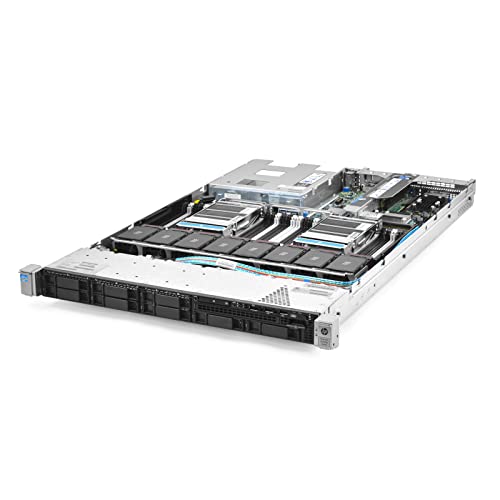


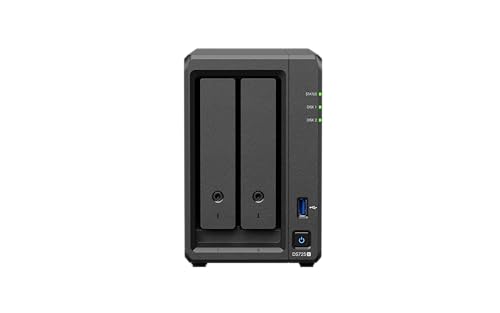

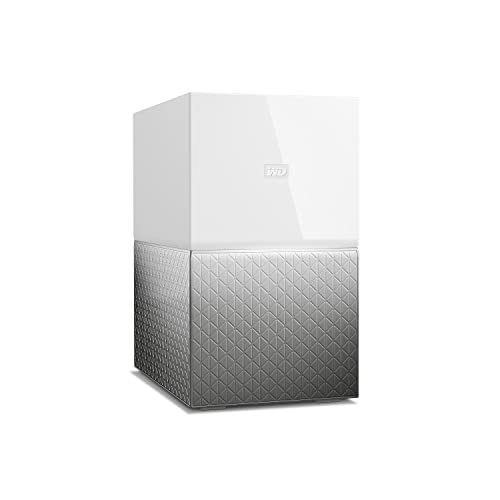

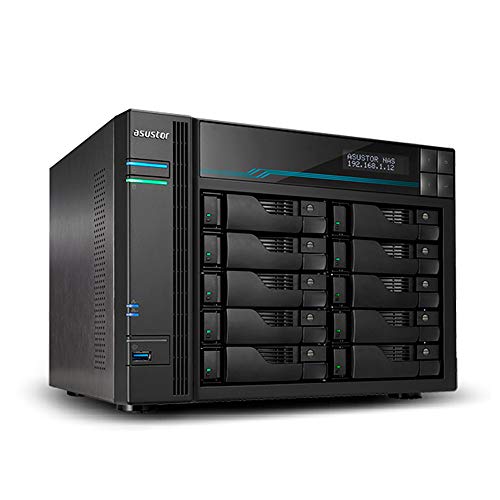


What Are Servers
A server is a computer designed to serve data, files, applications or network functions to other computers, users or devices. Unlike a normal desktop PC, a server is often built with reliability, storage, networking and continuous operation in mind.
Depending on the product, servers may include tower designs, rackmount designs, compact server systems, storage focused setups, multi drive bays, error checking memory support where listed, multiple network ports, redundant power options where listed or management tools where provided in the product information.
Servers are not all designed for the same purpose. Some are suitable for simple file storage, while others may be built for more demanding business, virtualisation, database or application use where the listed specifications support that.
What Servers Are Used For
Servers are used for shared file storage, business applications, website hosting, backups, media storage, email systems, virtual machines, databases, security systems, development environments and centralised network management.
A small office may use a server to store shared documents and manage backups. A creative team may use one to organise large media files. A technical user may use a server for virtual machines, testing, software development or home lab projects.
Servers can also support multi user environments where several people need access to the same files or services. The best choice depends on what the server needs to do, how many users will connect and how much storage or processing power is required.
How To Choose The Right Server
Start with the workload. A server for file sharing has different needs from a server running databases, virtual machines or business applications. List the tasks first, then compare the specifications that matter for those tasks.
Next, think about storage. Check drive bay support, storage type, capacity guidance where listed and whether the server can support the drives you plan to use. For business or backup use, storage planning should be done carefully rather than guessed.
Memory is another important factor. More memory may be useful for virtualisation, multiple users or heavier applications, but the right amount depends on the operating system and software being used.
Also consider the environment. A rack server may suit a dedicated server cabinet or office IT room, while a tower server may be more practical for a small office or home workspace where a rack is not available.
Key Features To Compare
Processor support is one of the main features to check. The processor affects how well the server handles tasks such as file serving, applications, databases or virtual machines.
Memory capacity matters for multitasking and heavier workloads. Check the supported memory type and maximum capacity where listed before planning upgrades.
Storage bays affect how many drives can be installed. Some servers may support multiple hard drives or SSDs where compatible, while compact models may have limited space.
Network ports are important because servers are usually accessed over a network. Faster or multiple network connections where listed may be useful for busy setups, but the rest of the network must also support them.
Form factor affects placement. Tower servers can sit like larger desktop PCs, while rack servers are designed for cabinets or racks where compatible.
Expansion options may include PCIe slots, additional storage controllers, network cards or other upgrades where listed.
Power and cooling should be considered carefully. Servers can create heat and noise depending on the design, so placement matters.
Servers Compared With Desktop PCs
A desktop PC is usually designed for one person to use directly with a monitor, keyboard and mouse. It is often chosen for everyday work, browsing, gaming or creative tasks.
A server is designed to provide services to other devices or users. It may not need to be used directly every day, and it may be placed in a cupboard, office area or server room where suitable.
The trade off is simplicity versus shared function. A desktop PC may be easier for personal computing, while a server may be better for shared storage, backups, applications and network services.
A desktop can sometimes be used for light server style tasks, but a purpose built server may be more suitable where reliability, expansion and network use matter.
Tower Servers Compared With Rack Servers
Tower servers look more like large desktop computers and can be easier to place in a small office, workshop or home environment. They may suit users who do not have a rack cabinet or dedicated server space.
Rack servers are designed to fit into server racks or cabinets. They can be useful for business IT environments, data rooms or setups with several network devices installed together.
The trade off is convenience versus infrastructure. Tower servers may be simpler for small spaces, while rack servers can be more organised in professional IT environments. Always check size, rails, rack compatibility and cooling needs where listed.
Servers Compared With NAS Devices
A NAS device is usually focused on network storage and file sharing. It can be a practical option for backups, media storage and shared folders where suitable.
A server may offer broader computing functions, such as running applications, virtual machines, databases or more advanced services where the specifications and software support them.
The better choice depends on the job. Choose a NAS style solution if shared storage is the main need. Choose a server if you need a more flexible computing platform as well as storage.
Some users may use both, with a server handling applications and a NAS handling storage or backups where suitable.
Guidance For Beginners, Regular Users And Experienced Buyers
Beginners should focus on the actual problem they need to solve. If the goal is shared storage, a simpler system may be enough. If the goal is business software or virtual machines, specifications and compatibility need closer attention.
Regular users may want to compare storage bays, memory, network ports, noise level where listed, operating system support and backup options. A server should fit into the routine rather than creating unnecessary complexity.
Experienced buyers may look more closely at processor generation where listed, ECC memory support where listed, RAID controller support where listed, remote management, drive compatibility, virtualisation support and expansion options.
Business buyers should also consider data protection, user access, backup strategy, physical security, software licensing and whether professional setup or maintenance is needed.
Use Cases By Setup And Workload
For small businesses, servers can support shared files, office applications, backups and centralised user access where suitable.
For home offices, a server may be useful for organised storage, local backups, media libraries or technical projects.
For creative teams, servers can help store and share large files such as images, video, design files and project archives, depending on storage and network performance.
For developers and IT learners, servers may support testing environments, virtual machines, containers or home lab projects where compatible.
For schools, clubs and shared workspaces, servers may be used to manage shared resources, documents or local applications.
For backup setups, servers can be part of a wider data protection plan, but they should not be the only copy of important files.
Fit, Compatibility And Network Planning
A server should be planned with the whole network in mind. Check whether your router, network switch, cabling and connected devices can support the way you want to use it.
Physical space matters. Servers need stable placement, airflow and access for cables. Rack servers need compatible racks or cabinets where suitable, while tower servers need floor or desk space and enough ventilation.
Check operating system compatibility before buying. Some servers may be sold with software, while others may require a separate operating system, setup and licensing where applicable.
Also think about who will manage the server. Installing, configuring and maintaining a server can require technical knowledge, especially for business use or advanced workloads.
Storage, Backup And Data Considerations
Storage planning is one of the most important parts of choosing a server. Consider how much data you have now, how quickly it grows and whether the server needs to support multiple drives.
RAID support, where listed, may help with storage resilience, but it should not be treated as a full backup. Important data should still be backed up separately and tested where suitable.
For business use, think about access permissions, file organisation, backup schedules and how data will be recovered if something goes wrong.
External drives, NAS devices, cloud backups or offsite backups may all be part of a sensible wider backup plan, depending on the setup and risk level.
Operating System And Software Compatibility
Servers may run different operating systems and applications depending on the hardware and intended use. Compatibility should be checked before buying.
Some users may need Windows based server software, while others may use Linux, virtualisation platforms or specialist storage systems where compatible. Software requirements can affect processor, memory, storage and network needs.
Licensing can also matter. Operating systems, business software, backup tools and virtualisation platforms may require separate licences or subscriptions where applicable.
If the server is for a workplace, check with your software provider, IT support or technician before choosing hardware.
Safety And Responsible Installation
Servers should be installed safely and used with suitable power, ventilation and cable management. They should not be placed where vents are blocked, cables are stretched or airflow is poor.
Use suitable power leads, surge protection or UPS devices where appropriate and compatible. Do not overload extension leads or power strips, and follow electrical safety guidance.
Servers can be heavy, especially rackmount models. Take care when lifting, mounting or moving them. Rack installations should be stable and suitable for the equipment weight.
If you are unsure about setup, networking, electrical safety or data protection, use a qualified IT technician.
Care, Maintenance And Storage
Always follow the care guidance supplied with the product. Servers should be kept clean, dry and properly ventilated.
Dust can affect cooling, so check vents, filters and fans where suitable. Do not block airflow with paperwork, boxes or furniture.
Check drives, cables and alerts regularly where the server supports monitoring. A server may still appear to work while a drive, fan or power component is warning of an issue.
Keep software updated where appropriate and maintain secure passwords, user permissions and backup routines.
If storing an unused server, keep it in a dry, safe place away from dust, damp and heavy objects.
Useful Accessories To Consider
Useful accessories may include server memory, storage drives, SSDs, hard drives, network switches, Ethernet cables, UPS units, computer power strips, server racks, rack shelves, keyboard and mouse sets, monitors, USB hubs and backup drives.
For business setups, cable labels, network cabinets, spare drives and backup software may also be worth considering where suitable.
If buying a server as a gift, replacement or business purchase, confirm the intended workload, available space, software needs, network setup and technical support before choosing.
Why Buy From YPC
At YPC, we understand active lifestyles and the need for practical products that work in real use. Servers should be easy to compare by processor where listed, memory, storage support, form factor, network connections, operating system compatibility, expansion options and intended workload.
This category is designed to help buyers choose practical servers for business, home offices, storage, development, backups and shared computing. Browse the servers at YPC and compare the available options to find a suitable system for your setup and long term needs.
FAQs
What is a server?
A server is a computer or system designed to provide services, files, storage, applications or network resources to other devices or users.
What are servers used for?
Servers can be used for shared files, backups, business applications, databases, website hosting, media storage, virtual machines, development work and network management where suitable.
Is a server the same as a desktop PC?
No. A desktop PC is usually designed for one person to use directly, while a server is designed to provide resources or services to other users and devices on a network.
Do I need a server for a small business?
A small business may need a server if it requires shared storage, centralised applications, local backups, user access control or more organised IT management. The right choice depends on the business setup.
What is the difference between a tower server and a rack server?
A tower server looks more like a large desktop computer and can be easier to place in a small office. A rack server is designed for installation in a server rack or cabinet where compatible.
Can a server be used at home?
Yes, a server can be used at home for storage, backups, media, home labs or development projects where the user has the knowledge and space to manage it safely.
What should I check before buying a server?
Check the processor, memory, storage bays, network ports, form factor, operating system compatibility, power needs, cooling, software requirements and whether you have the technical support to set it up.
Are servers easy to upgrade?
Some servers may support upgrades such as memory, storage or network cards where listed, but upgrade options vary by model. Always check the product details before buying for future expansion.
Find out more with our Server Buyers Guide.
 Getting ready for Summer? View our Home and Garden Products

Heading outdoors this winter? Take a look at our Outdoor Clothing.