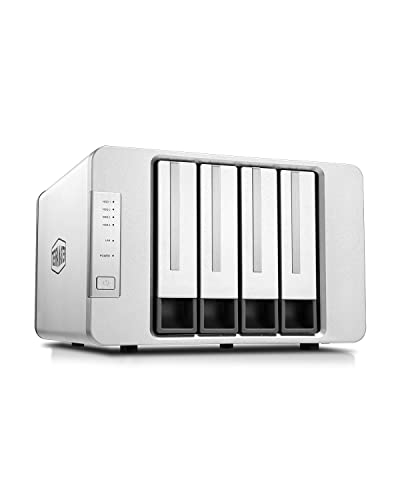
Quick Summary
The TERRAMASTER D8 Hybrid HDD NVMe Enclosure is an 8-bay USB storage enclosure with a diskless design. It combines support for 4 SATA HDDs or SSDs and 4 M.2 2280 NVMe SSDs, and it uses USB 3.2 Gen 2 for up to 10Gbps transfer bandwidth.
This enclosure is built for users who want a mix of higher-capacity storage and SSD-based speed in one unit. The product description also notes hardware RAID options for bays 1 and 2, along with individual-disk use for bays 3 and 4 and the M.2 NVMe SSDs.
Who It Is Best For
This enclosure is for buyers who need one storage unit for both SATA drives and M.2 2280 NVMe SSDs. It is also worth considering if you want to choose between RAID use on bays 1 and 2 or use some drives individually.
Because it is sold diskless, you will need to supply your own drives. Check the drive types and the chosen bay layout before ordering.
Key Details
| Detail | Verified information and buyer relevance |
|---|---|
| Product type | 8-bay hybrid HDD NVMe enclosure for USB storage. |
| Drive support | Supports 4 SATA HDDs or SSDs and 4 M.2 2280 NVMe SSDs. |
| Connection | USB 3.2 Gen 2 with up to 10Gbps transfer bandwidth. |
| Diskless | No drives are included, so the buyer needs to add compatible drives. |
| RAID function | Bays 1 and 2 can be set to RAID 0, RAID 1, Single disk or JBOD. |
| Individual disk use | Bays 3 and 4, plus the M.2 2280 NVMe SSDs, can work as individual disks. |
| Included software | TERRAMASTER TPC Backupper software is mentioned for scheduled backups. |
| Cooling | Includes an intelligent temperature-controlled low-noise fan that adjusts speed with temperature. |
Why Buyers Choose It
- 4 SATA bays and 4 M.2 2280 NVMe bays give you mixed storage in one enclosure.
- USB 3.2 Gen 2 and 10Gbps bandwidth support faster data transfer than slower USB connections.
- RAID 0, RAID 1, Single disk and JBOD on bays 1 and 2 give more setup options for those drives.
- The tool-free tray design and Push-Lock feature are intended to make drive swapping straightforward.
How It Works
- Add your own SATA HDDs or SSDs and M.2 2280 NVMe SSDs to the enclosure.
- Use the tray design for installation and removal without tools.
- Insert the drive trays so the Push-Lock design secures them in place.
- Set bays 1 and 2 to the required RAID or single-disk mode.
- Use bays 3 and 4, and the M.2 2280 NVMe SSDs, as individual disks where needed.
- Let the temperature-controlled fan adjust its speed according to the heat inside the enclosure.
Real World Use
This enclosure combines storage for different drive types in one unit, which may suit buyers who want to separate tasks across bays or keep some drives in RAID while using others individually. The stated backup software support adds a practical option for scheduled backups.
What To Know Before You Buy
Confirm that your drives match the supported formats before ordering. The unit is diskless, so drives must be purchased separately. Review the bay layout carefully, especially if you plan to use RAID on bays 1 and 2 and different settings for the remaining bays and M.2 SSDs.
The stated capacity figures in the description are based on specific drive sizes and configurations, so check your own storage needs against the drives you plan to fit.
Common Buyer Questions
Are drives included?
No. This is a diskless enclosure, so you need to supply your own HDDs or SSDs.
What drive types does it support?
It supports 4 SATA HDDs or SSDs and 4 M.2 2280 NVMe SSDs.
Can I use RAID?
Yes. Bays 1 and 2 can be set to RAID 0, RAID 1, Single disk or JBOD.
Does it use a fast USB connection?
Yes. It uses USB 3.2 Gen 2 with up to 10Gbps transfer bandwidth.
Final Buying View
The TERRAMASTER D8 Hybrid HDD NVMe Enclosure is best for buyers who want a mixed-drive storage enclosure with RAID options on bays 1 and 2. Check your drive formats, the diskless setup, and the exact bay configuration before ordering.