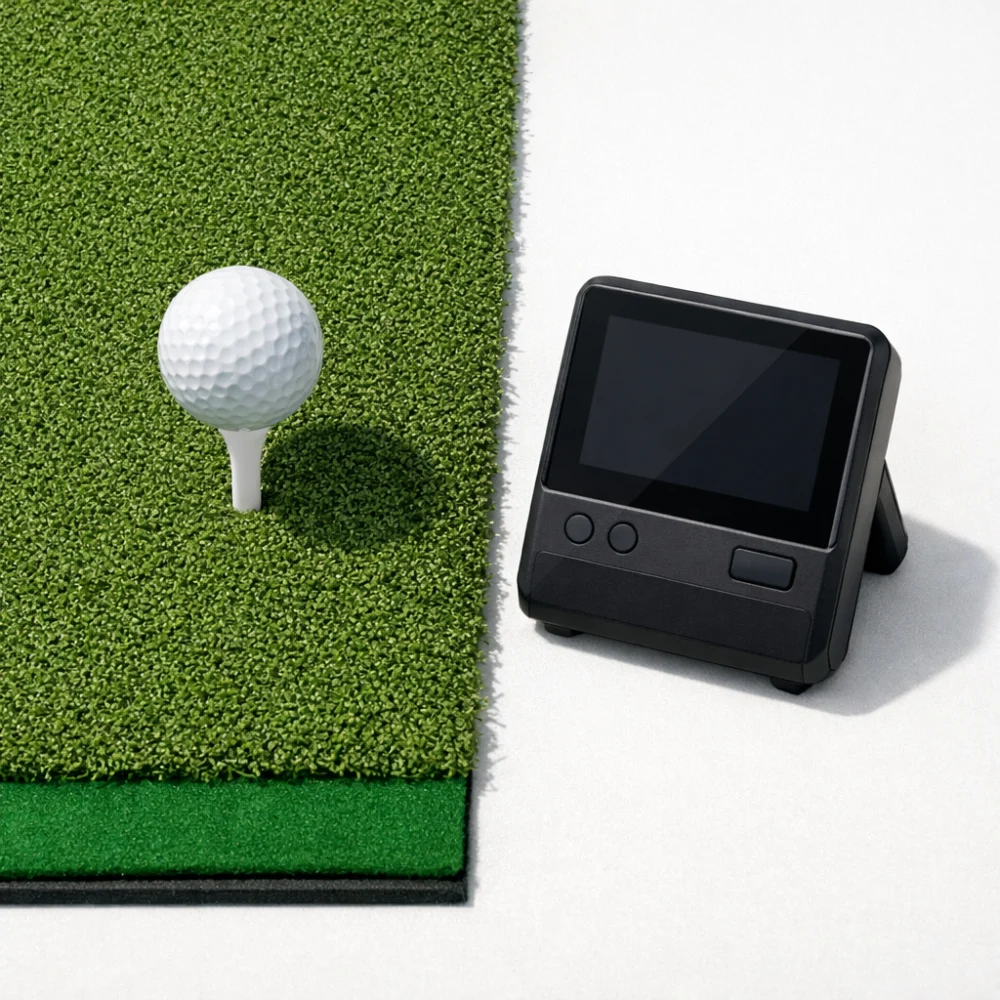
A golf launch monitor is a training and feedback tool for golfers who want more information about their shots than a scorecard or simple range session can provide. It can help you practise more deliberately, compare swings over time and understand how the ball is behaving after impact.
Some buyers want a simple portable unit for occasional practice, while others are looking for a device that works well with a home simulator setup. The right choice depends less on brand names and more on how and where you plan to use it.
Because launch monitors vary in the data they provide, the way they read shots and the space they need, it is worth comparing the practical details before you buy. Specifications vary by model, so always check the individual product page before buying.
What is the right golf launch monitor for most buyers?
The best starting point is to decide where you will use it most often: indoors, outdoors or both. After that, look at the shot data you actually want, the space available behind or around the ball, and whether you need a fully portable setup or something more fixed for simulator use. A simpler model may suit casual practice, while a more data-rich unit may be better if you want deeper feedback and are happy to spend more time setting it up.
| Feature | What It Means | Why It Matters | What To Check |
|---|---|---|---|
| Use location | Whether the device is mainly for indoor, outdoor or mixed use | Some monitors are easier to position and use in one setting than another | Look for the stated intended use and any space guidance on the product page |
| Shot data | The information the monitor gives about ball flight and swing outcomes | More data can help with practice, but not every golfer needs the same level of detail | Check which metrics are listed and decide which are actually useful to you |
| Portability | How easy it is to move, store and set up the unit | Portable models suit range sessions and flexible use | Consider size, stand or mounting needs, and what else is included |
| Simulator compatibility | Whether the monitor can be used with golf simulator software or a home practice screen setup | This affects how the device fits into a longer-term training setup | Confirm software, app and device requirements before buying |
| Power and connection | How the unit is powered and how it links to other devices | Power and pairing affect convenience and repeat use | Check charging method, battery details and any phone or tablet requirements |
| Setup space | The room or area needed for the monitor to read shots properly | Space limits can be the deciding factor for indoor buyers | Compare the product page guidance with the room or bay you plan to use |
Key decision criteria
Indoor versus outdoor use
Think about where you will use the monitor most. Indoor use usually puts more emphasis on space, alignment and software compatibility, while outdoor use often puts more emphasis on ease of setup and portability. If you plan to use both, the most flexible models are usually the ones that fit your available space without becoming awkward to move.
How much data you really need
Launch monitors can differ in the amount and type of feedback they give. Some golfers mainly want basic shot confirmation and practice feedback, while others want more detailed numbers to understand patterns over time. More data is not automatically better if you will not use it; it is better to buy for the metrics you will actually act on.
Portability and setup effort
If you want to take the monitor to the driving range or move it between locations, portability matters. A compact design can be easier to live with, but it may also depend more on careful positioning. If you prefer a home practice area, it can be worth prioritising stability, repeatable placement and compatibility with the space you have.
App and device compatibility
Many launch monitors rely on a phone, tablet or software environment for display and analysis. That means the device itself is only part of the buying decision. Check which operating systems, apps or simulator platforms are supported, and make sure your own device fits those requirements before you assume the monitor will work as expected.
Space and alignment
Some monitors need a clear area behind the ball, alongside the ball or both, depending on how they read shots. That can make the same model feel straightforward in one room and difficult in another. Measure your intended space first, then compare it with the product information rather than assuming a compact unit will suit every setup.
Types and variants within this category
Within golf launch monitors, the main differences are usually about how and where they are used rather than completely separate product classes. A portable monitor may appeal to golfers who practise in different places, while a more simulator-focused unit may suit someone building a dedicated indoor setup.
Some buyers also compare simpler practice monitors with more feature-rich models that support broader shot analysis. The trade-off is usually between ease of use and depth of feedback. If you only need a straightforward practice aid, a simpler model may be enough; if you want more detailed analysis, you may accept a more involved setup.
Which launch monitor suits which buyer?
| Buyer need | Likely priority | What to look for |
|---|---|---|
| Casual range practice | Easy setup and clear basic feedback | Portable design, simple app use and the core shot data you will actually review |
| Home simulator use | Compatibility and reliable indoor setup | Software support, space guidance and a configuration that fits your room |
| Frequent travel between venues | Lightweight portability | Compact form factor, quick setup and easy storage |
| Technique-focused practice | More detailed shot feedback | The specific data fields listed on the product page and how they are presented |
| Gift buying | Ease of use | Simple setup, broad compatibility and a clear explanation of what is included |
Common mistakes to avoid
- Buying for features you will not use. A long list of metrics can sound appealing, but it is only useful if you will actually review them after each session.
- Ignoring space requirements. Indoor buyers often focus on the monitor itself and overlook the room needed to use it properly.
- Assuming app compatibility. If the monitor depends on a phone or tablet, check that your own device is supported.
- Choosing portability without checking stability. A compact unit is convenient, but it still needs repeatable placement to be useful.
- Overlooking simulator needs. If you want a home golf simulator later, check those requirements early rather than treating them as an afterthought.
Safety and suitability considerations
Launch monitors are generally chosen for practice and feedback, but suitability still matters. Check that the product is intended for the environment you plan to use, especially if you want indoor sessions in a limited space. If you are buying for someone else, make sure the device matches their level of interest and their available equipment, rather than assuming any golf gadget will suit them.
Maintenance, storage and ownership
Most buyers mainly need to think about charging, storage and keeping the device protected between uses. If the monitor uses an app or connected software, it is also worth considering whether you are comfortable updating and pairing devices as needed. A unit that is easy to store and quick to bring out is more likely to get used regularly.
How to compare options efficiently
- Decide whether you will use the monitor indoors, outdoors or both.
- Choose the type of feedback you actually want from your practice sessions.
- Check the space, setup and alignment requirements against your home or practice area.
- Confirm phone, tablet or simulator compatibility if those features matter to you.
- Compare what is included, how easy it is to move and whether the setup suits your routine.
Buyer checklist
- Is the monitor suitable for your main use: indoor, outdoor or mixed?
- Does it provide the kind of shot feedback you will actually use?
- Will it fit the space you have available?
- Is it compatible with your phone, tablet or simulator plan?
- Is the setup simple enough for how often you will use it?
- Does the portability level suit your routine?
- Have you checked the individual product page for any model-specific requirements?
Frequently asked questions
Do I need a golf launch monitor if I only practise occasionally?
Not necessarily, but it can still be useful if you want clearer feedback than you would get from feel alone. For occasional use, a simpler model may make more sense than a highly technical one. The key is to avoid paying for features that will not change how you practise.
Can one launch monitor work indoors and outdoors?
Some can, but not all are equally convenient in both settings. Indoor use often depends more on room layout and software, while outdoor use may prioritise portability and quick setup. Check the product page carefully rather than assuming mixed-use capability.
What data should I pay most attention to?
That depends on what you are trying to improve. Some golfers care most about the basic shot picture, while others want more detailed feedback for technique work. Focus on the metrics you understand and will use consistently rather than chasing every available number.
Is simulator compatibility essential?
Only if you plan to use the monitor with a simulator setup now or later. If you mainly want range practice, simulator support may be less important than ease of use and portability. If simulator use matters to you, make compatibility one of your first checks.
How much space do I need?
It varies by model and by how you intend to use it. Indoor buyers should pay close attention to the room guidance on the product page, including any clear space requirements around the ball. Do not assume a smaller device will automatically suit a smaller room.
Are launch monitors difficult to set up?
Some are very straightforward, while others take more attention to alignment, pairing and app use. If you want to use the monitor often, a simpler setup can be more valuable than a longer list of features. Ease of use is worth checking alongside the data it provides.