
Webcams
Webcams keep you sharp on Teams and Zoom, make streaming look professional, and bring true-to-life detail to training, live sales, and content creation. Since 1988 our UK online shop has helped customers choose the right full HD and 4K webcams with clear specs, practical setup tips, fast UK delivery, and easy returns.
- Webcams
2K 30fps Auto Focusing Webcam with Noise Reduction Mic and HiFi Speaker, Plug and Play PC Camera for Video Chat, Compatible with Win 10, Win 8, Win 7, OS X Laptop
Original price was: £35.79.£31.33Current price is: £31.33. *View On Amazon* - Webcams
Tenveo 4K PTZ Camera AI Auto-Tracking 25X Optical Zoom for Video Conference Church Live Streaming Education
Original price was: £229.00.£195.00Current price is: £195.00. *View On Amazon* - Webcams
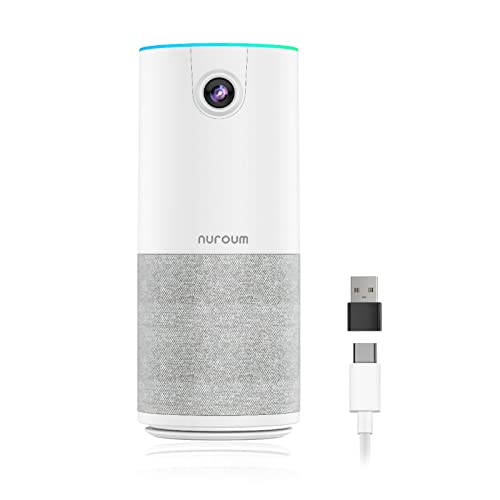
Nuroum C10 Conference Camera with Speaker&Microphone, Noise Reduction/10ft Voice Pickup/ 90°1080P Video Call, All-in-one Conference Webcam USB Plug&Play for PC, Portable Speakerphone for Zoom/Teams
Original price was: £99.99.£89.99Current price is: £89.99. *View On Amazon* - Webcams
Eye to Cam Middle Screen Webcam, 2MP HD Plug and Play Auto Focus Mini USB Center Webcam Built in Microphone, Compatible with for Zoom, for Skype, for Google Hangouts
Original price was: £27.74.£24.56Current price is: £24.56. *View On Amazon*




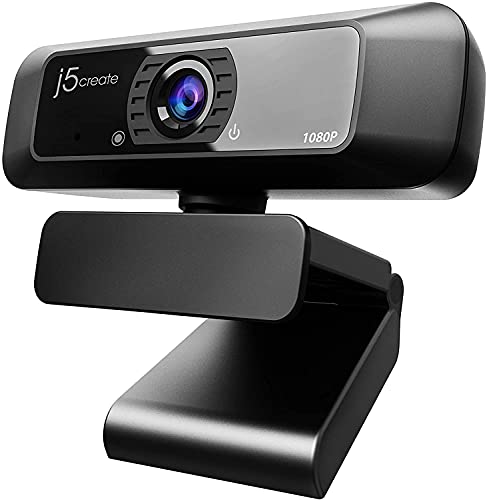
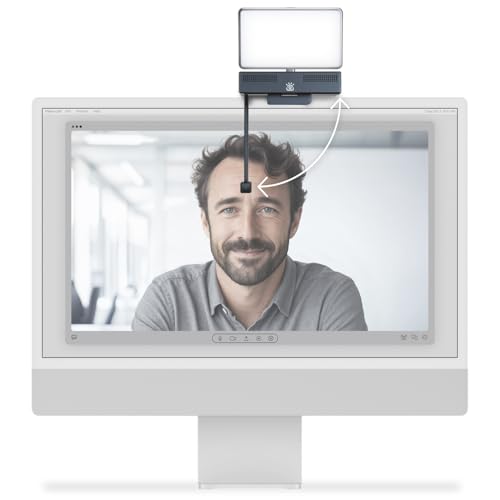


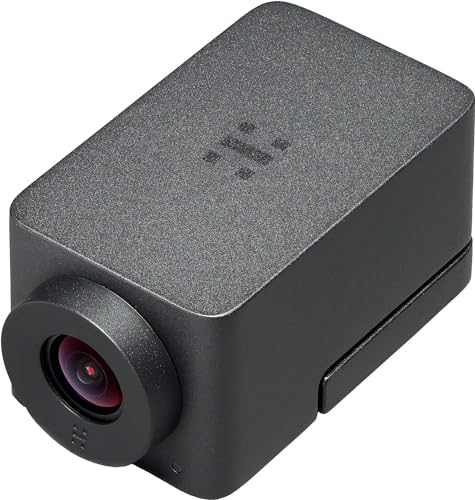


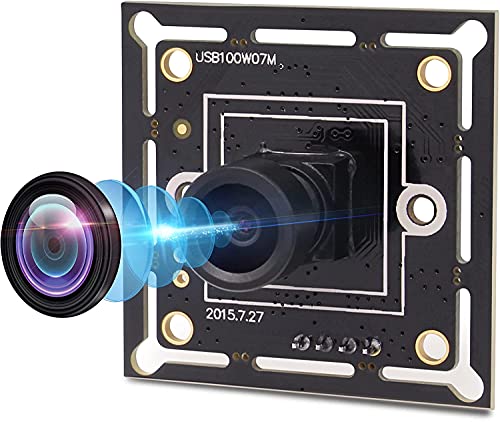


For most users, pick a 1080p 60 fps webcam with autofocus, dual noise-reducing mics, HDR, and a privacy shutter. For creators, choose a 4K 30 fps model with a bigger sensor, manual controls, and AI auto-frame. Check USB A or USB C, field of view 65 to 90 degrees, Windows, macOS, ChromeOS support, UVC plug and play, a standard 1/4 inch mount, and optional Windows Hello IR if you want face sign in.
Why buy webcams from us
Trusted UK online retailer since 1988 with friendly, expert guidance
Curated range for home working, classrooms, streaming, podcasts, and hybrid offices
Clear compatibility notes for Windows, macOS, ChromeOS, and conference apps
Accessories in one place, including lights, tripods, mounts, USB hubs, and privacy filters
Fast UK delivery and straightforward returns
Types of webcams
Every da,y 1080p webcams for crisp meetings and lessons
High frame rate 1080p 60 fps for smoother motion and gaming streams
4K webcams for pro-level detail, crop without blur, and better low light
Conference webcams with a wider field of view and beamforming mics
Creator webcams with larger sensors, manual exposure, and flat colour profiles
IR Windows Hello webcams for secure face sign-in
Clip-on ring light webcams for dim rooms and late calls
Webcam buying guide
1) Resolution and frame rate
1080p 30 fps suits everyday calls
1080p 60 fps looks smoother for demos and fast movement
4K 30 fps gives the most detail and lets you crop in while staying sharp
2) Sensor, optics, and focus
Larger sensors improve low light and dynamic range
Autofocus keeps you sharp as you move, fixed focus is fine for static, close desk shots
Glass lenses beat plastic for clarity
3) Field of view
65 to 78 degrees for solo framing without showing the whole room
85 to 90 degrees for two people or a whiteboard
Many webcams offer multiple FOV presets or AI auto-frame to keep you centred
4) Colour, HDR, and low light
HDR helps with backlit windows and high contrast scenes
Look for low light correction and a neutral colour profile that you can adjust
5) Microphones and audio
Dual noise-reducing mics improve clarity, but a headset or USB mic still wins for noisy spaces
Sidetone and echo reduction features are handy in meetings
6) Connectivity and mounts
USB A works with most PCs, USB C is ideal for modern laptops and docks
UVC plug and play avoids driver installs
Standard 1/4 inch thread fits tripods and arms, plus a clip for laptop screens
7) Privacy and security
Physical shutter or mute LED for peace of mind
Windows Hello IR models add fast, secure sign-in on supported Windows devices
8) Software and AI features
Auto-framing, face tracking, background blur or replacement, exposure and white balance locks, firmware updates
Check app support on macOS if you plan to fine-tune colour and framing
Quick picks by scenario
Home office all-rounder: 1080p 60 fps, autofocus, dual mics, HDR, privacy shutter
Dim room fix: 1080p or 4K webcam with ring light or strong low light mode
Creator and YouTube: 4K 30 fps, larger sensor, manual controls, tripod mount
Shared meeting space: 1080p wide FOV conference webcam with beamforming mics
Security-focused: IR webcam with Windows Hello plus a physical shutter
Teaching and demos: Top-down mountable webcam with manual focus or macro mode
Common mistakes to avoid
Buying 4K then streaming at 1080p because your software or bandwidth limits output
Choosing a very wide FOV and looking tiny in frame
Relying on a webcam mic in a noisy room instead of a headset
Mounting on a wobbly laptop lid and getting shaky video
Ignoring lighting and expecting HDR to fix a dark face and bright window
Forgetting USB-C needs the right cable or adapter on older PCs
Leaving auto exposure unlocked so brightness pumps when you move
Setup and picture tips
Put the lens at eye level, about an arm’s length away
Light your face from the front or side, not from a bright window behind
In software, lock white balance and exposure once it looks natural
Enable background blur for privacy, or use a tidy neutral backdrop
For 4K webcams, set 4K capture in your app if you want to crop cleanly
Use a tripod or monitor arm for stable framing
Keep the lens clean with a microfibre cloth
Popular sub categories
1080p webcams
4K webcams
Windows Hello IR webcams
Conference and wide-angle webcams
Creator and streaming webcams
Webcam lights and ring lights
Webcam arms, tripods, and privacy covers
USB hubs and USB-C adapters for webcams
FAQs. Webcams
1) Is a 4K webcam worth it for meetings
Yes, if you want the best clarity or plan to crop in digitally without losing sharpness. For basic calls, 1080p looks great.
2) 30 fps or 60 fps, which should I pick
60 fps looks smoother for demos and gestures. 30 fps is fine for typical meetings.
3) Do I need special drivers
Most modern webcams are UVC plug-and-play, so Windows, macOS, and ChromeOS recognise them without drivers.
4) Why do I look dark with a bright window behind
Backlight confuses exposure. Close blinds, add a front light, or use a webcam with HDR and lock exposure once set.
5) Is a webcam mic good enough
It is fine in a quiet room. For open plan offices, a USB headset or USB microphone gives a clearer voice.
6) What field of view should I choose
Around 70 to 78 degrees for one person. Go wider for two people or a whiteboard.
7) Can I mount a webcam on a tripod
Yes. Many models include a 1/4 inch thread for tripods and boom arms.
8) Will a webcam work with Teams, Zoom, and Meet
Yes. They use standard video devices. Select the webcam in the app’s audio and video settings.
9) What is Windows Hello, and do I need it
It is a secure face sign-in on Windows. Choose an IR webcam if you want fast, hands-free logins.
10) How do I stop autofocus hunting
Add front lighting, reduce backlight, or switch to manual focus if the webcam supports it. Some apps let you lock focus.
11) Why is my 4K webcam only showing 1080p
Your app or USB bandwidth may be limiting resolution. Use the vendor app or OBS, and connect via USB 3 on a direct port.
12) Can I use a webcam with a USB hub
Yes, with a quality powered hub. High resolutions need USB 3 bandwidth for best results.
13) Do webcams work on macOS without software
Yes. Fine control features may need the vendor app. Core video works with FaceTime, Meet, and Teams.
14) How do I improve video in low light
Add a ring light or key light, raise ISO in the app if available, and pick a webcam with a larger sensor and low light mode.
15) What cable do I need
Most use USB A to USB C or USB C to USB-C. Use the supplied lead or a certified replacement of suitable length.
16) Can I record 4K locally while streaming 1080p
Yes in apps like OBS. Set the webcam to 4K for capture and scale your stream output to 1080p.
17) Are background blur and virtual greenscreen reliable
They work well with good lighting and contrast. A tidy, evenly lit background improves the effect.
18) How do I keep colour consistent between meetings
Disable auto white balance once it looks natural, and keep your lighting the same each time.
19) Will a webcam fit on an ultra-thin laptop lid
Most clips are wide and rubberised. If in doubt, use a tripod or monitor arm mount.
20) Do you sell privacy covers
Yes. Many webcams include a shutter, and we stock stick-on covers that slide open and closed.
21) Why is the picture soft at arm’s length
Some budget models are fixed focus tuned for a closer distance. Choose autofocus or a model with a larger focus range.
22) Can I use a webcam as a document camera
Yes, with a tripod or arm pointing down. Pick a model with manual focus or macro mode for close work.
Ready for clearer video
Explore webcams for home working, hybrid offices, classrooms, streaming, and content creation. With expert advice, lighting and mounts to match, fast UK delivery, and trusted support since 1988, you can look sharp and sound clear on every call and recording.
 Getting ready for Summer? View our Home and Garden Products

Heading outdoors this winter? Take a look at our Outdoor Clothing.
Amazon Associate Disclosure
As an Amazon Associate I earn from qualifying purchases.