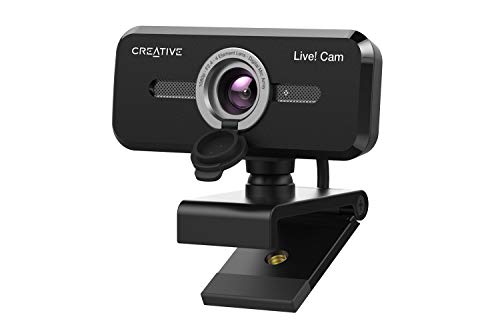
Quick Summary
This 1080P USB centre webcam is designed to sit in the middle of the screen for eye-level video calls, with auto focus and a built-in microphone. It plugs in by USB and is described as plug and play, so it does not require additional software installation.
The placement is intended to support better eye contact during conferences, while the microphone provides built-in audio for calls. The product is also described as working with popular conferencing software and with supported objects listed in the source information.
Who It Is Best For
This webcam suits buyers who want a screen-centre camera position for video conferences and who prefer a simple USB setup. It is a practical option if you want a webcam that can be recognised without extra drivers or software.
It is also relevant for users who need compatibility checks against their computer, laptop, screen or listed supported objects before ordering.
Key Details
| Detail | Verified information and buyer relevance |
|---|---|
| Product type | USB centre webcam for video conferences. |
| Image quality | 1080P FHD image quality is stated, which identifies the listed video resolution. |
| Focus | Auto focus is included, so the camera is intended to adjust focus automatically. |
| Microphone | Built-in microphone is included for audio during calls. |
| Setup | Plug and play with no additional software installation required. |
| Connection | USB connection, with recognition by a computer after plugging in. |
| Placement | Designed to sit in the centre of the screen for better eye contact. |
| Compatibility notes | Compatible software mentioned includes Zoom, Skype and Hangouts. Supported objects are listed as 2000, XP, 7/8 32 bit and Android TV. |
What To Know Before You Buy
Check that the centre-screen placement suits your setup, since the product is designed to sit in the middle of the screen rather than elsewhere. Confirm that your device or intended software matches the stated compatibility details before ordering.
The listing also refers to supported objects and operating environments in a mixed way, so it is sensible to review those details carefully if you are buying for a specific system.
Common Buyer Questions
Does it need extra software?
No. It is described as plug and play and does not require additional software installation.
Does it have a microphone?
Yes. A built-in microphone is included.
Which conferencing apps are mentioned?
Zoom, Skype and Hangouts are named as compatible software.
How does it connect?
It connects by USB and is recognised by the computer after plugging in.
Final Buying View
This centre webcam is aimed at buyers who want a straightforward USB camera for video calls with eye-level placement, auto focus and built-in audio. Review the stated compatibility and the centre-screen setup before ordering to make sure it matches your device and meeting use.