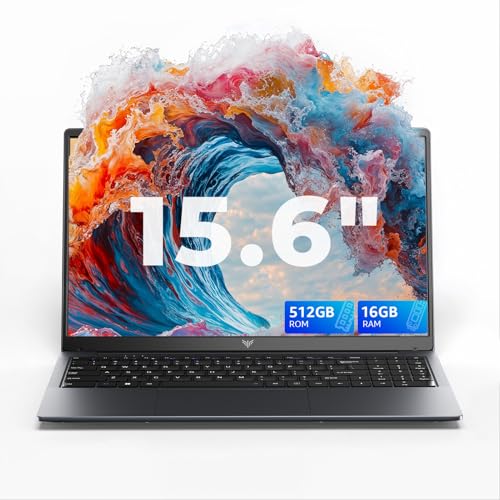
The Alienware Aurora 16 is a high performance gaming laptop designed for demanding modern workloads. It is built for players who want smooth frame rates in AAA games, creators working with graphics intensive software, and power users who expect consistent performance under sustained load.
Beyond gaming, this laptop is suited to content creation, 3D workloads, streaming, development tasks and AI assisted applications. It is a strong choice for users who want desktop class capability in a portable form without compromising visual quality or responsiveness.
Why We Like This Product Reviewed by the YPC Team
At YPC Outdoors, what stands out immediately is how balanced this system feels for a serious gaming laptop. The combination of the Intel Core 7 240H processor and RTX 5060 graphics delivers strong performance without feeling excessive or unstable.
The display is a genuine highlight. The WQXGA resolution, high refresh rate and full sRGB coverage make a noticeable difference both in games and creative work. We also like Alienware’s refined cooling approach, which keeps performance consistent rather than spiking and throttling during longer sessions.
Pros and Cons
Pros
High resolution 16 inch WQXGA display with 120Hz refresh rate
Strong gaming and creative performance from RTX 5060 graphics
Intel Core 7 240H handles heavy multitasking with ease
Advanced cooling system supports sustained performance
Premium Alienware build quality and keyboard
Cons
Not a lightweight laptop for casual portability
Battery life prioritises performance rather than all day use
Premium hardware comes at a higher price point
Performance and Gaming Capability
The Alienware Aurora 16 is powered by the Intel Core 7 240H processor, featuring 10 cores, 16 threads and clock speeds up to 5.2GHz. This provides strong single core and multi core performance, which is crucial for modern games, creative software and AI assisted workflows.
Paired with NVIDIA GeForce RTX 5060 graphics and 8GB of GDDR7 VRAM, the system is capable of running modern AAA titles at high settings while maintaining smooth frame rates. Technologies such as DLSS 4, ray reconstruction and NVIDIA Reflex support improved visuals and reduced input latency.
Display Quality and Visual Experience
The 16 inch WQXGA display runs at a resolution of 2560 by 1600 with a 120Hz refresh rate, offering sharp detail and fluid motion. The taller aspect ratio provides more vertical space, which is especially useful for creative work and productivity.
With 100 percent sRGB colour coverage and a brightness rating of 300 nits, colours appear accurate and vibrant. ComfortView Plus technology helps reduce blue light exposure, making longer gaming or work sessions more comfortable.
Cooling and Sustained Performance
Alienware’s advanced Cryo tech cooling system is designed to handle prolonged high load scenarios. A redesigned Cryo Chamber base, dual ultra thin fans, copper heat pipes and multiple exhaust vents work together to manage heat efficiently.
In real world use, this means the laptop maintains consistent performance during long gaming sessions without excessive fan noise or aggressive thermal throttling.
Memory and Storage Configuration
The laptop is equipped with 16GB of dual channel DDR5 memory running at 5600 MT per second. This supports fast data access, smooth multitasking and modern game engines that benefit from higher memory bandwidth.
A 1TB PCIe NVMe solid state drive provides fast boot times and rapid game and application loading. The system is designed to be upgrade friendly, allowing future storage expansion as needs grow.
Design Keyboard and Lighting
The Aurora 16 features a premium chassis with Alienware styling and ambient AlienFX RGB lighting zones. The white backlit UK keyboard offers clear visibility and a comfortable typing and gaming experience.
A dedicated Stealth Mode function allows users to instantly reduce fan noise and switch lighting to a more subtle profile, making the laptop more suitable for quieter environments or non gaming use.
Connectivity and Ports
This laptop includes a modern selection of ports to support gaming peripherals, external displays and storage devices. Exact port configuration may vary by region and should be confirmed at purchase.
Wireless connectivity details are not specified but are expected to align with current gaming laptop standards.
Comparisons With Similar Alternatives
Compared with mid range gaming laptops, the Aurora 16 offers a higher resolution display and stronger graphics performance.
Against thinner performance laptops, it prioritises cooling and sustained output rather than minimal weight.
When compared with desktop systems, it provides impressive power in a portable format, though desktops still allow easier upgrades.
Alternatives Worth Considering
Users who prioritise battery life and portability may prefer thinner performance laptops with lower power GPUs.
Those seeking maximum competitive gaming performance may want higher refresh rate displays.
Creators working in colour critical environments may consider laptops with wider colour gamuts beyond sRGB.
Tips on How to Use Correctly
Use Stealth Mode when working in quiet environments to reduce fan noise.
Ensure adequate airflow around the laptop during gaming sessions.
Keep graphics drivers updated to benefit from DLSS and performance improvements.
Consider using an external display for extended desk based gaming setups.
Full Tech Specification
Screen size: 16 inch
Resolution: 2560 x 1600 WQXGA
Refresh rate: 120Hz
Colour coverage: 100 percent sRGB
Brightness: 300 nits
Processor: Intel Core 7 240H
Cores and threads: 10 cores 16 threads
Max clock speed: Up to 5.2GHz
Cache: 24MB
Graphics: NVIDIA GeForce RTX 5060
VRAM: 8GB GDDR7
Memory: 16GB DDR5 5600 MT per second
Storage: 1TB PCIe NVMe SSD
Operating system: Windows 11 Home
Keyboard: White backlit UK layout
Frequently Asked Questions
Is this laptop suitable for modern AAA games
Yes, it is designed to handle modern games at high settings.
Can it be used for creative work
Yes, it performs well in video editing, 3D and design applications.
Does it support ray tracing
Yes, the RTX 5060 supports ray tracing and DLSS features.
Is the display suitable for colour work
Yes, it covers 100 percent sRGB.
Is the memory upgradeable
The system is designed to support future upgrades.
Is this laptop portable
It is portable for its class but prioritises performance over weight.
Does it have RGB lighting
Yes, AlienFX lighting zones are included.
Can fan noise be reduced
Yes, Stealth Mode reduces noise and lighting intensity.
Is Windows included
Yes, Windows 11 Home is pre installed.
Is this good for long gaming sessions
Yes, the cooling system is designed for sustained performance.
Buyer’s Guide
When choosing a gaming laptop, focus on graphics capability, cooling design and display quality. A high resolution screen with good colour coverage improves both gaming and creative work, while effective thermal management ensures consistent performance. Balance power with portability based on how and where you plan to use the system.
Looking for more options?
Browse our full range of Computers and Accessories for other great choices to suit your space, goals, and budget.