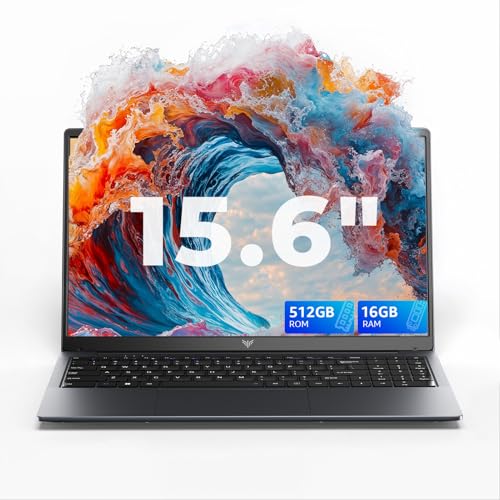
The ASUS Chromebook 15 CX1505CKA is designed for users who spend most of their time online and want a simple, reliable, and low maintenance laptop. It is well suited to students, families, and everyday home users who rely on web based apps, email, document editing, video calls, and streaming. This Chromebook is ideal for people who value ease of use, quick startup times, and long term stability rather than traditional desktop software.
Why We Like This Laptop at YPC Outdoors
At YPC Outdoors, we see Chromebooks as practical tools rather than all purpose computers, and this one fits its role well. What we like is the large 15.6 inch screen combined with the simplicity of Chrome OS. It feels open and comfortable for browsing, writing, and watching content. Chrome OS also stays fast and secure over time, which makes this a good choice for shared family use or for users who want minimal setup and ongoing maintenance.
Pros and Cons
Pros
Large 15.6 inch Full HD display for comfortable viewing
Chrome OS is fast, secure, and easy to use
Lightweight software keeps performance smooth
Google Assistant support for voice control
Quick startup and automatic updates
Cons
Not suitable for traditional Windows software
Limited local storage for large files
4GB RAM limits heavier multitasking
Performance in Everyday Use
The Intel Celeron N4500 processor is designed for efficient everyday tasks rather than heavy workloads. In real world use, the Chromebook handles browsing, Google Docs, Sheets, email, video streaming, and online learning smoothly. Chrome OS is lightweight and responsive, which helps the system feel quick despite modest hardware.
Display and Visual Comfort
The 15.6 inch Full HD display provides plenty of screen space for work and entertainment. Text appears clear, and the larger screen makes it easier to manage multiple browser tabs or documents side by side. It is particularly well suited to home use where portability is less important than comfort.
Chrome OS and Google Assistant
Chrome OS is designed around cloud based work and simplicity. It updates automatically, includes built in security, and starts up quickly every time. Google Assistant voice recognition allows hands free searches, reminders, and simple tasks, making everyday use more convenient.
Portability and Everyday Practicality
While larger than smaller Chromebooks, this model is still easy to move around the home or take out when needed. It is a good fit for kitchen tables, shared spaces, or home offices where a larger display improves usability without the complexity of a traditional laptop.
Connectivity and Wireless Use
This Chromebook supports modern wireless connectivity for smooth browsing, streaming, and video calls. Chrome OS also supports Bluetooth accessories such as headphones, keyboards, and mice, allowing flexible everyday setups without cables.
Alternatives Worth Considering
If your needs are different, you may also want to consider:
Smaller Chromebooks for maximum portability
Windows laptops if you need desktop software
Higher memory Chromebooks for heavier multitasking
Each option suits a different style of use and workflow.
Comparison With Similar Chromebooks
Compared with smaller Chromebooks, this model offers a more comfortable screen for long sessions. Against Windows laptops at a similar price, it provides faster startup, simpler maintenance, and stronger security but less flexibility for installed software. It is best suited to users happy working online.
Tips for Getting the Best Experience
Use Google Drive or cloud storage to manage files
Keep browser tabs organised to maximise available memory
Take advantage of Google Assistant for quick tasks
Pair with Bluetooth headphones for private listening
Full Tech Specification
Brand: ASUS
Series: Chromebook 15 CX1505CKA
Screen size: 15.6 inch
Resolution: 1920 x 1080 Full HD
Refresh rate: 60Hz
Processor: Intel Celeron N4500
RAM: 4GB
Storage: 64GB eMMC
Operating system: Google Chrome OS
Voice assistant: Google Assistant supported
Colour: Fabric Blue
Frequently Asked Questions
Is this Chromebook suitable for students?
Yes, it works well for studying, coursework, and online learning.
Can it run Windows software?
No, it runs Chrome OS and web based or Android apps.
Is it good for watching films and streaming?
Yes, the large Full HD screen is ideal for streaming.
Does it start up quickly?
Yes, Chrome OS boots very quickly.
Is storage expandable?
Cloud storage and external drives are recommended.
Can I use voice commands?
Yes, Google Assistant voice recognition is supported.
Is it suitable for gaming?
Only light browser based or Android games.
Does it require antivirus software?
No, Chrome OS includes built in security.
Is it good for family use?
Yes, it is simple and easy to share.
Is this a good everyday laptop alternative?
Yes, for users who work mainly online.
Buyer’s Guide
If you are deciding between a Chromebook and a Windows laptop, our buyer’s guide explains how Chrome OS, memory size, storage type, and screen size affect everyday usability and long term satisfaction.
Looking for more options?
Browse our full range of Computers and Accessories for other great choices to suit your space, goals, and budget.