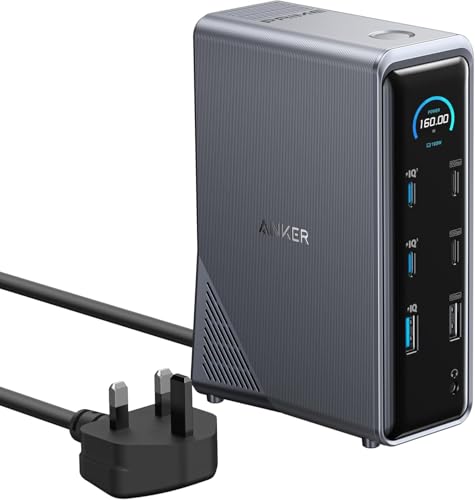
Quick Summary
The CENOKA Multiport USB-C Docking Station is a 14-in-1 adapter with support for dual monitor use, PD, Ethernet and 5 USB ports. It brings multiple connections together in one docking station, with extra display connections, file transfer ports and network access in a single hub.
It also includes a full sized SD card slot, micro SD card slot, a Type C USB port and a 3.5mm audio port. The stated PD power is up to 100W, and the docking station is described as plug and play.
Who It Is Best For
This dock suits buyers who want a single USB-C hub for connecting several devices and external displays at the same time. It may also suit users who need Ethernet, memory card access and audio connections from one docking station.
It is especially worth checking the selected laptop or device connection and the display setup you plan to use before ordering.
Key Details
| Detail | Verified information and buyer relevance |
|---|---|
| Brand | CENOKA. |
| Product type | Multiport USB-C docking station / adapter. |
| Port count | 14 in 1, giving multiple connection options in one unit. |
| Display support | Designed for dual monitor use and described as allowing up to three additional displays. |
| USB ports | 3 USB 3.0 ports, 2 USB 2.0 ports and 1 Type C USB port. |
| Memory card slots | Full sized SD card slot and micro SD card slot. |
| Power delivery | Up to 100W PD power, with PD compatible power supply sold separately. |
| Network | Supports up to 1000Mbps LAN network. |
| Audio | 3.5mm audio port for headphone and microphone use. |
Why Buyers Choose It
- 14-in-1 layout brings several connection types together, which reduces the need for separate adapters.
- Dual monitor support, plus mention of up to three additional displays, gives flexibility for multi-screen setups.
- 100W PD support lets you charge a device while using the dock, when used with a compatible PD power supply.
- Ethernet, card slots and audio connections make it a broader desk hub rather than a simple USB splitter.
What To Know Before You Buy
Check your device’s USB-C connection and make sure it suits a docking station of this type. Confirm your monitor setup before ordering, especially if you plan to use more than one external display.
The PD compatible power supply is sold separately, so that should be factored in if you want charging alongside connected devices. Review the listed port mix carefully to make sure it matches the devices you need to connect.
Common Buyer Questions
Can it charge a laptop while connected to other devices?
Yes, the dock is described as supporting up to 100W of PD power when used with a PD compatible power supply.
Does it include Ethernet?
Yes, it supports up to 1000Mbps LAN network.
Can I use memory cards with it?
Yes, it includes a full sized SD card slot and a micro SD card slot.
Is a power supply included for PD charging?
No, the PD compatible power supply is sold separately.
Final Buying View
If you need a USB-C docking station with multiple ports, display support and network access, this CENOKA 14-in-1 dock brings those functions together in one unit. Check your monitor setup, USB-C connection and charging needs before choosing it.