Quick Summary
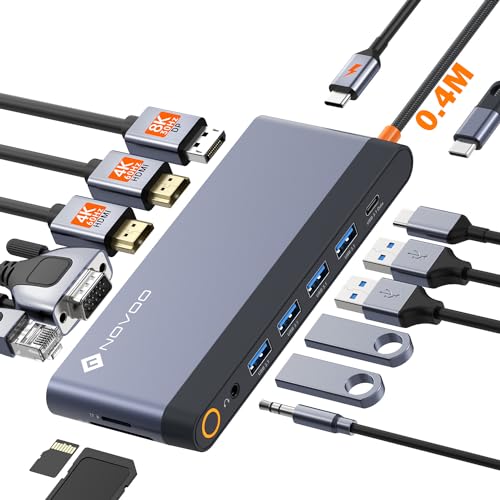
The Lemorele USB C docking station is a 10 in 1 hub that extends one USB Type C port into a wider desktop setup. It includes dual HDMI, VGA, USB ports, SD/Micro SD card readers and 3.5mm mic/audio, with USB C power charging up to 100W.
It is described for use with laptops such as HP laptops, ThinkPad, MacBook and Surface models, and it supports plug and play use with no driver installation.
Who It Is Best For
This dock suits buyers who need to connect multiple displays and everyday peripherals from a USB C laptop connection. It is also relevant if you want card access, audio connections and charging from one hub.
Check that your laptop supports USB C DisplayPort Alternate Mode and the required charging protocol before ordering. The HDMI and VGA display outputs depend on compatible USB C support from the host device.
Key Details
| Detail | Verified information and buyer relevance |
|---|---|
| Product type | USB C docking station / hub with 10 in 1 connectivity for expanding one USB Type C port. |
| Video outputs | 2 HDMI ports and 1 VGA port for connecting external displays, with display behaviour depending on system and mode. |
| USB ports | 1 USB 3.0 port and 2 USB 2.0 ports for peripherals such as a keyboard, mouse or USB flash drive. |
| Card readers | SD and Micro SD card readers are included for browsing photos and using memory cards. |
| Audio | 3.5mm mic/audio support is included. |
| Charging | USB C power charging port up to 100W input, with 87W stated safe output to the laptop. |
| Connection cable | USB C port cable is 20cm. |
| Setup | Plug and play use with no driver installation stated. |
How It Works
- Connect the docking station to a compatible USB C laptop port.
- Attach monitors to the HDMI or VGA outputs as needed.
- Connect USB peripherals, memory cards or audio devices to the relevant ports.
- Use the laptop display settings to choose the projection mode.
- For charging, use a USB C power adapter that matches the stated charging requirements.
What To Know Before You Buy
Confirm that your laptop supports DisplayPort Alternate Mode over USB C if you want to use the HDMI or VGA display outputs. The HDMI and VGA functions are not stated as universal for every USB C laptop.
MacOS is stated to support SST mode only, so external monitor screens are the same in that mode. The listing also states different display behaviour for Windows and MacOS when two HDMI displays are used.
The package contains one docking station and does not include a plug. The USB C port cable length is stated as 20cm, so check that suits your desk setup.
Common Buyer Questions
Does it work without drivers?
Yes. It is stated as plug and play with no driver installation needed.
Can it charge a laptop while in use?
Yes. The dock includes USB C power charging up to 100W input, with 87W stated safe output to the laptop.
Will it work with every USB C laptop?
No. Check that your laptop supports USB C DisplayPort Alternate Mode and the required charging protocol before ordering.
Are monitors treated the same on MacOS and Windows?
No. The stated display modes differ between MacOS and Windows, especially when two HDMI displays are connected.
Final Buying View
If you need a USB C dock with multiple display outputs, USB ports, card readers and charging support in one unit, this Lemorele hub covers those functions. Confirm host compatibility, display mode support and cable length before choosing it.