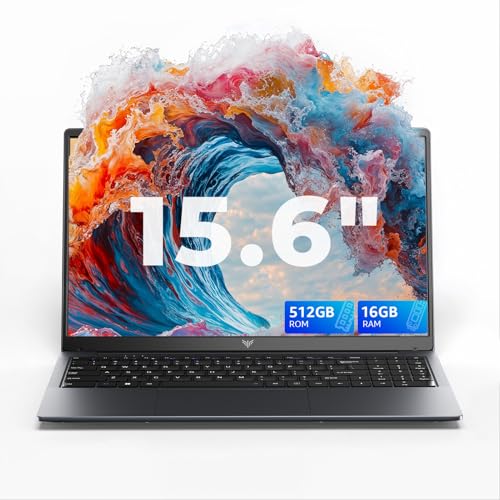
The Lenovo IdeaPad Flex 3 Chromebook is a large screen, everyday Chromebook designed for browsing, study, light work and media consumption. It is built for users who want a simple, responsive device for online tasks, document editing, video streaming and video calls without the complexity of a traditional Windows laptop.
This model is well suited to students, families, casual home users and anyone who relies primarily on cloud based tools such as Google Docs, Gmail and web applications.
Why We Like This Product Reviewed by the YPC Team
At YPC Outdoors, we like how approachable and practical this Chromebook feels. The large 15 inch touchscreen makes everyday tasks more comfortable, especially for users who find smaller screens restrictive.
The Flex design adds genuine flexibility, allowing the device to be used as a laptop, stand or tablet style screen for browsing and streaming. Combined with the simplicity of Chrome OS, it delivers a smooth and frustration free experience for users who want things to just work.
Pros and Cons
Pros
Large 15 inch Full HD IPS touchscreen
Flexible 2 in 1 design for different use cases
Simple and secure Chrome OS experience
Lightweight for its screen size
Built in number pad adds convenience
Cons
Not designed for heavy offline software
4GB RAM limits multitasking
Not suitable for demanding applications
Performance and Everyday Use
The IdeaPad Flex 3 Chromebook is powered by an Intel Celeron N4500 processor, designed for efficient everyday tasks. It handles web browsing, document editing, email, video streaming and video calls smoothly within the Chrome OS environment.
For users who rely on cloud based tools, performance feels responsive and consistent. It is not intended for heavy multitasking or demanding applications, but performs well within its intended use.
Touchscreen and Convertible Flexibility
The touchscreen allows intuitive interaction with Chrome OS, making tasks like scrolling, dragging files and navigating apps feel natural. The flexible hinge lets you switch between laptop and stand style use, which is particularly useful for watching content or video calls.
This flexibility makes the Chromebook adaptable to different environments, whether working at a desk, relaxing on the sofa or using it for shared viewing.
Display Quality and Audio Experience
The 15 inch Full HD IPS display provides clear visuals with good viewing angles, making it comfortable to use from different positions. The larger screen size is especially helpful for reading, spreadsheets and split screen browsing.
Front facing speakers tuned with MaxxAudio deliver clear and loud sound for video calls, streaming and casual media use, enhancing the overall experience.
Keyboard Camera and Privacy Features
The keyboard includes a numeric keypad, which is useful for data entry and everyday calculations. Key spacing is comfortable for regular typing.
A physical camera shutter allows you to close the webcam when not in use, giving you direct control over privacy during and after video calls.
Portability and Design
Despite the large screen, the Chromebook remains relatively thin and lightweight at under 2 kg. This makes it easy to carry between rooms or take on the go when needed.
The Abyss Blue finish gives it a clean and modern look that suits both home and study environments.
Storage and Chrome OS Environment
With 128GB of eMMC storage, there is ample space for Chrome OS, offline files and downloaded content. Chrome OS is designed to work seamlessly with cloud storage, reducing the need for large local drives.
Automatic updates and built in security help keep the system fast, safe and easy to maintain over time.
Comparisons With Similar Alternatives
Compared with smaller Chromebooks, this model offers a much more comfortable viewing and typing experience.
Against entry level Windows laptops, it provides better simplicity and faster startup for online focused use.
When compared with premium Chromebooks, it focuses on value and screen size rather than performance.
Alternatives Worth Considering
Users who need offline Windows software should consider a Windows laptop.
Those who multitask heavily may prefer Chromebooks with more memory.
For maximum portability, a smaller screen Chromebook may be easier to carry.
Tips on How to Use Correctly
Use Google Drive for seamless file storage and backup.
Enable offline access for documents you need without internet.
Close unused browser tabs to maintain smooth performance.
Use tablet mode for media consumption and casual browsing.
Full Tech Specification
Screen size: 15 inch
Resolution: Full HD
Panel type: IPS touchscreen
Form factor: Convertible Chromebook
Processor: Intel Celeron N4500
Memory: 4GB RAM
Storage: 128GB eMMC
Operating system: Chrome OS
Keyboard: Includes numeric keypad
Audio: Front facing speakers with MaxxAudio tuning
Weight: Under 2 kg
Colour: Abyss Blue
Frequently Asked Questions
Is this Chromebook suitable for students
Yes, it is well suited to study and online learning.
Can it run Windows software
No, it runs Chrome OS and web based applications.
Is the screen touch enabled
Yes, it has a touchscreen display.
Does it support video calls
Yes, it includes a webcam and microphone.
Is it good for streaming
Yes, the large screen and speakers suit streaming well.
Does it have a number pad
Yes, the keyboard includes a numeric keypad.
Is it portable
Yes, it is lightweight for a 15 inch device.
Is storage expandable
Storage expansion is not specified.
Does it update automatically
Yes, Chrome OS updates automatically.
Is this good value for everyday use
Yes, especially for users focused on online tasks.
Buyer’s Guide
When choosing a Chromebook, consider screen size, memory and how you plan to use it. A 15 inch Full HD touchscreen offers excellent comfort for browsing and media, while Chrome OS suits users who rely on cloud services and want a simple, secure system. Chromebooks are best for online focused workflows rather than heavy offline software.
Looking for more options?
Browse our full range of Computers and Accessories for other great choices to suit your space, goals, and budget.