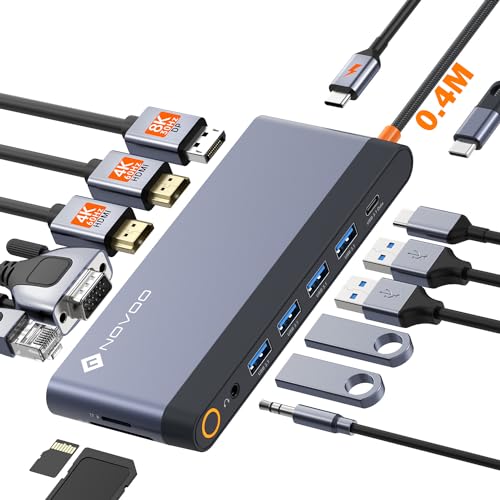
Quick Summary
The Plugable USB 3.0 Universal Docking Station connects to a laptop with a single included USB 3.0 or USB-C cable and adds dual video outputs, Gigabit Ethernet, audio jacks, and six USB ports. It is set up for use with Windows, macOS and ChromeOS laptops.
The dock supports dual HDMI displays up to 1920×1200 at 60Hz, and the second output can also work with HDMI, DVI or VGA using the included adapters. It does not charge the laptop.
Who It Is Best For
This dock suits people who want a wired desktop-style setup for web and productivity work, such as keeping email on one screen and spreadsheets on another. It is also aimed at mixed laptop environments where Windows, macOS and ChromeOS support matters.
Key Details
| Detail | Verified information and buyer relevance |
|---|---|
| Brand | Plugable, so the product can be identified clearly in a shared or mixed-device setup. |
| Connection | Uses a single included USB 3.0 or USB-C cable to connect the dock to the laptop. |
| Video outputs | Dual video outputs are supported, with dual HDMI displays up to 1920×1200 at 60Hz. |
| Second display options | The second output can support HDMI, DVI or VGA with the included adapters. |
| Ports | Includes Gigabit Ethernet, 3.5mm headphone and microphone jacks, two USB 3.0 ports and four USB 2.0 ports. |
| Compatibility | Compatible with Windows 7 through 11, macOS 10.14+ and ChromeOS 100.x or later laptops. |
| Driver setup | Auto driver installation via Windows Update, with manual setup on macOS. |
| Power | Includes its own power adapter and does not charge the laptop. |
| Video limitations | DisplayPort connections are not supported and HDCP is not supported. |
Why Buyers Choose It
- Dual HDMI support up to 1920×1200 at 60Hz gives a clear basis for checking monitor requirements.
- The included HDMI, DVI and VGA adapters make the second display input more flexible.
- Six USB ports, Ethernet and audio jacks bring several desktop connections into one dock.
- It works across Windows, macOS and ChromeOS, which is useful in mixed laptop environments.
What To Know Before You Buy
Check that your laptop and monitors match the supported operating systems and display requirements before ordering. Confirm whether you need HDMI, DVI or VGA on the second output, and note that DisplayPort connections are not supported. The dock does not charge the laptop, so you will still need to account for separate laptop power if required.
Pros: Supports dual displays and includes a useful range of wired connections in one dock.
Cons: It does not charge the laptop and does not support DisplayPort or HDCP.
Common Buyer Questions
Will it work with macOS?
Yes. It is compatible with macOS 10.14+ laptops, with manual driver setup on macOS.
Can I use two monitors?
Yes. It supports dual HDMI displays up to 1920×1200 at 60Hz.
Does the second display have to be HDMI?
No. The second output can also support DVI or VGA using the included adapters.
Does it charge the laptop?
No. It includes its own power adapter, but it does not charge the laptop.
Final Buying View
Choose this dock if you want a USB 3.0 universal docking station with dual display support, wired networking and six USB ports, and your setup fits the listed operating system and video limitations. Confirm the monitor connection type and laptop compatibility before you decide.