Quick Summary
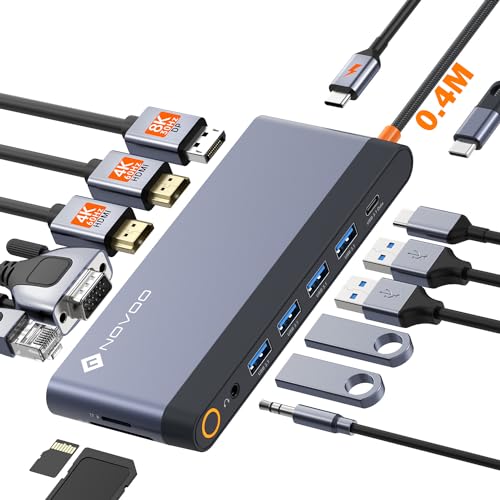
The RSHTECH RSH-T12HD is a 12-in-1 USB C docking station with triple display support, dual HDMI, a DisplayPort, 10Gbps data ports, Ethernet, SD/TF card slots and power delivery. It is set up for users who want to connect several monitors and peripherals from one USB C hub.
The dock includes 2x HDMI ports rated at 4K@60Hz and 1x DisplayPort rated at 4K@60Hz, so it supports up to three 4K monitors. It also includes 1x USB-A 3.2 and 2x USB-C 3.2 ports at 10Gbps, plus 2x USB-A 3.0 ports at 5Gbps.
Who It Is Best For
This dock suits buyers who need a single hub for multi-monitor use, wired networking, memory cards and multiple USB peripherals. It is also relevant where a plug-and-play setup is preferred, since no driver is required.
Key Details
| Detail | Verified information and buyer relevance |
|---|---|
| Model | RSH-T12HD, which identifies the exact dock variant. |
| Product type | 12-in-1 USB C docking station / USB C hub. |
| Display outputs | 2x HDMI and 1x DisplayPort, all stated at 4K@60Hz, for triple display use. |
| Data ports | 1x USB-A 3.2, 2x USB-C 3.2 at 10Gbps, and 2x USB-A 3.0 at 5Gbps. |
| Card slots | SD and TF card slots are included. |
| Network port | Ethernet port included for wired network connection. |
| Power delivery | 100W PD is stated in the title, with up to 85W pass-through charging mentioned in the description. |
| Included items | User manual is included, along with the dock itself. |
Why Buyers Choose It
- Triple display support lets you connect up to 3 monitors from one dock.
- 10Gbps USB 3.2 ports give you fast transfer connections for supported devices.
- Ethernet is included for a wired network connection instead of relying on wireless alone.
- SD and TF slots add card access in the same hub.
- Plug-and-play support means no driver is required.
How It Works
- Connect the dock to a compatible USB C device.
- Attach displays through the 2x HDMI ports and 1x DisplayPort as required.
- Connect USB peripherals, network cable, SD or TF cards, and power delivery cable where needed.
- Use the dock as a central connection point for monitors and accessories.
What To Know Before You Buy
Check that your device has the required USB C connection for a dock of this type. If you plan to use multiple monitors, review the multi-screen connection mode guidance before ordering. The dock lists 100W PD in the title and up to 85W pass-through charging in the description, so it is worth checking which figure matters for your setup.
Pros: It combines triple display support, wired Ethernet, card slots and multiple USB ports in one dock.
Cons: The power delivery figures are stated differently in the title and description.
Common Buyer Questions
Can it run three monitors?
Yes. It includes 2x HDMI at 4K@60Hz and 1x DisplayPort at 4K@60Hz for triple display use.
Does it need drivers?
No. Plug-and-play support is stated, with no driver required.
What network connection does it include?
It includes an Ethernet port for wired networking.
Are memory cards supported?
Yes. SD and TF card slots are included.
Final Buying View
If you need a USB C docking station with triple display support, multiple USB ports and wired networking, the RSHTECH RSH-T12HD covers those core connections. Confirm your device connection, monitor setup and power delivery needs before choosing this dock.
YPC AI UpdatedRSHTECH 12-in-1 USB C Docking Station Triple Display | YPCRSHTECH RSH-T12HD 12-in-1 USB C docking station with triple 4K display support, 10Gbps USB ports, Ethernet, SD/TF slots and PD charging.RSHTECH RSH-T12HD is a 12-in-1 USB C docking station with triple display support, dual HDMI and DisplayPort at 4K@60Hz, plus 10Gbps USB 3.2 ports, Ethernet, SD/TF slots and power delivery. It suits buyers who want a single hub for monitors, peripherals and wired networking, with a plug-and-play setup and no driver required.[