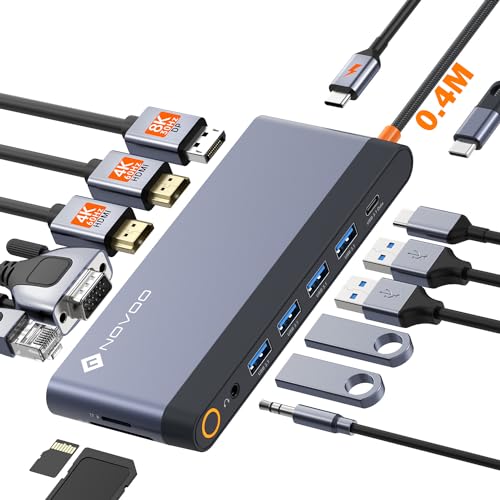
Quick Summary
The StarTech.com Thunderbolt 4 Dock is a 16-port laptop docking station with 40Gbps connectivity, 2 x HDMI, 2 x DisplayPort and 100W charging. It is presented as a universal USB4 and Thunderbolt dock for Windows and macOS, with display support that varies by system.
For buyers choosing a dock for mixed devices, the key point is to check your laptop and display setup carefully before ordering. The supported screen setup differs between Windows and Mac, and some Mac configurations need clamshell mode or a specific chip family for dual extended displays.
Who It Is Best For
This dock suits buyers who want a single laptop docking station for a desktop setup with multiple monitors and charging through one connection. It is aimed at people using Windows or macOS laptops, especially where USB4 or Thunderbolt compatibility matters.
It is also relevant if you need to compare display support across different laptops, because the number of connected monitors depends on the host system and its video output support.
Key Details
| Detail | Verified information and buyer relevance |
|---|---|
| Brand | StarTech.com, helping identify the exact dock. |
| Model / identifier | 132UE-TB4USB4DOCK, useful when matching the correct product. |
| Product type | Thunderbolt 4 dock and laptop docking station for a connected desktop setup. |
| Ports | 16 ports, giving multiple connection options on the dock itself. |
| Video outputs | 2 x HDMI and 2 x DisplayPort, which supports multi-monitor planning. |
| Connectivity speed | 40Gbps stated connectivity for Thunderbolt 4 use. |
| Charging | 100W charging in the title, with 98W PD mentioned in the description. |
| Supported systems | Windows and macOS are both mentioned, so host compatibility should be checked against your laptop. |
Why Buyers Choose It
- 16 ports give more connection points on one dock, which is useful when building a more complete desk setup.
- 2 x HDMI and 2 x DisplayPort make it easier to plan for multiple external displays.
- 40Gbps is stated in the product identity, which is relevant when comparing Thunderbolt 4 docks.
- 100W charging in the title, alongside 98W PD in the description, shows that laptop charging is part of the dock’s role.
What To Know Before You Buy
Check whether your laptop supports the required display setup before ordering. Windows support is described differently from Mac support, and the number of monitors depends on the host system.
Pros: It combines 16 ports, multiple video outputs and laptop charging in one dock.
Cons: Display support varies by operating system and laptop generation, so compatibility needs checking before purchase.
Common Buyer Questions
Can it run multiple monitors?
Yes, it has 2 x HDMI and 2 x DisplayPort, with the supported number of displays depending on the connected system.
Does it charge a laptop?
Yes, charging is stated at 100W in the title and 98W PD in the description.
Is it for Mac and Windows?
Yes, Windows and macOS are both mentioned, but the supported display arrangements differ between them.
Final Buying View
This Thunderbolt 4 dock is a strong match for buyers who want one docking station for charging and multi-monitor use across Windows or Mac laptops. Confirm your laptop’s display support and choose the right setup before ordering.