Quick Summary
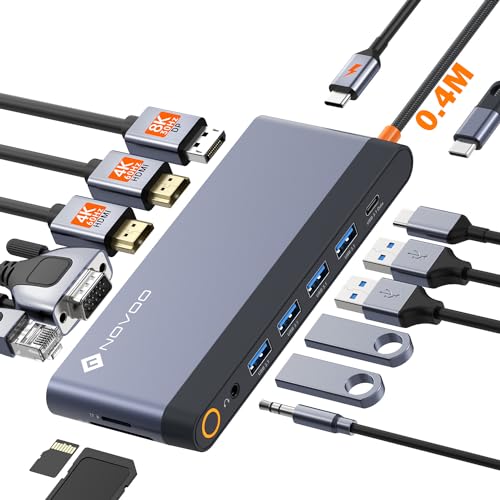
The WAVLINK USB 3.0 / USB-C Universal Dual Display Docking Station is a laptop dock for extending your setup with dual external displays, USB ports, Gigabit Ethernet and audio connections. It supports HDMI and DVI/VGA/HDMI display options, with built-in HDMI and DVI outputs for dual-monitor use.
It is a practical choice when you want a single dock to connect a laptop to displays and common desktop accessories through one unit.
Who It Is Best For
This dock suits buyers who want to connect an Ultrabook or laptop to external monitors and peripherals from one connection. It is intended for use with Windows and macOS systems, and it is also relevant where the buyer needs Ethernet and audio connections alongside display outputs.
Key Details
| Detail | Verified information and buyer relevance |
|---|---|
| Brand | WAVLINK. |
| Connection types | USB 3.0 / USB-C for connecting an Ultrabook or laptop. |
| Display outputs | HDMI and DVI outputs, with support for DVI/VGA/HDMI display options. |
| Dual display support | Built-in HDMI and DVI outputs for dual-monitor use. |
| USB ports | 2 USB 3.0 ports and 4 USB 2.0 ports, giving six USB ports in total. |
| Network | Gigabit Ethernet port for wired network connection. |
| Audio | Audio output and microphone input jack. |
| Supported systems | Windows 11, 10, 8.x and 7, plus macOS 10.14 or later. |
| Included adapters | DVI to VGA adapter and DVI to HDMI adapter are included. |
| Power | Includes a 12V/2A UK power adapter. |
Why Buyers Choose It
- USB 3.0 / USB-C connectivity gives a single dock point for the laptop connection.
- HDMI and DVI outputs support a dual-monitor setup.
- Six USB ports provide space for several wired accessories.
- Gigabit Ethernet and audio connections bring common desktop functions together in one unit.
What To Know Before You Buy
Check your laptop system carefully before ordering, especially if you use macOS, because manual driver installation is required there. The dock does not charge the host PC, so it is for display and peripheral expansion rather than power delivery.
It is not supported on Linux, cannot be mixed with non-DisplayLink USB adapters, and does not support DisplayPort connections. It also does not support HDCP, so encrypted or copy-protected content will not play back through the dock.
Common Buyer Questions
Can this dock run two external monitors?
Yes. It has built-in HDMI and DVI outputs for dual-monitor use.
Which operating systems are supported?
It supports Windows 11, 10, 8.x and 7, plus macOS 10.14 or later.
Does it charge the laptop?
No. The dock does not charge the host PC.
What comes in the box?
The package includes the dock, a 12V/2A UK power adapter, DVI to VGA adapter, DVI to HDMI adapter, USB 3.0 cable, USB 3.0 to USB-C adapter, driver download card, Steel Timber, instruction manual and warranty card.
Final Buying View
Choose this dock if you want a USB 3.0 / USB-C expansion station for dual displays, wired networking, USB peripherals and audio connections on supported Windows or macOS systems. Confirm your display setup, operating system and connection requirements before ordering.