Computer speakers and soundbars are designed to improve the sound from desktops, laptops, monitors and home office setups. They can make music, films, games, video calls, online lessons and everyday computer use clearer and more enjoyable than relying only on built in device speakers.
At YPC, you can browse computer speakers and soundbars for workspaces, gaming desks, study areas, home entertainment, video calls and general media use. This category helps you compare size, connection type, sound output, controls, power needs, desk space, compatibility and listed features before choosing.
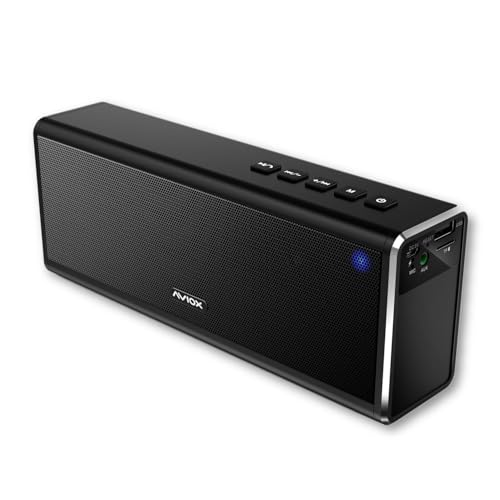
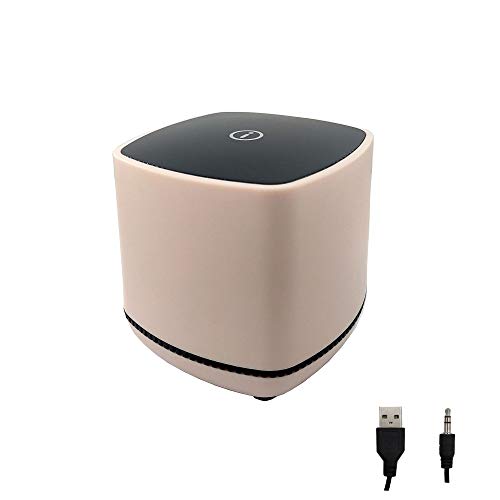
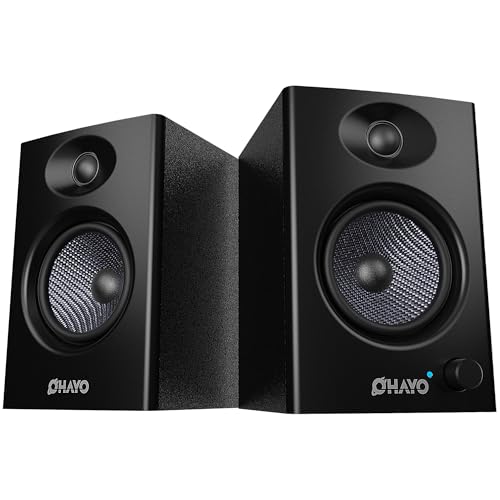
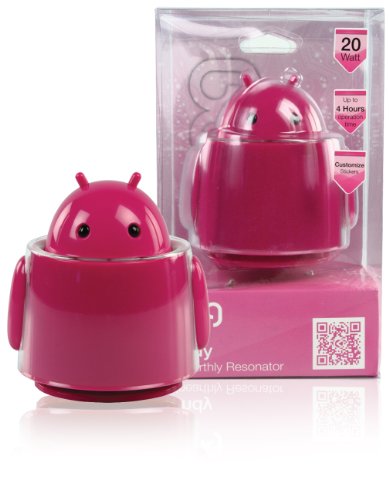
Computer speakers are external audio devices that connect to a computer, laptop, monitor or compatible accessory to play sound. They may include compact desktop speakers, stereo speaker pairs, speaker sets with subwoofers, USB speakers, Bluetooth speakers and powered speaker systems depending on the product.
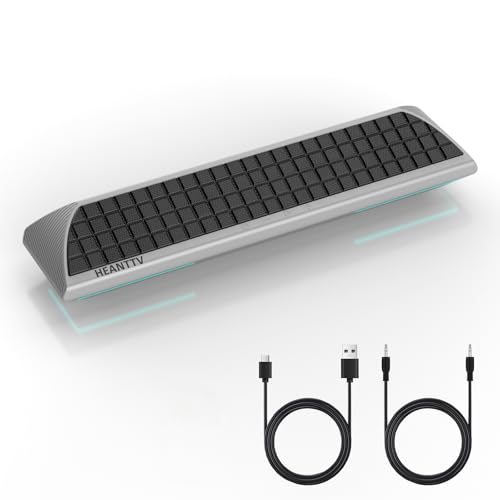
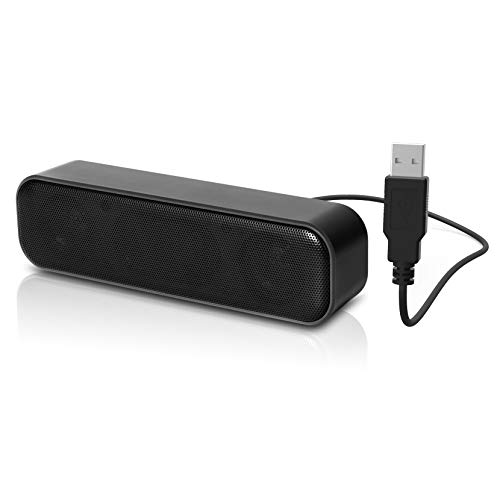
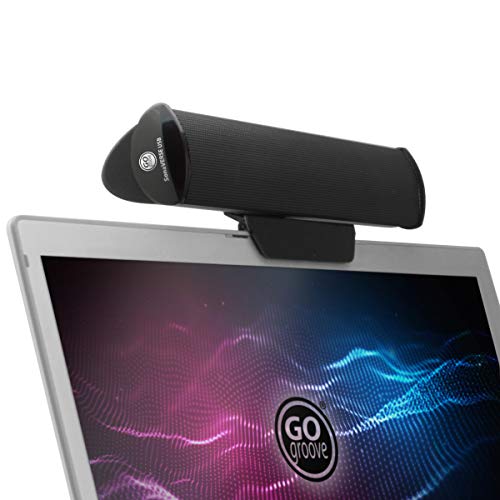
Computer soundbars are slim speaker units designed to sit under a monitor, in front of a screen or on a desk. They can be useful when you want improved sound without placing separate speakers on both sides of the workspace.
Depending on the listing, computer speakers and soundbars may include wired inputs, USB power, Bluetooth connectivity, volume controls, headphone ports, microphone inputs, RGB lighting, remote controls, subwoofers or wall mounting options where listed.
What Are Computer Speakers And Soundbars Used For?
Computer speakers and soundbars are used to improve audio for music, films, gaming, video calls, online meetings, streaming, podcasts, lessons, editing, casual browsing and home office use.
They can make voices easier to hear, improve volume compared with laptop speakers and provide a more comfortable listening experience at a desk. For gaming and films, a better speaker setup may make sound feel fuller and more engaging depending on the product.
They are also useful for shared listening, where headphones are not practical or comfortable for long periods.
How To Choose The Right Computer Speakers Or Soundbar
Start by thinking about where the speakers will be used. A small desk may suit a compact soundbar or small speaker pair. A larger gaming setup or home office may have room for bigger speakers or a system with a separate subwoofer.
Next, check connection type. Some products connect through USB, 3.5 mm audio, Bluetooth, optical audio, HDMI ARC or other inputs where listed. Your computer, monitor or dock must support the connection you want to use.
Also consider how you control volume. Built in knobs, inline controls, remote controls or software control can all feel different in daily use. Choose a setup that is easy to adjust without interrupting work or play.
Key Features To Compare
When comparing computer speakers and soundbars, look at size, connection type, power source, volume controls, audio inputs, speaker layout, bass support, desk placement, cable length and listed compatibility.
For simple use, compact USB speakers may be enough. For films, music or gaming, you may want larger speakers, a soundbar or a system with a subwoofer where suitable.
Also check whether the product is powered by USB, mains power or another supply. A speaker may connect to a computer for audio but still need separate power.
Computer Speakers Compared With Built In Laptop Speakers
Built in laptop speakers are convenient because they are already part of the device. They are fine for basic notifications, quick videos and occasional calls.
Computer speakers are usually chosen when you want louder, clearer or fuller sound at a desk. They can be useful for longer work sessions, music, films, online meetings and gaming.
The trade off is space and setup. Built in speakers need no extra equipment, while external speakers can improve audio but require room, power and suitable connections.
Computer Speakers Compared With Soundbars
Computer speaker pairs are usually placed on either side of a monitor or laptop. This can create a more traditional stereo setup and may give better left and right separation depending on the product.
Soundbars are usually slimmer single units that sit under or near the screen. They can save desk space and make a setup look tidier.
The better choice depends on your desk. Choose separate speakers if you have space and want a more spread out sound. Choose a soundbar if you want a neater, compact option.
Soundbars Compared With Monitor Speakers
Some monitors include built in speakers, but their sound quality and volume can vary widely. They may be useful for basic audio, but not always ideal for music, calls or entertainment.
A computer soundbar can provide a dedicated audio upgrade while still keeping the desk tidy. It can sit below the monitor and avoid the need for separate speaker stands.
If you only need occasional sound, monitor speakers may be enough. If you regularly listen to music, watch videos or join calls, a soundbar may be worth comparing.
Stereo Speakers Compared With Speaker Systems With Subwoofers
A basic stereo speaker setup usually includes two speakers. It can be useful for everyday computer use, music, calls and general media.
A speaker system with a subwoofer may provide stronger bass where listed. This can be appealing for games, films and music, but it usually needs more space and extra cables.
The right choice depends on use and desk layout. Stereo speakers are simple and practical, while a subwoofer setup may suit buyers who want deeper low frequency sound where suitable.
Wired Speakers Compared With Bluetooth Speakers
Wired computer speakers usually connect through USB, 3.5 mm audio or another physical input. They can be simple for fixed desk setups and do not usually require pairing.
Bluetooth speakers can reduce cable clutter and may work with multiple devices where compatible. They may be useful for laptops, tablets and flexible workspaces.
The trade off is convenience and reliability. Wired speakers can feel straightforward at a desk, while Bluetooth can be more flexible but depends on pairing, power and compatibility.
USB Speakers Compared With 3.5 mm Audio Speakers
USB speakers may use a USB connection for power, audio or both depending on the product. They can be convenient for laptops and desktops where USB ports are available.
3.5 mm audio speakers connect through a standard headphone style audio output. They may still need separate USB or mains power depending on the product.
Before buying, check what ports your computer has and whether the speaker requires separate power. A connector that fits one part of the setup may not supply everything needed.
Gaming Speakers Compared With Office Speakers
Gaming speakers may include stronger bass, lighting, wider volume range, sound modes or styling features where listed. They can suit gaming desks, entertainment setups and casual media use.
Office speakers are usually chosen for clear voice, compact size, simple controls and a tidy desk. They may suit calls, online meetings, training videos and background music.
Some speakers can work for both. The right choice depends on whether you value gaming atmosphere, voice clarity, compact size or simple day to day use.
Beginner, Regular User And Advanced Buyer Guidance
If you are buying computer speakers for the first time, focus on compatibility, size and simple controls. A compact pair of speakers or a small soundbar can be a useful upgrade from laptop sound.
Regular users may want to compare audio inputs, desk placement, cable management, bass level, headphone access and how the speakers work with monitors or docking stations.
Advanced buyers may look more closely at speaker layout, frequency response where listed, subwoofer support, digital inputs, amplifier design, software control and room placement.
Use Cases By Setup And Routine
For home working, computer speakers and soundbars can help with video calls, training content, background music and general computer sound. Clear voice reproduction may matter more than heavy bass.
For gaming, speakers can make games feel more immersive and useful when you do not want to wear a headset. A system with stronger bass may appeal where listed.
For study, compact speakers can improve online lessons, lectures and educational videos without taking up much desk space.
For home entertainment, soundbars or larger speaker sets may suit films, streaming, music and shared listening.
Compatibility With Desktops, Laptops And Monitors
Computer speakers and soundbars should match the device you plan to use. Desktops may offer 3.5 mm audio, USB ports, Bluetooth or digital outputs depending on the system.
Laptops may have limited ports, so check whether you need USB A, USB C, Bluetooth, an audio jack or an adapter. Docking stations and hubs can also affect how audio is connected.
Some monitors support audio output, HDMI audio or headphone outputs where listed, but not all do. Check your monitor before planning to connect speakers through it.
Compatibility With Games, Calls And Media Apps
Most speakers will play system audio once correctly connected, but app settings can still matter. Video call software, games and media players may allow you to choose the output device.
If sound plays from the wrong device, check the computer audio settings and the app audio settings. This is especially common when using monitors, docks, Bluetooth devices or headsets alongside speakers.
For calls, remember that speakers do not always include a microphone. You may still need a webcam, headset or separate microphone where suitable.
Connection Types And Inputs
Computer speakers and soundbars may support different inputs depending on the model. Common options include USB, 3.5 mm audio, Bluetooth, optical audio, HDMI ARC and RCA where listed.
USB can be convenient for computers. 3.5 mm audio is widely used on many laptops, desktops and monitors. Bluetooth can be useful for wireless playback. Optical and HDMI ARC may be more common on TV style or multi purpose soundbars.
Check the input carefully before buying. The right cable shape alone does not always confirm full compatibility.
Power, Charging And Setup Requirements
Some computer speakers are powered by USB, while others need a mains plug. Some wireless speakers may include rechargeable batteries where listed.
A soundbar may need separate power even if audio comes from USB, Bluetooth or another input. Check the product listing for power requirements and included cables.
For tidy desk setups, think about where the power cable, audio cable and controls will sit. Good cable routing can make speakers easier to use every day.
Desk Space, Placement And Room Size
Speaker placement affects both sound and convenience. A pair of speakers usually works best when placed on either side of the screen with enough space for the sound to spread.
A soundbar can sit under a monitor or along the front of the desk, making it useful for smaller workspaces. Check the height so it does not block the screen or monitor controls.
For larger rooms, very small speakers may not provide enough volume. For small desks, large speakers may feel intrusive. Choose a size that suits the space.
Sound Quality, Bass And Volume
Sound quality is affected by speaker size, design, placement, power and the audio source. Product listings may describe power, drivers, bass support or sound modes where included.
Bass can make films, music and games feel fuller, but too much bass may be distracting for office work or shared spaces. Some speakers may include bass controls where listed.
Volume should suit the room and use. A quiet study desk needs different audio from a gaming setup or shared media space.
Controls, Remotes And Ease Of Use
Easy controls make speakers more practical. Volume knobs, buttons, inline controls, touch controls, remote controls or app settings may be included depending on the product.
A front facing volume control can be useful for quick adjustments during calls or videos. Remote controls may be useful for soundbars used across a room.
If you switch between headphones and speakers often, check whether the speaker includes a headphone output or easy input switching where listed.
Microphones, Headsets And Call Quality
Most computer speakers are designed for playback, not recording. If you need to speak during calls or gaming, you may also need a microphone, headset or webcam with microphone where suitable.
Using speakers during calls can sometimes create echo if the microphone picks up the speaker sound. Video call software may reduce this, but a headset can be better in some shared or noisy environments.
For clear calls, consider the full setup, including speaker placement, microphone position and room noise.
Soundbars For Monitor Setups
Computer soundbars can be a neat choice for monitor setups because they use one main speaker unit rather than two separate speakers. This can help save space and reduce cable clutter.
Some soundbars may clip to a monitor, sit on a desk or mount below a screen where listed. Check the mounting method and size before buying.
A soundbar should not block the monitor, keyboard or desk controls. Measure the space under your screen if the fit looks tight.
Speakers For Gaming Setups
Gaming speakers may be useful when you want game audio without wearing a headset. They can also work well for casual streaming, music and shared play.
Check whether the speakers suit your platform, monitor, PC or console setup where relevant. Connection type matters, especially if your display or device has limited audio outputs.
For late night gaming or shared homes, consider whether headphones may still be needed alongside speakers.
Speakers For Music And Entertainment
For music, films and streaming, speaker quality, bass response and stereo separation may matter more than compact size alone.
A speaker pair can create a wider sound than many small single units, while a soundbar may offer a cleaner look and simpler placement. A subwoofer may add deeper bass where listed.
The right choice depends on how much space you have, how loudly you listen and whether the speakers are mainly for personal desk use or shared listening.
Cable Management And Clean Desk Setups
Computer speakers and soundbars can add cables to a desk, especially if they need separate audio and power connections. Plan cable routes before choosing where to place them.
Cable clips, ties, monitor stands, USB hubs and desk organisers can help keep a setup tidy. A compact soundbar may reduce visible cables compared with separate speaker units.
Avoid stretching cables across walkways or placing them where they can be pulled accidentally.
Safety And Practical Use Considerations
Use computer speakers and soundbars only with compatible devices and suitable power sources. Follow the product instructions for setup, charging and connection.
Avoid using speakers with damaged cables, cracked plugs, loose connectors or signs of overheating. Keep liquids away from powered speakers and desk electronics.
Keep volume at a sensible level, especially during long listening sessions or in shared spaces. Prolonged loud sound can be uncomfortable and may disturb others.
Care, Cleaning And Maintenance
Computer speakers and soundbars can collect dust, fingerprints and desk debris. Wipe them carefully where suitable and follow the care instructions shown on the product listing or supplied information.
Keep speaker grilles clear and avoid pushing objects into openings. Do not use excessive moisture when cleaning electronic devices.
If speakers are not used for long periods, store them clean and dry with cables loosely coiled.
Storage And Travel Use
Some compact computer speakers are easy to store or move between desks. Larger speakers and soundbars are usually better kept as part of a fixed setup.
For portable use, check weight, power requirements, cable length and whether the product is suitable for travel. Not every computer speaker is designed to be moved often.
Store spare cables, adapters and power supplies together so the speakers are easy to reconnect later.
Useful Accessories To Consider
Computer speakers and soundbars work well with other desk and computer accessories. Useful items may include audio cables, USB hubs, Bluetooth adapters, monitor stands, cable clips, surge protected extensions, webcams, headsets and microphones where suitable.
For gaming setups, you may also want a headset, gaming keyboard, mouse, controller or monitor. For home offices, a webcam, microphone, docking station and comfortable desk accessories may be useful.
Choose accessories based on your actual setup and connection needs rather than buying items that may not be compatible.
Why Buy From YPC?
At YPC, we understand active lifestyles and the need for practical products that work in real use. Computer speakers and soundbars should be compatible, easy to use and suitable for the way you work, study, play, watch or listen.
This category helps you compare size, connection type, sound output, controls, power needs, desk space, compatibility, cable management and listed features without overcomplicating the choice. Browse the computer speakers and soundbars at YPC, compare the available options and choose the audio setup that suits your PC, laptop, monitor, gaming desk or home office.
FAQs
What are computer speakers and soundbars used for?
Computer speakers and soundbars are used to improve sound from desktops, laptops, monitors and compatible devices for music, films, gaming, video calls, lessons and general media.
Are soundbars good for computer desks?
Yes, soundbars can be a good choice for computer desks because they save space and can sit neatly under a monitor. Check the size and connection type before buying.
Are computer speakers better than laptop speakers?
External computer speakers can provide louder, clearer or fuller sound than many built in laptop speakers depending on the product. They are useful for longer listening, calls and entertainment.
Should I choose speakers or a soundbar for my computer?
Choose speakers if you have space for a pair and want wider stereo placement. Choose a soundbar if you want a neater, compact setup under or near your monitor.
Do computer speakers need mains power?
Some computer speakers need mains power, while others may use USB power or rechargeable batteries where listed. Check the product details before buying.
Can I connect computer speakers with Bluetooth?
Some computer speakers and soundbars support Bluetooth where listed. Your computer, laptop or tablet must also support Bluetooth or use a suitable adapter.
Do computer speakers include a microphone?
Not always. Many speakers are for audio playback only. If you need voice input for calls or gaming, check whether a microphone is included or use a separate microphone, webcam or headset.
What connections should I check before buying computer speakers?
Check whether your device supports the required connection, such as USB, 3.5 mm audio, Bluetooth, optical audio or HDMI ARC where listed. Also check whether separate power is needed.
Heading outdoors this winter? Take a look at our Outdoor Clothing.
Manage Consent
To provide the best experiences, we use technologies like cookies to store and/or access device information. Consenting to these technologies will allow us to process data such as browsing behaviour or unique IDs on this site. Not consenting or withdrawing consent, may adversely affect certain features and functions.
Functional
Always active
The technical storage or access is strictly necessary for the legitimate purpose of enabling the use of a specific service explicitly requested by the subscriber or user, or for the sole purpose of carrying out the transmission of a communication over an electronic communications network.
Preferences
The technical storage or access is necessary for the legitimate purpose of storing preferences that are not requested by the subscriber or user.
Statistics
The technical storage or access that is used exclusively for statistical purposes.The technical storage or access that is used exclusively for anonymous statistical purposes. Without a subpoena, voluntary compliance on the part of your Internet Service Provider, or additional records from a third party, information stored or retrieved for this purpose alone cannot usually be used to identify you.
Marketing
The technical storage or access is required to create user profiles to send advertising, or to track the user on a website or across several websites for similar marketing purposes.