
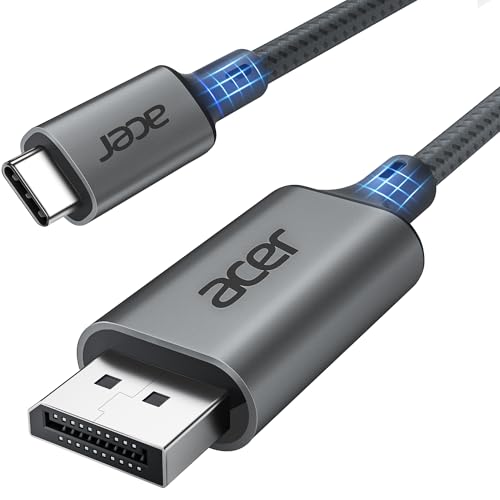
Quick Summary
The Acer USB-C to DisplayPort cable is a 2 m cable for connecting USB-C devices to DisplayPort monitors. It supports unidirectional USB-C to DP use, with stated output up to 4K at 60 Hz and 2K at 165 Hz, and it is described as supporting MST.
The cable is also described as supporting Thunderbolt 3, 4 and 5 compatible devices. A plug-and-play setup is stated, and no separate drivers are required.
Key Details
| Detail | Verified information and buyer relevance |
|---|---|
| Brand | Acer |
| Product type | USB-C to DisplayPort cable for connecting a USB-C device to a DisplayPort display. |
| Length | 2 m, which helps when you need some distance between the device and the monitor. |
| Video support | Up to 4K at 60 Hz and 2K at 165 Hz, with other 2K figures also stated. |
| Connection direction | USB-C to DisplayPort only. |
| Setup | Plug and play, with no additional drivers required. |
| Extra support | MST is stated as supported. |
What to Compare Before Buying
- Connection direction: This cable is for USB-C to DisplayPort use only, so it is not the right choice if you need DisplayPort to USB-C.
- Device connection: Check that your device has a USB-C port or Thunderbolt connection and that it is intended to output to a DisplayPort display.
- Display needs: Compare your monitor’s input and the resolution or refresh-rate figure you want to use, especially if 4K or a high-refresh 2K setup matters.
- Cable length: The 2 m length suits setups where the device and display are not right next to each other.
- Multi-monitor use: MST is stated, so compare that with the way you plan to use one or two DisplayPort displays.
What Is Included
- 1 x 2 m Acer USB-C to DisplayPort cable
Before You Decide
Check that you need USB-C to DisplayPort in that direction, not the reverse. Confirm the 2 m length suits your setup and make sure your device and display match the connection type and video output you want.


