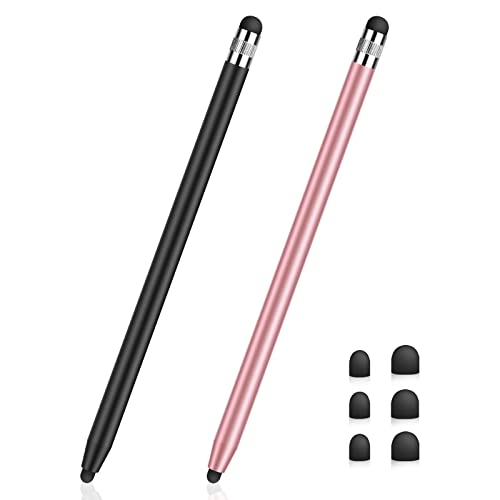
Quick Summary
The Active Stylus Pen SP004-1 is a rechargeable stylus pen for Lenovo Tab M10, M10/M11, M10 HD, P11, P11 Pro, P11 Plus and P12 touch screens. It uses a double tap on the top to switch on or off, and the stylus charges through a USB-C charging port.
The pen is described with dual touch function, tilt sensitivity and an LED power indicator. It is also stated not to include Bluetooth, palm rejection or sensitivity features, so it is worth checking those points against your intended use before ordering.
Who It Is Best For
This stylus is for buyers looking for a touch-screen pen for the listed Lenovo tablets, particularly for writing, drawing and marking. It also suits shoppers who want a rechargeable pen with on-device activation rather than Bluetooth pairing.
Key Details
| Detail | Verified information and buyer relevance |
|---|---|
| Product type | Active stylus pen for tablet writing and drawing. |
| Compatibility | Compatible for Lenovo Tab M10, M10/M11, M10 HD, P11, P11 Pro, P11 Plus and P12 touch screens. Check your exact tablet before ordering. |
| Model code | SP004-1 for product identification. |
| Charging | Rechargeable via USB-C charging port. |
| Battery | 130mAh built-in battery. |
| Charge time | Stated to take 15 minutes to fully charge. |
| Working time | Stated to work for 10 hours continuously. |
| Activation | Double tap on the top to turn on or off. |
| Not included | No Bluetooth, palm rejection or sensitivity features are stated. |
| Display | Three indicators show power status and help you judge when to recharge. |
Why Buyers Choose It
- USB-C charging and a built-in 130mAh battery give you a rechargeable stylus rather than a disposable one.
- Double tap activation on the top removes the need for Bluetooth settings or drivers.
- Tilt sensitivity is stated for sketching, drawing and marking, which may suit buyers who want line variation from pen angle.
- The LED power indicator makes charge status easier to check during use.
How It Works
- Charge the stylus through the USB-C charging port.
- Double tap the top of the pen to switch it on or off.
- Use it on the listed Lenovo touch screens for writing, drawing or marking.
- If another pencil is already paired with your device, disconnect it and turn off Bluetooth in your device settings before using this stylus.
What To Know Before You Buy
Check that your tablet is one of the listed Lenovo models before ordering, as compatibility is given for specific Tab M10, M11, P11, P11 Pro, P11 Plus and P12 touch screens. This pen is also stated to work without Bluetooth or drivers, and it is not described with palm rejection or sensitivity features.
Review the activation method, charging method and battery details against how you plan to use the stylus. If your device is already paired with another pencil, you will need to disconnect it first.
Common Buyer Questions
Does this stylus need Bluetooth?
No. It is stated to work without Bluetooth settings or drivers.
How do you turn it on?
Double tap the top of the stylus to switch it on or off.
What tablets is it compatible with?
It is compatible for Lenovo Tab M10, M10/M11, M10 HD, P11, P11 Pro, P11 Plus and P12 touch screens.
How is it charged?
It charges through a USB-C charging port.
Final Buying View
This is a rechargeable stylus pen for the listed Lenovo tablets, with double tap activation, USB-C charging and tilt sensitivity. Confirm your exact tablet model and check whether you need Bluetooth or palm rejection before choosing it.