
Quick Summary
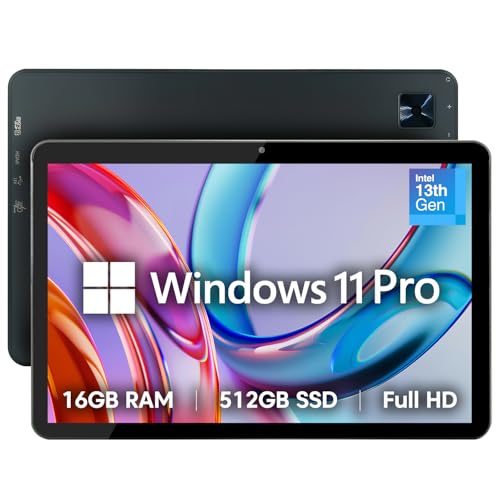
The Fusion5 10.1 Inch Windows 11 Professional Tablet PC is a slim tablet computer with 16GB RAM, 512GB SSD storage, an Intel quad-core processor and a Full HD display. It also lists USB C, Micro HDMI and expandable storage, so the key buying checks are the screen size, storage setup and connection options.
This model is aimed at buyers who want a Windows 11 tablet with laptop mode, dual-band WiFi, Bluetooth 5.0 and an 8000mAh battery. The stated configuration also includes a 36W Type-C fast charger, while a docking keyboard is sold separately.
Key Details
| Detail | Verified information and buyer relevance |
|---|---|
| Brand | Fusion5. Useful for confirming the exact tablet family. |
| Product type | 10.1 inch Windows 11 Professional tablet PC. Check it matches the size and operating system you want. |
| Memory | 16GB RAM. This is the stated working memory for multitasking. |
| Storage | 512GB SSD. Check whether this storage level suits your needs. |
| Expandable storage | MicroSD card slot with 512GB stated in the description. Confirm the card setup before buying if expansion matters. |
| Processor | Intel Alder Lake N100 quad-core CPU, turbo up to 3.4GHz. This identifies the stated processor class. |
| Display | 10.1 inch Full HD IPS touchscreen, 1920 x 1200, 400 nits. Useful for checking screen size and resolution. |
| Connections | 2 x USB-C and Micro HDMI. Compare these against the devices and accessories you plan to use. |
| Wireless | Dual-band WiFi and Bluetooth 5.0. Relevant if you need wireless networking and peripherals. |
| Battery | 8000mAh battery. Compare this with how long you expect to use the tablet away from power. |
| Included charger | 36W Type-C fast charger. Check whether the charging setup suits your routine. |
| Other stated features | Laptop mode, dual speakers and dual cameras. These are listed features for everyday use and video calls. |
What to Compare Before Buying
- Screen size: This is a 10.1 inch tablet, so compare the size with how portable you want the device to be.
- Storage: The tablet has 512GB SSD storage, plus expandable storage is listed. Check whether that suits your apps, files and media.
- Connections: USB-C and Micro HDMI are listed. Make sure they match the accessories or display setup you expect to use.
- Operating system: It runs Windows 11 Professional, so confirm that is the version you want for your software and workflow.
- Keyboard setup: Laptop mode is listed, but the docking keyboard is sold separately. Check whether you need that extra item.
What Is Included
- Fusion5 10.1 inch Windows 11 Professional tablet PC
- 36W Type-C fast charger
The docking keyboard is sold separately.
Before You Decide
Check the 10.1 inch size, Windows 11 Professional system, 16GB RAM and 512GB SSD against what you want from the tablet. If you need keyboard use, confirm the separate docking keyboard before choosing an offer. Also check the USB-C, Micro HDMI and expandable storage setup if those connection options matter to you.
A Simple First-Use Setup
Once you have the tablet, a sensible first step is to connect the charger, choose your wireless network and decide whether you will use it mainly by touch or with the separate keyboard. That gives you a quick way to check the layout, ports and laptop mode before loading your usual apps and files.


