
Quick Summary
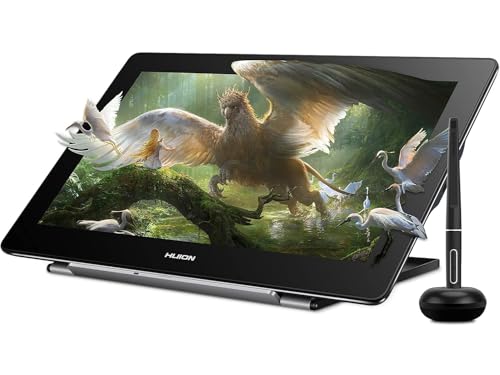
The HUION Kamvas Pro 16 (4K) is a graphic tablet with screen and a 15.6-inch monitor. It has a 4K display, full lamination, anti-glare glass, and the PW517 battery-free stylus is included for drawing, sketching, photo editing, signing documents, mind-maps, diagrams, and note-taking.
The combination of a laminated screen and anti-glare glass is useful for buyers who want a more direct pen-on-screen drawing setup with reduced reflections. The tablet also includes dual USB-C ports and supports connection options for PC, Mac, and Android devices.
Who It Is Best For
This display tablet is aimed at users who want to work on a pen display rather than a separate pen tablet. It suits people planning to create digital artwork, graphic design, photo edits, document signatures, mind-maps, diagrams, or notes, and who want to check device compatibility before ordering.
Key Details
| Detail | Verified information and buyer relevance |
|---|---|
| Product type | Graphic tablet with screen and 15.6-inch monitor for pen-on-screen work. |
| Model | Kamvas Pro 16 (4K), which identifies the specific version. |
| Display | 4K screen with full lamination and anti-glare glass for a more direct viewing and drawing surface. |
| Stylus | PW517 battery-free stylus is included for drawing and other pen input tasks. |
| Pen features | ±0.3mm accuracy and ±60° tilt recognition are stated for the stylus. |
| Connectivity | Dual USB-C ports are included, with connection options via a 3-in-1 HDMI cable, a full-featured USB-C cable, and a power cable. |
| Compatibility | Works with Windows 7 or higher, MacOS 10.12 or higher, and Android phones and tablets that support USB3.1 GEN and DP1.2. |
| Colour display | 120% sRGB and 16.7 million display colours are stated for the screen. |
Why Buyers Choose It
- The 4K screen gives a high-detail display for artwork, text, menus, and icons.
- Full lamination and anti-glare glass support a more direct pen-to-cursor feel and reduce reflections.
- The battery-free PW517 stylus avoids charging concerns during use.
- Dual USB-C ports and multiple connection options give buyers different setup routes depending on their device.
How It Works
The display tablet is used with the included PW517 stylus, and it can be connected to compatible devices by the stated cable options. The screen can also be adjusted through the pen using OSD controls for brightness and colour temperature.
It is intended for drawing, sketching, editing, signing documents, mind-maps, diagrams, and note-taking, so the buyer should pair it with a compatible computer or Android device before use.
What To Know Before You Buy
Check the selected version carefully, as the title identifies the 4K Kamvas Pro 16 model with a 15.6-inch monitor. Confirm that your device matches the stated compatibility requirements, especially for Android use, which requires USB3.1 GEN and DP1.2 support. Review your preferred connection method before ordering so you have the right setup for PC, Mac, or Android.
Common Buyer Questions
Does it include a stylus?
Yes. The PW517 battery-free stylus is included.
Can it be used with a Mac?
Yes. It supports MacOS 10.12 or higher.
Will it work with Android devices?
It works with Android phones and tablets that support USB3.1 GEN and DP1.2.
What connection options are available?
You can use a 3-in-1 HDMI cable, a full-featured USB-C cable, and a power cable, or connect through the dual USB-C ports.
Final Buying View
If you want a 15.6-inch pen display with a 4K screen, the Kamvas Pro 16 (4K) combines full lamination, anti-glare glass, and the PW517 stylus in one setup. Confirm your device compatibility and preferred connection method before you choose the final option.


