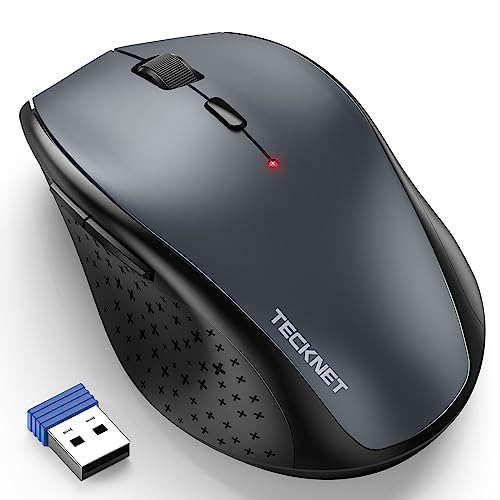
Quick Summary
The Lenovo WL300 is a silent Bluetooth mouse with a sculpted grip, five buttons and up to 1600 DPI. It is set up for left and right click use, scroll click, forward and backward buttons, with Microsoft Swift Pair support for pairing.
The mouse is compact and lightweight, and the description also states that it uses a single AA battery. If you want a wireless mouse with quiet clicks and a shaped grip, this model gives you those stated features in a gray finish.
Who It Is Best For
This mouse suits buyers looking for a Bluetooth computer mouse with silent buttons, a sculpted grip and a simple five-button layout. It is also worth checking if you want Microsoft Swift Pair support and a mouse that can be used on the stated surfaces.
Key Details
| Detail | Verified information and buyer relevance |
|---|---|
| Brand | Lenovo. |
| Model | WL300. |
| Product type | Silent Bluetooth mouse with 5-button layout. |
| Colour | Gray. |
| Buttons | Left click, right click, scroll click, forward and backward buttons. |
| DPI | Up to 1600 DPI, with 800, 1200 and 1600 DPI levels stated. |
| Pairing | Bluetooth 5.0 with Microsoft Swift Pair. |
| Power | Uses a single AA battery. |
| Grip | Sculpted grip shaped to the hand. |
| Surface use | Stated for wood, leather, fabric, paper and resin. |
Why Buyers Choose It
- The silent left, right and scroll wheel buttons may suit quieter shared workspaces.
- The five-button layout gives direct access to forward and backward controls as well as standard clicks.
- The stated 800, 1200 and 1600 DPI levels let you choose between the available sensitivity settings.
- Microsoft Swift Pair support may make pairing quicker on compatible devices.
What To Know Before You Buy
Check that Bluetooth use suits your computer or device before ordering. The mouse is described as a gray model, so confirm the colour choice if that matters for your setup. It is also worth checking whether the stated five-button layout and three DPI levels match the way you work.
Pros: It includes silent buttons, a sculpted grip and a five-button layout with forward and backward controls.
Cons: The product page only states a single AA battery and does not give further power or size details.
Common Buyer Questions
Does it have silent clicks?
Yes. The left, right and scroll wheel buttons are stated to be silent.
What DPI settings does it offer?
It states 800, 1200 and 1600 DPI, with up to 1600 DPI overall.
What buttons are included?
Left click, right click, scroll click, forward and backward buttons are stated.
How is it powered?
It uses a single AA battery.
Final Buying View
If you want a Lenovo Bluetooth mouse with silent buttons, a sculpted grip and five stated controls, the WL300 is a straightforward option to compare. Confirm the Bluetooth setup and the gray finish before choosing it for your device.