Quick Summary
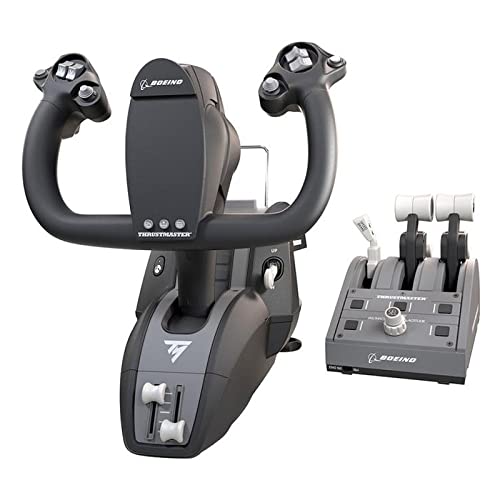
The Logitech G Saitek PRO Flight Yoke System is a PC flight simulation yoke with a throttle quadrant, USB connection, and 75 programmable controls. It is presented as a professional simulation setup for flight sim users who want configurable control over their aircraft inputs.
The system also includes configurable throttle knobs, a steel shaft, and a three-position switch for cycling through saved profiles. For buyers, the main checks are PC compatibility and whether the control layout suits their simulator setup.
Who It Is Best For
This setup is aimed at flight simulation users who want a yoke and throttle quadrant combination for PC use. It will suit anyone looking for programmable controls and a configurable throttle section for simulator input management.
Key Details
| Detail | Verified information and buyer relevance |
|---|---|
| Product type | Flight yoke system with throttle quadrant for simulation use. |
| Brand | Logitech G Saitek. |
| Connection | USB for PC use. |
| Controls | 75 programmable controls for configuring simulator inputs. |
| Throttle section | Configurable throttle knobs with detachable and programmable knobs. |
| Switching | Three-position switch for cycling through saved profiles. |
| Shaft | Steel shaft. |
| System requirements | Windows 10, Windows 8.1, Windows 7. |
| Compatibility mentioned | FSX – Flight Simulator X, X-Plane 10 and Prepar3D 2.2. |
Why Buyers Choose It
- 75 programmable controls give a wide set of input options for simulator mapping.
- The throttle quadrant includes configurable and detachable knobs for a more tailored control layout.
- The three-position switch lets you move between saved profiles without changing the overall setup.
- The steel shaft is a verified construction detail worth checking if you want a metal shaft in the yoke assembly.
What To Know Before You Buy
Confirm that your PC and operating system match the stated Windows 10, Windows 8.1 or Windows 7 requirement before ordering. Also check that your simulator software is one of the compatible programmes named for the listing, and review whether the yoke and throttle quadrant layout fits your desk or sim rig.
Pros: It combines a yoke, throttle quadrant, programmable controls and profile switching in one PC flight simulation setup.
Cons: It is listed for specific Windows versions and named simulator programmes, so compatibility should be checked carefully before purchase.
Common Buyer Questions
What devices does it connect to?
It connects by USB for PC use.
Which operating systems are stated?
Windows 10, Windows 8.1 and Windows 7 are listed.
How many programmable controls are included?
There are 75 programmable controls.
Does it include a throttle section?
Yes, it includes a throttle quadrant with configurable throttle knobs.
Final Buying View
If you want a PC flight simulation yoke system with a throttle quadrant, programmable controls and profile switching, this Logitech G Saitek setup is built around those features. Check the stated Windows version and simulator compatibility before choosing it.