
Flight Sticks
Flight sticks are controller devices designed to give more realistic and precise control in flight simulator games, space games and compatible aviation style software. They are useful for PC gaming, simulator setups, space combat games, casual flying, training style practice and more immersive desk based play, depending on the product features listed.
The right flight stick should suit your device, the games you play and the space you have available. Compatibility, button layout, throttle control, twist function, mounting style, size, software support and comfort are all worth comparing before choosing.
- Flight Sticks
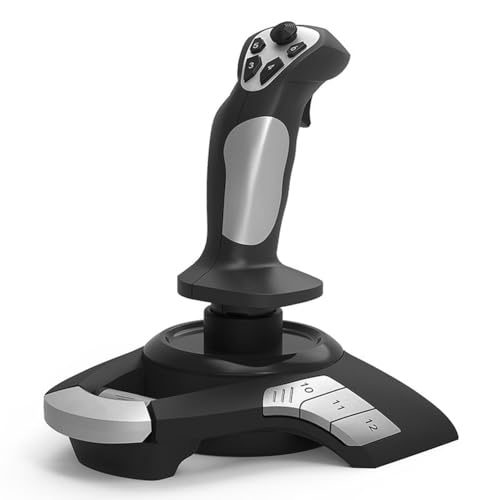
CCYLEZ PC Flight Joystick Wired Flight Stick with Throttle Control
£49.44 *View On Amazon* - Flight Sticks
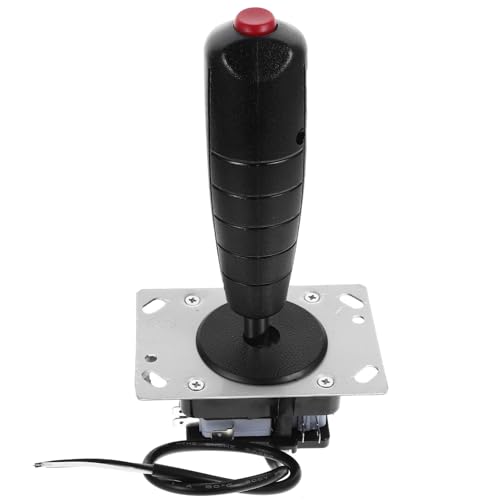
Sosoport Arcade Joystick for Flight Simulator with Vibration Function
£21.99 *View On Amazon* - Flight Sticks
Cvoepobey F16 Aviation Simulated Flight Stick Joystick for Windows PC
£50.05 *View On Amazon* - Flight Sticks
Paaruter F16 Aviation Simulated Flight Stick Joystick for Windows PC
£55.75 *View On Amazon* - Flight Sticks
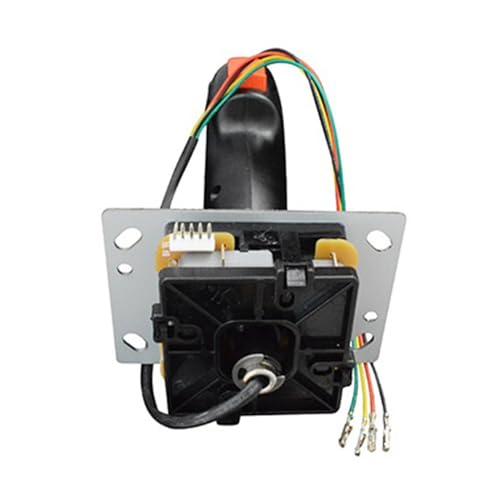
VICASKY Flying Rocker Handle Flight Stick Joystick Replacement
£15.29 *View On Amazon* - Flight Sticks
Eouayoree F16 Aviation Simulated Flight Stick Joystick for Windows PC
£55.64 *View On Amazon* - Flight Sticks
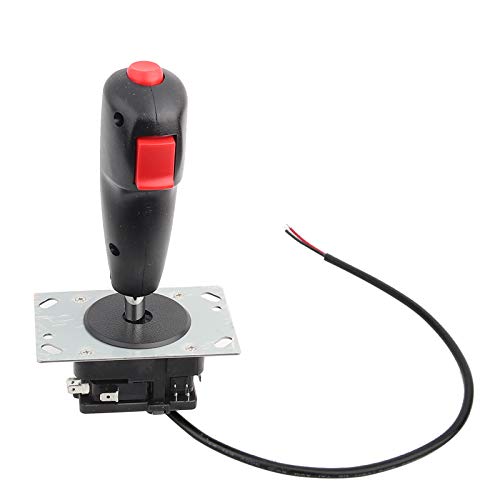
QANYEGN 8 Way Flight Joystick with Trigger and Top Launch Button
£18.09 *View On Amazon* - Flight Sticks
EVTSCAN Flight Simulator Gamepad Stick Controller for PC Desktop
£23.99 *View On Amazon* - Flight Sticks
Kisangel Flight Stick Joystick Replacement Game Controller Accessory
£14.99 *View On Amazon*






What Are Flight Sticks?
Flight sticks are joystick style controllers used to control aircraft, spacecraft or vehicles in compatible games and simulators. They are usually held in one hand and moved forwards, backwards and side to side to control movement on screen.
Products in this category may include standalone flight sticks, joystick controllers, flight simulator sticks, HOTAS style controls, throttle and stick sets, ambidextrous sticks, desktop joysticks and more advanced simulator controls, depending on what is listed.
Some flight sticks focus on simple plug in use, while others may include programmable buttons, throttle sliders, twist yaw control, hat switches, adjustable resistance or software customisation where listed.
What Are Flight Sticks Used For?
Flight sticks are used for flight simulation, aircraft games, space simulation, space combat, military style flying games, civil aviation simulators and other compatible control setups. They can help make flying games feel more natural than using a keyboard, mouse or standard controller.
For casual users, a flight stick can make take off, landing and steering feel more enjoyable. For regular sim players, extra buttons, throttle controls and smooth axis movement may help create a more complete setup. For experienced simulator fans, a flight stick can be part of a wider cockpit style system with pedals, throttles, head tracking and multiple screens where compatible.
How To Choose The Right Flight Stick
Start by checking compatibility. Flight sticks may be designed for PC, specific consoles or certain systems where listed. A stick that works with one device may not work with another, so always check the product description before buying.
Next, think about the games you play. A simple flight stick may be enough for casual flying, arcade style games or first simulator use. More detailed flight simulators may benefit from extra buttons, throttle controls, hat switches and programmable inputs where compatible.
Comfort is also important. The grip shape, hand position, base size and button placement can affect how the stick feels during longer sessions. If you play often, a comfortable controller can matter just as much as extra features.
Also consider your desk space. Some flight sticks sit directly on a desk, while others may support mounting or clamps where listed. A larger base may feel stable, but it also needs more room.
Key Features To Compare
When comparing flight sticks, look at axis control, button layout, throttle options, twist yaw, hat switches, connection type, mounting options, software support, grip shape and platform compatibility.
Axis control affects how the stick responds to movement. Some sticks may include pitch and roll movement, while twist control may add yaw where listed. If yaw control is important and you do not have rudder pedals, twist control may be worth considering.
Buttons and switches help reduce reliance on the keyboard. Extra controls can be useful for landing gear, camera views, weapons, menus, trim or other in game functions where supported by the software.
Throttle control can be built into the stick, supplied as a separate unit or absent depending on the product. A separate throttle can feel more immersive, while a built in throttle may be simpler and easier to fit on a small desk.
Software support may allow button mapping, profiles or sensitivity adjustment where listed. Check whether the product supports your operating system and games before relying on these features.
Flight Sticks Compared With Gamepads Yokes And HOTAS Systems
A flight stick is different from a standard gamepad because it is shaped around flight style control. It can make pitch, roll and aiming feel more natural in compatible games.
A yoke is usually associated with civil aviation style simulators and may feel more suitable for some aircraft types where compatible. A flight stick is often preferred for fighter aircraft, space games and more compact setups.
A HOTAS system, meaning hands on throttle and stick, usually includes both a stick and a separate throttle control. This can offer more controls and a more immersive setup, but it may take up more desk space and cost more depending on the product.
A keyboard and mouse can still be useful for menus, views and general computer use, but many players prefer a flight stick for actual flying control.
Guidance For Beginner Regular And Experienced Users
Beginners should choose a flight stick that is compatible, comfortable and not overly complicated. A simple joystick with enough buttons for basic flying can be a sensible starting point.
Regular players may want to compare button placement, throttle control, twist yaw and software mapping more carefully. If you play several times a week, the feel of the stick and ease of setup become more important.
Experienced simulator users may prefer more advanced controls, separate throttle units, rudder pedal compatibility, adjustable sensitivity and mounting options where listed. They may also consider how the stick fits into a full simulator setup.
Use Cases By Game Type And Setup
For casual flight games, a straightforward flight stick can make flying feel more enjoyable without needing a complex desk setup. Simple controls and easy connection are often the main priorities.
For flight simulators, compatibility with the simulator, button mapping and throttle control may matter more. Players may want to assign common controls to the stick to reduce keyboard use.
For space games, flight sticks can be useful for steering, aiming and manoeuvring. Some players may prefer dual stick setups where compatible, while others may use a stick and throttle.
For combat flight games, buttons, hat switches and quick access controls may be useful where supported by the game. A stable base and comfortable grip can also matter during longer sessions.
For home cockpit setups, mounting options, cable routing and compatibility with other peripherals become more important. A flight stick may need to work alongside pedals, throttles, keyboards, monitors and headsets.
For travel or small desks, a compact flight stick may be easier to store and set up, provided it still feels stable enough for use.
Fit Compatibility And Setup Checks
Compatibility should be checked before buying a flight stick. Look at supported platforms, connection type, operating system guidance and game compatibility where listed. USB connection is common, but port type and device support still matter.
Check whether drivers or software are needed. Some products may work with basic plug in setup, while others may require manufacturer software for custom profiles or advanced settings where listed.
Desk fit is also important. Make sure there is enough space for the base, hand movement, keyboard and mouse. If the product uses clamps or mounts, check the desk thickness and setup requirements where stated.
If using other peripherals, such as rudder pedals, throttles or head tracking, check whether they can all work together with your system and games. Some simulators may require manual control mapping.
Comfort Ergonomics And Playing Position
A flight stick should feel comfortable in the hand and should not force the wrist or arm into an awkward position. Grip shape, button reach and desk height can all affect comfort.
For longer sessions, take regular breaks and adjust your seating position. A chair, desk and monitor setup that works for normal computer use may still need small adjustments for simulator controls.
If you are left handed, check whether the flight stick is ambidextrous or specifically shaped for one hand where listed. Some products may be more suitable for right handed use, while others may allow different configurations.
A stable base can help the stick feel more controlled. If the stick moves around during play, check whether the desk surface, base grip or mounting option can be improved where suitable.
Safety Care Maintenance And Storage
Keep cables tidy and away from feet, chair wheels and sharp bends. Loose cables can create trip risks or put strain on USB ports and connectors.
Do not force the stick beyond its intended movement range. If controls feel stiff, loose or unusual, stop and check the product guidance rather than applying extra force.
Keep the flight stick clean and dry. Wipe surfaces gently according to the product instructions and avoid spilling drinks near buttons, switches or the base.
Store the stick in a clean, dry place when not in use. Avoid placing heavy objects on top of it or leaving it where the stick, cable or buttons may be damaged. If it has removable parts, keep them together so setup is easier next time.
Useful Accessories To Consider
Useful accessories can include throttles, rudder pedals, gaming headsets, gaming chairs, monitor stands, USB hubs, cable organisers, desk mounts, keyboard trays and flight simulator software where suitable.
For regular simulator use, a more organised desk setup can make a big difference. Cable ties, a stable surface and enough room for keyboard and mouse access can help keep the setup practical.
For more immersive play, a compatible throttle, pedals or head tracking setup may be worth considering where suitable for the game and system.
Why Buy Flight Sticks From YPC?
At YPC, we understand active lifestyles and the need for practical products that work in real use. Flight sticks can vary by compatibility, control layout, throttle options, grip shape, mounting style, software support and setup needs, so comparing the details helps you choose with more confidence.
YPC helps you browse gaming and computer accessories with real use in mind, whether you are buying for flight simulation, space games, casual flying, gaming desks or more detailed simulator setups. Explore the Flight Sticks category to browse the available options and compare the features that matter most for your setup.
FAQs
What is a flight stick used for?
A flight stick is used to control aircraft, spacecraft or compatible vehicles in flight simulators, space games and aviation style games. It can offer a more natural control feel than a keyboard or standard controller.
Are flight sticks only for flight simulators?
No. Flight sticks can also be used for space games, combat flying games and other compatible titles. Always check game and platform compatibility before buying.
Will a flight stick work on my PC?
Many flight sticks are designed for PC use, but compatibility varies by product. Check the connection type, operating system support, driver needs and game compatibility where listed.
Can flight sticks be used on consoles?
Some flight sticks may be compatible with specific consoles where stated, but not all are. Always check the product description before buying for console use.
What is HOTAS?
HOTAS means hands on throttle and stick. It usually refers to a setup with a flight stick and a separate throttle control, giving more physical controls for compatible games and simulators.
Do I need rudder pedals with a flight stick?
Not always. Some flight sticks include twist yaw control where listed, which may reduce the need for pedals for casual use. More advanced simulator users may prefer separate rudder pedals where compatible.
Are flight sticks good for beginners?
Yes, a simple compatible flight stick can be useful for beginners who want more immersive flying controls. Start with a setup that feels comfortable and not too complicated.
How do I care for a flight stick?
Keep it clean, dry and protected from knocks. Avoid forcing the controls, keep cables tidy and store the stick safely when not in use. Follow the product care and setup instructions where provided.
 Getting ready for Summer? View our Home and Garden Products

Heading outdoors this winter? Take a look at our Outdoor Clothing.