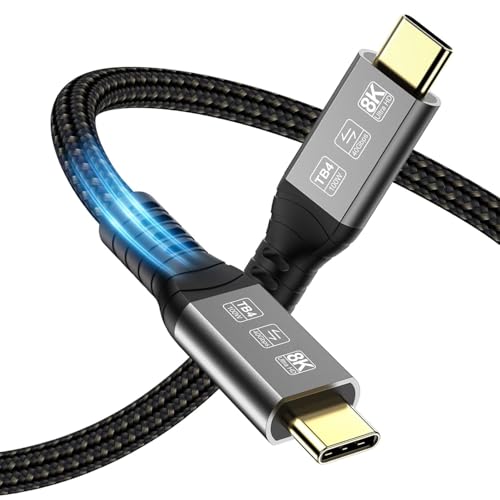
Quick Summary
The Mcbazel Thunderbolt 4 Cable is a 1 m USB Type-C charging and data cable for Thunderbolt 3, Thunderbolt 4 and USB4 devices. It is described as supporting video display, high-speed transfer and charging up to 100W with a compatible charger.
As a 1 m cable, it suits buyers who want a shorter connection between a device, dock, charger or display setup. Check the exact device connection, the display output requirement and the charging spec you need before choosing an offer.
Key Details
| Detail | Verified information and buyer relevance |
|---|---|
| Brand | Mcbazel. |
| Product type | Thunderbolt 4 cable / USB Type-C cable. |
| Length | 1 m, which helps with short cable runs between nearby devices. |
| Video support | Support for 8K@60Hz on a single screen or dual 4K@60Hz displays at the same time. |
| Data transfer | Up to 40 Gbps data transfer. |
| Charging | Up to Power Delivery 3.0 100W (20V/5A) with a compatible charger. |
| Compatibility | Works with Thunderbolt 3, Thunderbolt 4 and USB4.0 or USB-C enabled devices, according to the product copy. |
| Video output note | USB-C video output needs a device that supports DisplayPort Alternate Mode (Alt Mode). |
What to Compare Before Buying
- Length: This cable is 1 m long. Check whether that suits the gap between your device and the connected equipment.
- Video support: The cable is described as supporting 8K@60Hz or dual 4K@60Hz display output. Compare that with the resolution and screen setup you want to use.
- Charging output: It supports up to 100W with a compatible charger. Make sure that matches the power level you need.
- Device connection: It is described for Thunderbolt 3, Thunderbolt 4 and USB4 or USB-C devices. Confirm the exact port and any video-output support your device requires.
- Use with docks and peripherals: It is also described for Thunderbolt docking stations and other high-speed storage and peripherals. Check the connection standard for the device you plan to use.
Before You Decide
Confirm the 1 m length, the Thunderbolt 3 / Thunderbolt 4 / USB4 connection type and the 100W charging support against your setup. If you want USB-C video output, make sure your device supports DisplayPort Alternate Mode.
Using It in Practice
This cable is set up for a short link between a laptop, tablet, phone, dock or display equipment. It is most relevant when you want one cable for data transfer, charging and supported video output. For a dual-monitor or high-resolution setup, check that the rest of the equipment also supports the display mode you want to use.