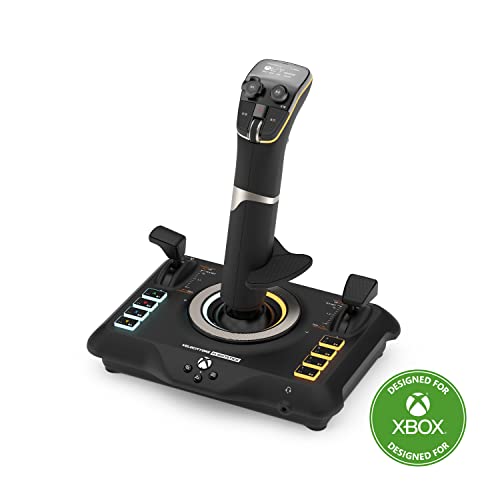
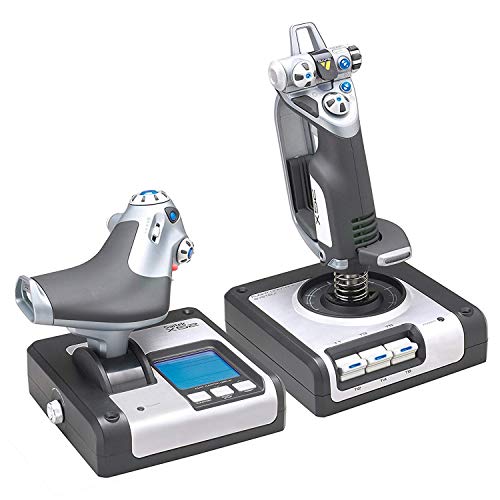
Quick Summary
The PUSOKEI PC Flight Joystick is a USB wired flight stick for PC use, with vibration function, throttle control, four axes, 12 programmable buttons and an eight-way cover. It is made for flight simulator play on Windows 7, 8, 10 and 11, as well as desktop computers and laptops.
It connects by USB and is described as plug and play, with no driver installation needed. The vibration motor is located at the bottom of the joystick, and the vibration setting should be switched on for it to work.
Who It Is Best For
This joystick suits buyers looking for a wired flight controller for PC flight games and simulator use. It is aimed at users who want throttle control, multiple buttons and vibration feedback in one controller.
Key Details
| Detail | Verified information and buyer relevance |
|---|---|
| Brand | PUSOKEI, so the product is identified as a specific model from this maker. |
| Product type | PC flight joystick / wired flight stick, intended for flight simulator control. |
| Connection | USB wired, which means it connects by cable rather than wirelessly. |
| Compatibility | Compatible with PC, desktop computer, laptop and Windows 7, 8, 10 and 11. |
| Controls | Four axes, throttle control, 12 programmable buttons and an eight-way cover. |
| Vibration | Integrated vibration motors with the vibration function located at the bottom of the joystick. |
| Setup | Described as plug and play with no driver installation needed. |
Why Buyers Choose It
- The four axes and throttle control give you the stated control layout for flight game inputs.
- 12 programmable buttons provide more direct control options within compatible games.
- The integrated vibration motors add feedback when the vibration function is switched on.
- USB wired connection keeps the setup simple with one cable connection to the computer.
What To Know Before You Buy
Check that your device is a PC, desktop computer or laptop running Windows 7, 8, 10 or 11 before ordering. The joystick is wired by USB, so it needs a suitable USB connection point. If you want the vibration feature, make sure it is switched on, and the driver setting may need adjustment if the vibration intensity is low.
Confirm that the control layout, including four axes, throttle control, 12 programmable buttons and an eight-way cover, matches the way you plan to play.
Common Buyer Questions
Does it work on Windows 11?
Yes, it is listed as compatible with Windows 7, 8, 10 and 11.
Does it need driver installation?
No, it is described as plug and play with no driver installation needed.
Does it have vibration?
Yes, it has integrated vibration motors, and the vibration function is located at the bottom of the joystick.
What controls are included?
It includes four axes, throttle control, 12 programmable buttons and an eight-way cover.
Final Buying View
If you want a wired PC flight joystick with throttle control, programmable buttons and vibration feedback, this model covers those basics. Confirm your Windows version and preferred control layout before choosing it.