Quick Summary
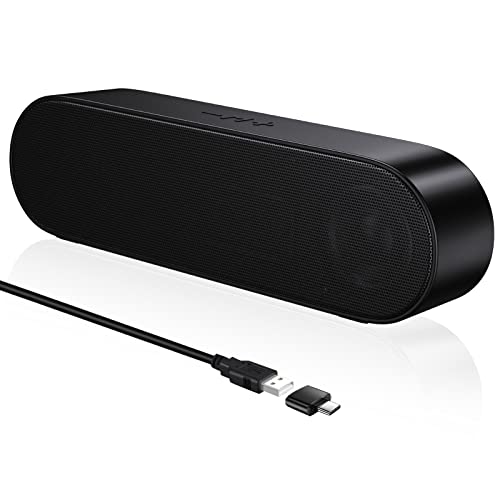
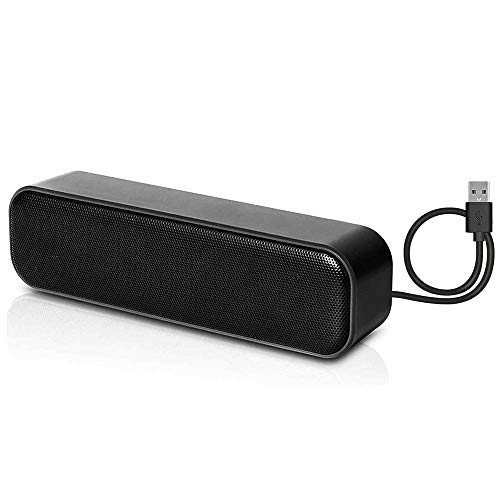
Senzer CS30 PC speakers are a computer soundbar with USB input and Bluetooth audio input, plus a Type-C adapter. The front panel touch controls and underside LED light strip give you straightforward control and visible lighting effects.
The speaker uses a 4.9ft USB cable for USB input and does not use a 3.5mm socket. The stated dimensions are 16.5 x 3.7 x 3.6 inches, so check your monitor and desk space before ordering.
Who It Is Best For
These speakers suit buyers who want desktop monitor speakers for a PC, computer or laptop and prefer USB or Bluetooth input rather than a 3.5mm jack. They also suit anyone who wants front-access controls and lighting modes on the speaker itself.
Key Details
| Detail | Verified information and buyer relevance |
|---|---|
| Product type | Computer soundbar speakers for desktop monitor use. |
| Audio input | USB input and Bluetooth connection are supported. |
| 3.5mm connection | Not a 3.5mm socket model, so check your preferred connection type before ordering. |
| Included adapter | Type-C adapter is included, which may matter if you plan to use that connection. |
| Cable length | 4.9ft USB cable is stated, giving a fixed reach from the connection point. |
| Dimensions | 16.5 x 3.7 x 3.6 inches, so monitor and desk clearance should be checked. |
| Lighting | LED light strip on the underside with 4 lighting modes: Rainbow, Monochrome Color Shift, Monochrome Pulse, and Solid Color. |
| Controls | Buttons are on the front panel for easy access. |
| Output | Dynamic 10W output driver unit, listed as 5W.2. |
Why Buyers Choose It
- USB input and Bluetooth connection give two stated audio input options.
- The front panel controls keep the buttons within easy reach on the speaker.
- The underside LED strip offers four selectable lighting modes.
- The stated 10W output driver unit is a concrete audio specification to compare with other speakers.
How It Works
- Connect the speaker by USB or use the Bluetooth input.
- Use the front panel buttons to control the speaker functions.
- Press the lighting buttons on the front panel to cycle through the lighting effects.
- Use the Type-C adapter if your setup requires that connection.
Real World Use
The CS30 is set up as a desktop monitor speaker and is described for use with PCs, computers, laptops, games, music and movies. Its soundbar shape and stated 16.5-inch length mean the desk layout and available space are worth checking before placement.
What To Know Before You Buy
Confirm that USB or Bluetooth input suits your device, because this model does not use a 3.5mm socket. Check the listed 16.5 x 3.7 x 3.6 inch dimensions against your monitor and desk space. If you want lighting effects, the speaker includes four modes rather than a single fixed display.
Pros: It supports both USB and Bluetooth input and includes front panel controls.
Cons: It does not use a 3.5mm socket, so it will not suit buyers who need that connection.
Common Buyer Questions
Does it work with a 3.5mm audio jack?
No. This model is listed as not using a 3.5mm socket.
Can it connect by Bluetooth?
Yes. Bluetooth is one of the stated audio input options.
Are there lighting effects?
Yes. The underside LED strip has four stated modes: Rainbow, Monochrome Color Shift, Monochrome Pulse, and Solid Colour.
Where are the controls?
The buttons are on the front panel, so they are easy to reach from the monitor area.
Final Buying View
If you want a desktop monitor speaker with USB and Bluetooth input, front-panel controls and selectable LED lighting, the Senzer CS30 is built around those features. Check the connection type and the 16.5 x 3.7 x 3.6 inch size before choosing it for your setup.