Quick Summary
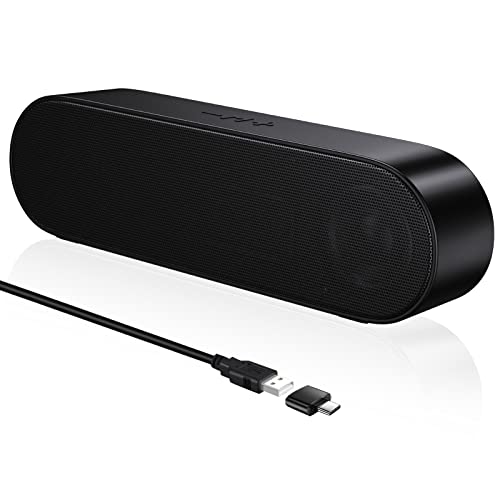
The SOULION R60 is a PC speaker soundbar with Bluetooth 5.3, USB power, and a 3.5mm aux jack. It is set up for desktop computer, laptop, gaming, monitor and other listed uses, and it includes 5 LED lighting effects for added visual variation.
It also comes with a USB-A to C adapter. The unit uses USB power no matter which connection type you choose, so the USB port is part of the setup as well as the audio connection in PC mode.
Who It Is Best For
This soundbar suits buyers who want a compact desktop speaker setup for a PC, laptop, gaming system, monitor, tablet or smartphone, provided the chosen device matches one of the listed connection options. It also suits anyone who wants LED lighting effects as part of their desk audio setup.
Key Details
| Detail | Verified information and buyer relevance |
|---|---|
| Model | R60, which identifies the exact version. |
| Brand | SOULION, preserved for correct product identification. |
| Connection options | Bluetooth 5.3, USB input and 3.5mm aux jack for the stated connection choices. |
| Power | USB powered, so a USB port is required for use. |
| Included adapter | USB-A to C adapter included for the stated setup. |
| Lighting | 5 LED lighting effects for the visible desk-side lighting feature. |
| Playback modes | USB, Bluetooth and AUX playback modes are stated. |
| Design feature | 30° tilted design for the stated sound direction. |
Why Buyers Choose It
- Bluetooth 5.3, USB input and a 3.5mm aux jack give three stated ways to connect, which helps buyers match the speaker to different devices.
- USB power means the soundbar needs a USB connection as part of the setup, even when using Bluetooth or AUX audio.
- 5 LED lighting effects add a visible desk feature for buyers who want the speaker to fit a themed setup.
- The included USB-A to C adapter adds a useful connection item for the stated USB-powered arrangement.
How It Works
- Connect the soundbar to USB power.
- Choose the audio input you want to use: USB, Bluetooth or 3.5mm jack.
- Use the M button on the side to switch between PC mode, Bluetooth mode and AUX mode.
- Use the light buttons on the side to switch between the 5 lighting modes: rainbow, flowing, gradient, monochrome and rhythm.
Real World Use
On a desk, the soundbar can sit under or near a monitor for the listed desktop setup. The 30° tilted design is intended to direct sound outwards, and the fabric-covered exterior is part of the product’s visible finish.
For Bluetooth mode, the device can be searched for as R60 on a phone or other output device. For PC mode or AUX use, the USB power connection still needs to be in place.
What To Know Before You Buy
Check that your preferred device matches one of the stated connection methods before ordering. The speaker needs USB power whichever audio input you use, so plan for a free USB port or suitable power connection. If you want to use AUX mode, remember that the aux cable is not included. Review the selected setup space, especially if you want the soundbar positioned beneath a monitor.
Common Buyer Questions
Does it need USB power even when using Bluetooth?
Yes. The speaker needs a USB connection for power regardless of the audio input.
Can it connect by Bluetooth and cable?
Yes. Bluetooth, USB and 3.5mm aux jack are all listed connection options.
Is an aux cable included?
No. AUX mode is stated, but the aux cable is not included.
What lighting modes are included?
Five modes are listed: rainbow, flowing, gradient, monochrome and rhythm.
Final Buying View
The SOULION R60 suits buyers who want a USB-powered desktop soundbar with Bluetooth 5.3, AUX support and 5 LED lighting effects. Confirm your connection preference and USB power setup before ordering.