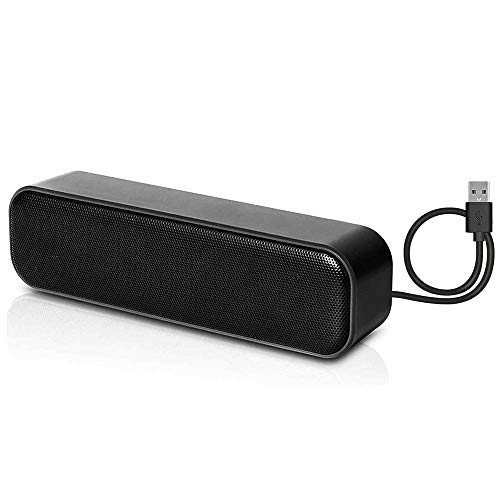
Quick Summary
The SOULION R80 computer speakers combine desktop audio with an LCD digital clock and colourful lights. They are USB-powered, and the clock requires two AA batteries for activation and initial setup.
The speakers include Bluetooth, USB and AUX modes, with volume adjusted by independent buttons and a round knob. The lighting offers five effects, and it can be turned off when preferred.
Who It Is Best For
This model suits buyers looking for a desktop speaker setup with extra features such as a clock and decorative lighting. It also suits people who want multiple connection options for use with a PC, laptop, tablet or smartphone, while checking that their chosen connection method matches the device and cable they plan to use.
Key Details
| Detail | Verified information and buyer relevance |
|---|---|
| Brand and model | SOULION R80, so the product can be identified clearly before ordering. |
| Power | USB-powered, with the clock needing two AA batteries for activation and initial setup. |
| Connection modes | USB, Bluetooth and AUX modes are included, giving several connection choices. |
| Lighting | Five colourful light effects are included, and the light can be turned off. |
| Controls | Independent buttons and a round knob are used to adjust the volume. |
| Compatibility notes | USB mode is stated as not suitable for USB hubs, and AUX use requires a separate cable. |
| Bluetooth range | Bluetooth playback is stated up to 10 metres when USB power is supplied. |
| Audio drivers | Two 10W full-range drivers and two independent drivers are listed. |
Why Buyers Choose It
- USB power keeps the speaker setup centred on a single power connection, while the clock uses two AA batteries for its initial activation.
- Three connection modes give buyers a choice between USB, Bluetooth and AUX use, depending on the device and cable they have.
- The five lighting effects and optional light-off setting give flexibility for a desk setup.
- The volume controls use both buttons and a round knob, giving a simple way to adjust sound level.
How It Works
- Connect the speakers to a USB power source.
- If you want to use the clock, fit two AA batteries for activation and initial setup.
- Select USB, Bluetooth or AUX mode depending on the device you want to use.
- Use the independent buttons and round knob to adjust the volume.
- Choose one of the lighting effects, or switch the light off if you do not want it on.
Real World Use
The R80 is set up for desktop use and can be paired with a PC, laptop, tablet or smartphone. USB mode is described as plug and play, Bluetooth playback is stated up to 10 metres with USB power supplied, and AUX mode uses a 3.5mm connection with a separate cable.
If you plan to use AUX, check that your cable matches the stated 3-pole 3.5mm requirement. If you plan to use USB mode, note that it is not suitable for USB hubs.
What To Know Before You Buy
Check that your chosen device matches one of the supported connection methods before ordering. If you want to use AUX, the cable is purchased separately and must be a 3-pole 3.5mm type. The clock needs two AA batteries for activation and initial setup, while the speaker itself is USB-powered. For Bluetooth use, the stated range is up to 10 metres with USB power supplied.
Common Buyer Questions
Does it work with a phone or tablet?
Yes, Bluetooth mode is stated for use with a phone, tablet or laptop.
Do I need extra power for the speakers?
Yes, all modes require USB power supply.
Is the AUX cable included?
No, the AUX cable needs to be purchased separately.
Can the light be switched off?
Yes, the light can be turned off.
Final Buying View
The SOULION R80 suits buyers who want desktop speakers with added clock and lighting features, plus USB, Bluetooth and AUX connection options. Check your device connection, the AUX cable type if needed, and the power setup before choosing.