Quick Summary
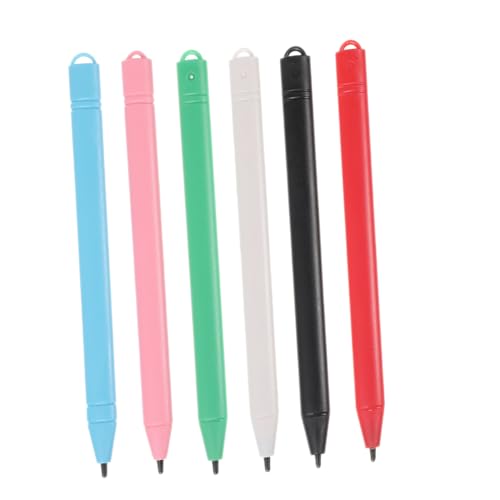
This is a black stylus pen for touch screens with Type-C charging and 4 POM tips. It is described as compatible with Android system devices, with some listed brand and model examples, and it uses a smart touch switch rather than Bluetooth or app connection.
The pen also has four indicator lights, automatic sleep mode after 5 minutes of inactivity, and a magnetic suction function for attaching it to the side of a tablet. Check compatibility carefully, as several device families are named as not compatible.
Who It Is Best For
This stylus suits buyers who want a rechargeable touch pen for supported Android phones and tablets, and who want a simple on and off control without pairing. It is also relevant if you want a pen with replaceable tips and a charging indicator.
Key Details
| Detail | Verified information and buyer relevance |
|---|---|
| Product type | Stylus pen for touch screens, intended for Android system devices and other named compatible devices. |
| Colour | Black. |
| Charging | Type-C charging port with four indicator lights for battery checking. |
| Battery use | Stated full charge time is 35 minutes and stated continuous use is more than 10 hours. |
| Tips | Includes 4 POM tips, with the source also mentioning 3 POM tips in the set contents. |
| Controls | Double click the top button to turn it on or off. |
| Special functions | Magnetic suction to attach to the side of a tablet and sleep mode after 5 minutes of inactivity. |
| Compatibility notes | Named as incompatible with Microsoft device, Kindle device, Windows, Apple iPad, Lenovo M11, Lenovo Tab M10, Samsung S6, Samsung Galaxy Tab S7, Samsung Galaxy A71, Chromebook, Samsung Galaxy A8 and Redmi Pad Pro, among others listed. |
What To Know Before You Buy
Check your device model carefully before ordering, especially if you use Samsung, Lenovo, Huawei, Xiaomi, Vivo or another Android device. The compatibility note lists several device families and models that are not supported, so matching your exact device is important. The pen does not support palm rejection, and it is also described as having poor compatibility with the OneNote app.
Cons: The pen does not support palm rejection and has stated compatibility limits with several devices and with OneNote.
Common Buyer Questions
Does this stylus need Bluetooth?
No. It is stated to work without Bluetooth or app connection.
How is it charged?
It charges through a Type-C port and has four indicator lights for checking battery level.
Does it attach to a tablet?
Yes. It has a magnetic suction function for attaching to the side of a tablet.
What comes in the box?
The set includes one stylus pen, one Type-C charging cable, one user manual and POM tips.
Final Buying View
This stylus is best for buyers who need a rechargeable touch pen for a compatible Android device and want a simple non-Bluetooth setup. Confirm your exact model and app requirements before ordering, especially if you rely on palm rejection or use one of the listed incompatible devices.
Pros: It includes Type-C charging, replaceable POM tips and a magnetic attachment function.
Final Buying View
This stylus is best for buyers who need a rechargeable touch pen for a compatible Android device and want a simple non-Bluetooth setup. Confirm your exact model and app requirements before ordering, especially if you rely on palm rejection or use one of the listed incompatible devices.