Quick Summary
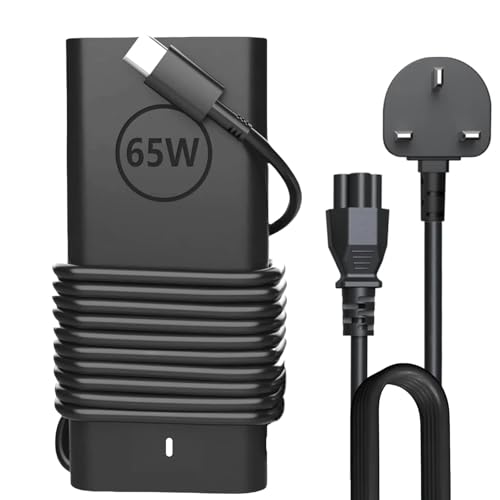
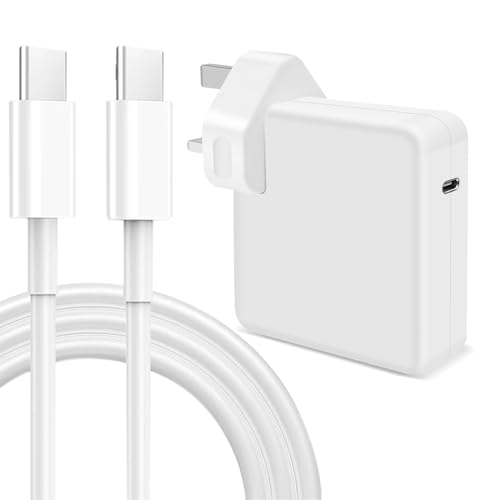
This 65W USB-C laptop charger is presented as a charger for Microsoft Surface Pro 11, 10, 9, 8, 7+, 7, Pro X, 1796, 1769 and 1800, and for other laptops and devices with a USB-C interface. It has a USB-C connector, an input of 100-240V ~ 50/60Hz and an output of 20V 3.25A 65W, with support listed for 5V-3A, 9V-3A, 12V-3A, 15V-3A, 18V-3A and 20V 3.25A.
Before choosing an offer, compare the connector type and the power supply parameters against the device you plan to use it with.
Key Details
| Detail | Verified information and buyer relevance |
|---|---|
| Product type | 65W USB-C laptop charger for USB-C charging devices. |
| Connector | USB-C / Type C. Check the charging port on the device you want to power. |
| Output | 20V 3.25A 65W, with listed support for 5V-3A, 9V-3A, 12V-3A, 15V-3A, 18V-3A and 20V 3.25A. |
| Input | 100-240V ~ 50/60Hz, which is relevant for mains supply compatibility. |
| Compatible devices named | Microsoft Surface Pro 11, 10, 9, 8, 7+, 7, Pro X, 1796, 1769, 1800, MacBook Pro, Dell, Lenovo, Huawei Matebook and HP Spectre are named. |
| Other named compatibility | Nintendo Switch, Samsung Chromebook Pro and Acer Spin 7 are also named. |
What to Compare Before Buying
- Port and connector type: This charger uses USB-C / Type C. Match it with the charging port on your device.
- Power requirement: The rated output is 65W. Compare that with the power your device expects from a charger.
- Input supply: The stated input is 100-240V ~ 50/60Hz. This is useful if you are checking mains compatibility.
- Device compatibility: Several Surface Pro versions and other USB-C devices are named. Confirm your exact model before choosing it.
When to Consider a Different Option
Choose a different charger if your device does not use USB-C, if it needs a different power level, or if your model is not one of the named compatible devices. The listing also states that it is only compatible with Microsoft Surface Pro 7 and above, so earlier Surface Pro models should be checked carefully.
What Else You May Need
You need a device with a compatible USB-C charging port and a charging requirement that suits the stated 65W output. If you are buying for a Surface model or another laptop, confirm the exact model number and charging standard before purchase.
Before You Decide
Check the USB-C connector, the 65W output and the exact model you want to charge. If you are buying for a Surface device, confirm that it is Surface Pro 7 or above and matches the named model range. Make sure the mains input and charging needs suit your setup.