
Laptop Chargers and Power Adapters
Laptop Chargers and Power Adapters are used to power laptops, recharge batteries and keep work, study, gaming and travel setups running. Whether you need a replacement charger, a spare adapter for the office, a compact travel option or a compatible power supply for an older laptop, choosing the right charger is essential.
This category includes laptop chargers and power adapters for different laptop types, connector styles and power requirements. Depending on the product, you may find mains chargers, USB C laptop chargers, barrel connector adapters, replacement power supplies, travel chargers and charger cables suitable for specific devices where listed.
- Laptop Chargers and Power Adapters
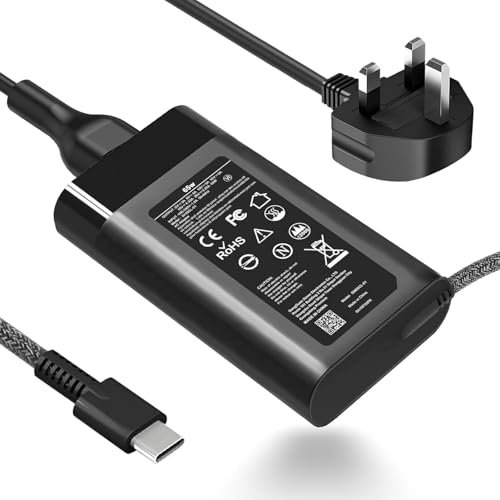
65W USB-C Laptop Charger Replacement for HP ProBook and EliteBook Series G8 to G11
£22.99 *View On Amazon* - Laptop Chargers and Power Adapters
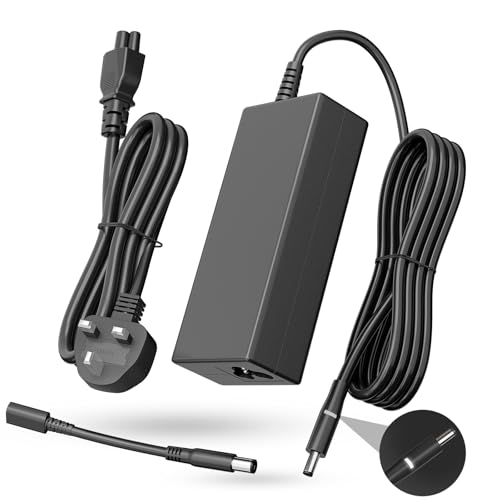
MAXPOR 150W AC Adapter Compatible with HP ZBook, Pavilion Gaming, Victus and Envy
£17.09 *View On Amazon* - Laptop Chargers and Power Adapters
Dell 65W 45W Laptop Charger AC Adapter 19.5V 3.34A with 4.5 x 3.0 mm and 7.4 x 5.0 mm Connectors
£12.99 *View On Amazon* - Laptop Chargers and Power Adapters
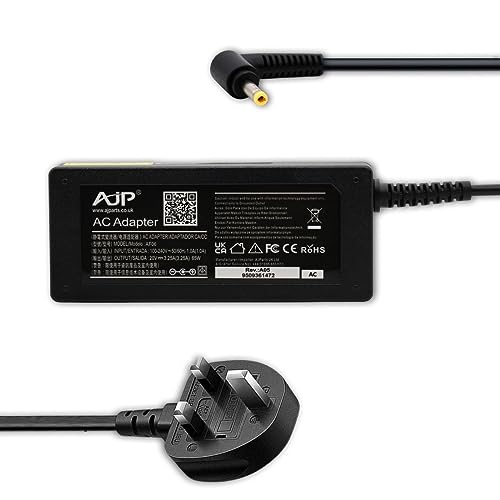
AJP 65W Charger for Lenovo IdeaPad Slim 3 and IdeaPad 3 Laptop Power Adapter
£17.99 *View On Amazon* - Laptop Chargers and Power Adapters
Delta New Laptop AC Adapter Compatible with Acer ADP-65DE B, 19V 3.42A, 3.0 mm x 1.0 mm Pin Size
£19.99 *View On Amazon* - Laptop Chargers and Power Adapters
Lenovo 65W USB C Laptop Charger Replacement ADLX65YDC2A ADLX65YLC3D 4X20M26268
Original price was: £20.99.£17.99Current price is: £17.99. *View On Amazon* - Laptop Chargers and Power Adapters
45W Laptop Charger Adapter Compatible With ASUS Vivobook and Zenbook
£8.99 *View On Amazon* - Laptop Chargers and Power Adapters
Lenovo 20V 3.25A 65W Laptop Charger with UK Power Cable
£15.99 *View On Amazon* - Laptop Chargers and Power Adapters
96W USB C Fast Laptop Charger for MacBook Pro and MacBook Air
Original price was: £20.99.£17.84Current price is: £17.84. *View On Amazon* - Laptop Chargers and Power Adapters
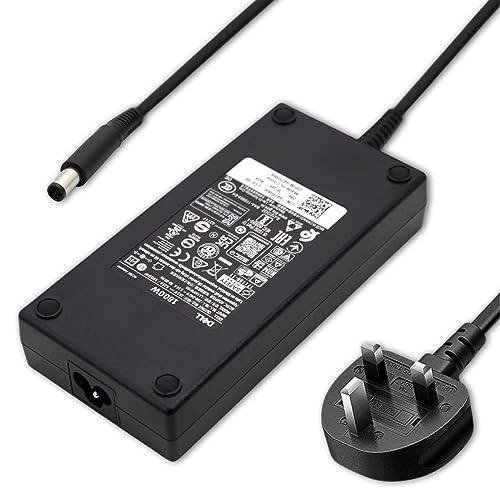
Dell 180W 19.5V 9.23A Laptop Power Supply Unit PSU AC Adapter
Original price was: £28.80.£24.90Current price is: £24.90. *View On Amazon* - Laptop Chargers and Power Adapters
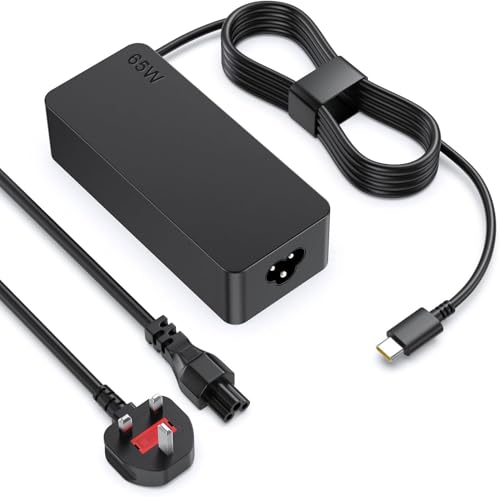
PowerPortnerLink 65W USB-C Charger for Lenovo ThinkPad, Yoga, Chromebook, IdeaPad, Slim, Duet and ThinkBook Series
£15.99 *View On Amazon* - Laptop Chargers and Power Adapters
Dell USB-C Original Latitude 5320 2-in-1 Laptop 65W Adapter Charger PSU
£26.40 *View On Amazon* - Laptop Chargers and Power Adapters
65W USB C Laptop Charger for Lenovo ThinkPad, Chromebook and Dell Latitude
£10.95 *View On Amazon* - Laptop Chargers and Power Adapters
ATTNINE 100W USB-C Laptop Charger with 1.8 m USB-C to USB-C Cable
Original price was: £19.99.£14.99Current price is: £14.99. *View On Amazon* - Laptop Chargers and Power Adapters
Delta 65W Laptop Charger for Acer Aspire and Swift Series
£17.99 *View On Amazon* - Laptop Chargers and Power Adapters
Yisbat 65W Yellow USB Laptop Charger for Lenovo ThinkPad and IdeaPad Yoga
£14.99 *View On Amazon* - Laptop Chargers and Power Adapters
96W USB-C Charger Block with Type C Cable for MacBook Pro and MacBook Air
£15.99 *View On Amazon* - Laptop Chargers and Power Adapters
Byprlvps 65W USB C Laptop Charger for HP EliteBook, Spectre x360, Envy, ProBook, Chromebook x360
£9.99 *View On Amazon* - Laptop Chargers and Power Adapters
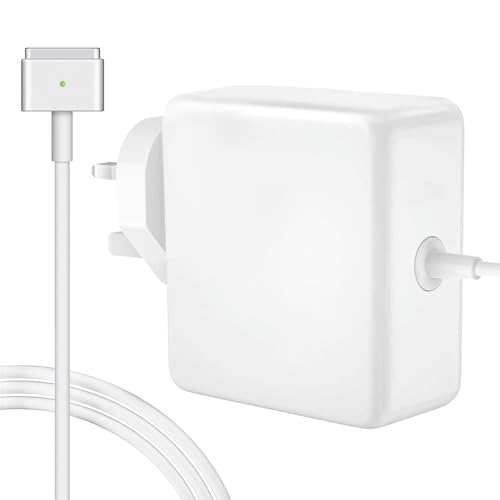
MacBook Air 45W T-Tip Replacement Charger UK
£17.98 *View On Amazon* - Laptop Chargers and Power Adapters
70W USB C Charger with 2 m USB C to USB C Cable
£15.99 *View On Amazon* - Laptop Chargers and Power Adapters
Delta Electronics Packard Bell EasyNote TE Notebook 19V 3.42A 65W Laptop AC Adapter Mains Unit Power Supply
£16.99 *View On Amazon* - Laptop Chargers and Power Adapters
65W USB-C Laptop Charger Compatible with HP Spectre x360, Envy, EliteBook, Chromebook, Elite x2 and ZBook
£16.99 *View On Amazon* - Laptop Chargers and Power Adapters
Dell Latitude 3301, 15 3520, 3400, 3500, 3510 65W AC Adapter Replacement PSU MGJN9 with UK Mains Cable
£26.88 *View On Amazon*











What Are Laptop Chargers and Power Adapters?
Laptop chargers and power adapters convert mains power into the correct output needed by a compatible laptop. They usually include a power brick, a cable, a connector and sometimes a detachable mains lead depending on the product.
Not all laptop chargers are interchangeable. Connector shape, wattage, voltage, amperage, polarity and laptop compatibility can vary, so the safest approach is to match the charger to the laptop model and the original power requirements where listed.
What Laptop Chargers and Power Adapters Are Used For
Laptop chargers and power adapters are used for everyday laptop charging, powering a laptop at a desk, replacing a lost charger, keeping a spare at work or home, and supporting travel or study routines.
They can also be useful when setting up docking stations, home offices, classrooms, shared workspaces or gaming areas where a laptop is used for long periods. A suitable charger helps avoid interruptions caused by low battery, but it must be compatible with the laptop.
For frequent travellers, a second charger can reduce the need to unplug a home setup every time you leave. For students and office users, a spare charger can be practical where compatibility is confirmed.
How To Choose The Right Laptop Charger Or Power Adapter
Start with the laptop make and model. Check the laptop label, original charger, user guide or manufacturer information where available. The replacement charger should match the laptop’s required power input and connector type.
Next, check the output details. Voltage, amperage and wattage matter. A charger with the wrong output may not charge correctly and could be unsuitable for the device. Always compare the product listing with your laptop’s requirements before buying.
Finally, check the connector. Some laptops use USB C charging, while others use round barrel connectors, rectangular connectors or brand specific designs where listed. A connector that looks similar may still be the wrong size or specification.
Key Features To Compare
Compatibility is the most important feature. A laptop charger should be clearly suitable for the laptop model or power requirement where listed. Do not choose by connector shape alone.
Wattage is also important. A charger with insufficient wattage may charge slowly, fail to charge under load or be unsuitable for the laptop. A higher wattage charger may be suitable in some cases where compatible, but only if the voltage, connector and charging standard match the device requirements.
Connector type should be checked carefully. USB C chargers may need Power Delivery support where listed, while barrel connector chargers must match size, voltage and polarity.
Cable length can affect everyday use. A longer cable may be useful for desks, classrooms and hotel rooms, while a shorter or compact charger may suit travel.
Build, plug type, detachable leads, charging indicator lights, included tips, adapter size and device support may also be useful to compare depending on the product.
Laptop Chargers Compared With Phone Chargers
Phone chargers are usually designed for smaller devices and may not provide enough power for laptops. Even if a phone charger has a USB C connector, it may not support the wattage or charging standard required by a laptop.
Laptop chargers are designed to provide the correct power output for compatible laptops. This can involve higher wattage, different voltage levels or specific charging protocols where listed.
The trade off is convenience against suitability. A phone charger may be fine for a phone, but a laptop usually needs a charger that is clearly suitable for laptop use.
USB C Laptop Chargers Compared With Traditional Barrel Chargers
USB C laptop chargers are common on many modern laptops where supported. They can be convenient because one charger may work with several compatible devices, but the charger, cable and laptop must all support the required power level.
Traditional barrel chargers use a round connector that plugs into the laptop charging port. They can be reliable for specific laptop models, but connector size and output must be matched carefully.
The right choice depends on the laptop. If your laptop charges by USB C, choose a compatible USB C charger where listed. If it uses a barrel connector, choose the correct adapter for that model and power requirement.
Original Style Chargers Compared With Universal Chargers
An original style charger is usually chosen to match a specific laptop type or model. It can be easier to compare if the listing clearly states the compatible device and output details.
Universal laptop chargers may include multiple tips or adjustable compatibility where listed. They can be useful for households or workplaces with different laptops, but they require careful checking to make sure the correct tip and power output are used.
The trade off is simplicity against flexibility. A model specific charger may be more straightforward, while a universal charger can be useful only when compatibility is clearly confirmed.
Beginner Regular User And Experienced User Guidance
Beginners should focus on matching the laptop model, connector and power output. If the charger does not clearly match the laptop’s requirements, it is better to keep comparing rather than guessing.
Regular users may want to compare cable length, charger size, desk setup convenience and whether a spare charger would be useful for work, home or travel.
Experienced users often compare wattage, USB C Power Delivery support where listed, connector dimensions, polarity, docking station needs, charging behaviour under load and whether the charger suits multiple compatible devices.
Use Cases By Setup
For home offices, a spare charger can stay permanently at the desk, helping keep the laptop ready for work without moving cables around.
For students, a compact charger may be useful for libraries, classrooms, shared accommodation and travel between home and study spaces.
For business travel, charger size, cable length and plug compatibility can matter. A travel friendly adapter can reduce bag bulk where suitable.
For gaming laptops, power requirements may be higher than standard laptops. Always check wattage and model compatibility carefully before choosing.
For older laptops, connector type and voltage are especially important. A charger that looks close to the original may still not be suitable.
For shared family use, clearly labelled chargers can help avoid the wrong adapter being used with the wrong laptop.
Fit Connector Type And Compatibility
Laptop charger compatibility depends on more than whether the plug fits. The charger must match the laptop’s required voltage, power level, connector style and charging method where applicable.
For barrel connectors, check connector diameter, pin style and polarity where listed. For USB C chargers, check wattage, cable support and whether the laptop supports USB C charging.
Some laptops have more than one USB C port, but not all ports may support charging. Check the laptop guidance if you are unsure.
If the product includes multiple adapter tips, make sure the correct tip is used and fitted securely. Using the wrong tip can result in poor charging or an unsuitable connection.
Wattage Voltage And Power Output
Wattage, voltage and amperage are central to choosing a laptop charger. These figures should be compared with the original charger or laptop input information where available.
Voltage should usually match the laptop requirement. Amperage and wattage should be suitable for the device. If the power output is too low, the laptop may charge slowly or not charge while in use.
USB C chargers may list different power profiles where listed. The laptop, charger and cable must all support the required level for the best result.
Never assume a charger is suitable purely because it has the same connector. Always check the output details.
Safety And Practical Considerations
Laptop chargers should be chosen carefully because they connect to mains power and sensitive electronics. Use only chargers that are suitable for the device and follow the product instructions.
Avoid using damaged chargers, frayed cables, loose connectors or adapters that become unusually hot. If a charger sparks, smells, buzzes loudly or behaves unpredictably, stop using it.
Keep chargers away from liquid, heavy pressure, pets and areas where cables may be tripped over. Do not cover power bricks with bedding, clothing or cushions while in use, as heat needs space to dissipate.
If specialist safety approvals or protections are important, check the product listing and packaging where stated. Do not assume features are present unless listed.
Cable Routing And Desk Setup
Good cable routing makes charging safer and tidier. Avoid stretching a charger cable tightly across a desk, walkway or chair area. This can pull on the laptop port or create a trip hazard.
For desks, cable clips, trays or ties can help keep the charger lead out of the way. For travel, a small cable organiser can stop the charger becoming tangled in a bag.
If the laptop is used with an external monitor, dock or stand, check that the cable length and connector angle work comfortably with the setup.
A charger should be easy to plug in and unplug without twisting the cable or putting pressure on the laptop port.
Care Maintenance And Storage
Laptop chargers last better when they are handled carefully. Unplug by holding the plug or connector rather than pulling the cable.
Avoid wrapping cables tightly around the power brick, as this can strain the cable near the connector. A loose coil is usually more practical for storage and travel.
Keep the charger dry, clean and away from excessive heat. If dust builds up around plugs or vents, clean carefully only when unplugged and according to product guidance.
For spare chargers, store them in a dry drawer, laptop bag or organiser so they are easy to find when needed.
Useful Accessories To Consider
Useful accessories for laptop chargers and power adapters may include USB C charging cables where compatible, mains leads, cable ties, cable clips, laptop stands, docking stations, surge protected extension leads, travel adapters and laptop bags.
For home offices, cable management accessories can make the desk safer and cleaner. For travel, a charger pouch and suitable plug adapter may be useful where appropriate.
For USB C setups, make sure any cable used is suitable for the required charging power where listed. The charger alone is not always enough if the cable does not support the laptop’s needs.
Why Buy From YPC?
At YPC, we understand active lifestyles and the need for practical products that work in real use. Laptop chargers and power adapters should be chosen for compatibility, output, connector type, safety information and the way the laptop will actually be used.
YPC brings together a wide range of computer, electronics and lifestyle products so you can compare available laptop chargers and power adapters by connector, power output, device suitability and practical use. Browse the Laptop Chargers and Power Adapters category to compare the range and choose the right charger for home, work, study or travel.
FAQs
How do I know which laptop charger I need?
Check your laptop make and model, the original charger label, connector type and required output. Match voltage, wattage, connector style and compatibility information where listed before buying.
Can I use any charger with my laptop?
No. Laptop chargers are not universal unless clearly designed and configured for compatible devices. The charger must match the laptop’s power and connector requirements.
What happens if I use the wrong laptop charger?
The laptop may not charge, may charge slowly or may behave unpredictably. A charger with unsuitable output or connector type may be unsafe or unsuitable for the device.
Is wattage important for laptop chargers?
Yes, wattage matters. A charger with too little power may not charge the laptop properly, especially while the laptop is being used. Check the laptop’s required wattage where available.
Can I use a USB C charger for my laptop?
Only if your laptop supports USB C charging and the charger and cable provide the required power where listed. Not every USB C charger or cable is suitable for laptop charging.
Are universal laptop chargers safe to use?
Universal chargers may be suitable where the correct tip, voltage and output match the laptop requirements. Always check compatibility carefully and follow the product instructions.
Why is my laptop charger getting warm?
Laptop chargers can become warm during use, but they should not become excessively hot, smell, spark or behave unusually. If this happens, unplug it and stop using it.
What should I check before buying a replacement laptop charger?
Check laptop model, connector type, voltage, wattage, amperage, plug type, cable length, USB C Power Delivery support where relevant and any listed compatibility details.
Looking for more options?
Browse our full range of Computers and Accessories for other great choices to suit your space, goals, and budget.
 Getting ready for Summer? View our Home and Garden Products

Heading outdoors this winter? Take a look at our Outdoor Clothing.