Quick Summary
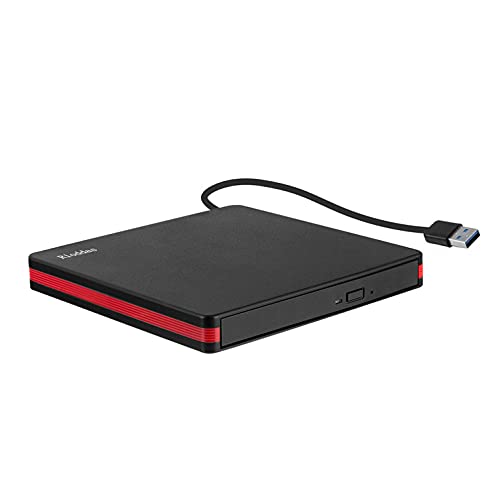
The Verbatim External Slimline CD/DVD Writer is a compact external disc writer for notebooks, ultrabooks and netbooks without a built-in drive. It connects by USB 3.2 Gen1 with USB-C and includes a USB-C to USB-A cable.
Its slim design is made for portable use, and power is supplied through the USB port with no need for a bulky adapter.
Who It Is Best For
This external writer suits buyers who need to use a CD or DVD drive with a laptop or similar device that does not have one built in. It also suits anyone who wants a compact drive that is easier to carry.
Key Details
| Detail | Verified information and buyer relevance |
|---|---|
| Brand | Verbatim, so the product can be identified clearly. |
| Product type | External slimline CD/DVD writer for disc reading and writing use. |
| Connection | USB 3.2 Gen1 with USB-C connection. |
| Included cable | USB-C to USB-A cable included for connection flexibility. |
| Power | Powered via the USB port, with no bulky adapter needed. |
| Intended devices | Notebooks, ultrabooks and netbooks without a drive. |
| Design | Compact and slim design for easier carrying and storage. |
| Supported disc formats | Commonly used disc formats such as DVD, CD and MDisc archiving technology. |
Why Buyers Choose It
- USB-powered operation means there is no separate bulky adapter to manage.
- The compact, slim body makes it easier to keep with a laptop setup or take on the move.
- USB-C connection and included USB-C to USB-A cable give a simple way to connect to supported devices.
- Compatibility with DVD, CD and MDisc archiving technology gives support for several commonly used disc formats.
How It Works
- Connect the writer to a compatible device using the USB-C connection or the included USB-C to USB-A cable.
- Power is supplied through the USB port.
- Insert the chosen disc into the writer.
- Use the included software to organise, burn and archive files.
Real World Use
The slim body is useful when space is limited or when the writer needs to be carried with a laptop. The USB-powered setup keeps the number of separate items to a minimum, which is helpful for portable use.
What To Know Before You Buy
Check that your device has a suitable USB connection for the supplied cable and that you want an external CD/DVD writer rather than a built-in drive. The writer is described for use with notebooks, ultrabooks and netbooks without a drive, so it is worth confirming that this matches your equipment.
Common Buyer Questions
What devices is this for?
It is intended for notebooks, ultrabooks and netbooks without a drive.
Does it need a separate power adapter?
No, power is supplied via the USB port.
What cable comes with it?
A USB-C to USB-A cable is included.
What can it do with discs?
It can be used to organise, burn and archive files with commonly used disc formats such as DVD, CD and MDisc archiving technology.
Final Buying View
If you need an external slimline CD/DVD writer for a laptop without an internal drive, this Verbatim model gives you USB-C connectivity, USB-powered use and an included USB-C to USB-A cable. Check your connection type and intended disc use before ordering.