Quick Summary
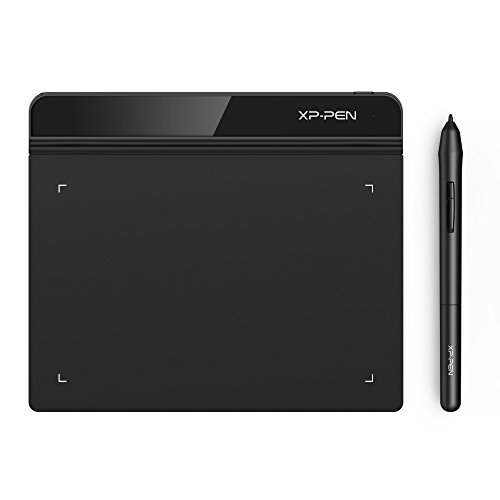
The XP-PEN Star G640 is a 6 x 4 inch drawing tablet with an 8192 graphics pressure stylus that does not require charging. It is set out for drawing, painting, sketching, E-signatures and OSU! gameplay, with a compact active area for everyday digital pen work.
The tablet is also described as suitable for handwritten notes and signatures in Microsoft Office apps, and for use in web conferencing or online teaching.
Who It Is Best For
This tablet suits buyers who want a small digital drawing area for art, notes, signatures or OSU! play. It is also relevant if you want stylus input for office documents or online teaching, and if you need support for either right or left hand use.
Key Details
| Detail | Verified information and buyer relevance |
|---|---|
| Brand | XP-PEN. |
| Model | Star G640. |
| Active area | 6 x 4 inches, giving a compact drawing space. |
| Stylus | Battery-free stylus, so it does not require charging. |
| Pressure sensitivity | 8192 levels for pen input control. |
| Uses | Drawing, painting, sketching, E-signatures and OSU! gameplay are stated uses. |
| Hand orientation | Designed for both right and left hand users. |
| Compatibility | Windows 10/8/7, Mac OS X 10.10 or later, and Linux are listed. |
| Software support | Compatible with graphics and creative software including Adobe Photoshop, Corel Painter, CorelDraw, SAI, Infinite Stratos, 3D MAX, Autodesk MAYA and Pixologic ZBrush. |
Why Buyers Choose It
- The 8192 pressure levels give more detailed pen input than a basic stylus setup.
- The battery-free stylus avoids charging, so it is ready for repeated use.
- The 6 x 4 inch active area keeps the tablet compact for desk use or portable storage.
- Support for both right and left hand users makes the layout more flexible.
How It Works
The stylus is battery-free and used for drawing, sketching, signatures and other pen input tasks on the tablet. For OSU! gameplay, the tablet is stated to work without driver installation. For other listed uses, check that your device system matches the stated Windows, Mac or Linux compatibility before use.
What To Know Before You Buy
Check that the 6 x 4 inch active area suits the amount of drawing space you want. Confirm your operating system matches the stated Windows, Mac OS X or Linux support, and review software compatibility if you plan to use a specific creative app. The tablet is also set out for right and left hand users, which may matter if you prefer a particular hand position.
Common Buyer Questions
Does it need charging?
No. The stylus is battery-free.
Can it be used for OSU!?
Yes. OSU! gameplay is specifically listed, and no driver installation is stated for that use.
Which operating systems are listed?
Windows 10/8/7, Mac OS X 10.10 or later, and Linux are listed.
Is it suitable for signatures and notes?
Yes. E-signatures and handwritten notes are both stated uses.
Final Buying View
The Star G640 is a compact drawing tablet for buyers who want a battery-free stylus, 8192 pressure levels and support for art, signatures or OSU! use. Review the active area and system compatibility before ordering.