BUYERS GUIDE
Server Buyers Guide
A server is a computer designed to provide files, applications, databases, websites, backups or other shared services to multiple users and devices. Servers can support anything from a small office file system to virtual machines, business software, surveillance storage or a large online service.
Choosing the right server involves more than buying the fastest processor available. Reliability, memory capacity, storage design, network connections, expansion options, power protection, cooling and management features can be just as important as raw performance.
This guide explains how to compare servers in practical terms. It covers the main server types, the features that influence performance and reliability, common buying mistakes and the checks to make before ordering.
Quick Answer
Choose a server by first defining the workloads, number of users, storage needs, expected growth and acceptable downtime. Match the processor, memory, storage, networking and operating system to the software the server must run. Check whether the system supports ECC memory, RAID, hot swap drives, remote management, redundant power supplies and future expansion where these features matter. Also confirm rack dimensions, cooling, noise, power requirements and whether drives, memory or an operating system are included. Specifications vary by model, so always check the individual product page before buying.
Quick Product Comparison Framework
| Feature | What It Means | Why It Matters | What To Check |
|---|---|---|---|
| Processor | Main hardware that handles server workloads | Affects application speed, virtual machines and multi user performance | Processor model, cores, threads and supported sockets |
| Memory | Working memory used by services and applications | Influences multitasking, databases and virtualisation | Installed capacity, ECC support, maximum capacity and spare slots |
| Storage | Space for files, systems, applications and backups | Affects capacity, resilience and performance | Drive type, bays, RAID support and included drives |
| RAID | Combines drives for performance or resilience | Can help protect service continuity after a drive failure | Supported RAID levels, controller type and drive requirements |
| Network ports | Connect the server to users and other systems | Determines network bandwidth and redundancy options | Number, speed and type of network interfaces |
| Form factor | Physical server design | Affects placement, cooling and expansion | Tower, rackmount, microserver or compact chassis |
| Power supply | Provides power to internal components | Influences reliability and upgrade capacity | Wattage, efficiency and redundant power options |
| Cooling | Controls internal temperature | Supports stable operation under continuous workloads | Fan arrangement, rack airflow and room requirements |
| Remote management | Allows administration without being physically present | Useful for troubleshooting, monitoring and recovery | Out of band management features where stated |
| Expansion | Ability to add drives, cards, memory or processors | Helps the server adapt to future needs | Spare bays, slots, memory capacity and supported hardware |
| Operating system | Platform used to run services and software | Determines compatibility and administration | Whether an operating system is included and supported |
| Warranty and support | Help available if hardware fails | Important for business continuity | Coverage, response terms and replacement arrangements where supplied |
Key Decision Criteria Explained
Start With The Workload
The correct server depends on what it must do.
A basic file server for a small team has different requirements from a virtualisation host, database server, media server, backup system or business application platform. The number of users, workload intensity and operating hours all affect the specification.
List the services the server must provide, the number of simultaneous users and the software requirements before comparing hardware.
Consider Expected Growth
A server may be suitable today but become restrictive as users, storage and applications increase.
Allow room for realistic growth in memory, storage and network demand. This does not mean buying the largest possible server, but it can be sensible to choose a system with spare memory slots, drive bays and expansion capacity.
Check maximum supported capacities, not just what is installed when the server is purchased.
Processor Choice
The processor affects application performance, virtual machines, database work and background services.
Some server workloads benefit from more cores, while others depend more heavily on per core performance. Virtualisation, rendering and parallel workloads may use several cores effectively, while certain business applications may have different priorities.
Check the software vendor’s recommendations where available. More cores are not automatically useful if the software is limited by licensing, storage speed or memory.
Single And Dual Processor Servers
Some servers use one processor socket, while others support two or more processors.
A single processor system may be suitable for small offices and many general workloads. Dual processor platforms can provide more cores, memory channels and expansion for demanding applications.
However, additional processors increase cost, power use and cooling requirements. Check whether the workload genuinely needs a multi processor platform.
ECC Memory
ECC memory can detect and correct certain memory errors. It is commonly used in servers where reliability and data integrity matter.
Not every server or processor supports the same type of ECC memory. Check the motherboard, processor and memory compatibility before buying or upgrading.
Also confirm whether the server requires registered, unbuffered or another specific memory type. Similar looking modules may not be interchangeable.
Memory Capacity
Memory requirements depend heavily on the workload.
File sharing may use relatively modest amounts of memory, while databases, virtual machines, caching and analytics can require far more. Virtualisation hosts need enough memory for the operating system and every active virtual machine.
Check installed memory, maximum capacity and available slots. A server with several empty memory slots may be easier to expand later.
Storage Type
Servers may use hard drives, SATA SSDs, NVMe SSDs or a combination.
Hard drives can provide large capacity for archives, backups and general file storage. SSDs can improve access times and application responsiveness. NVMe storage can suit demanding databases, virtualisation and high performance workloads where supported.
Choose storage around the application, required capacity, expected input and output activity and budget.
Drive Bays And Hot Swap Support
Drive bays determine how many storage devices can be installed.
Hot swap bays allow compatible drives to be replaced without fully shutting down the server, depending on the controller and system configuration. This can be useful where downtime must be reduced.
Check the drive size, bay type, backplane and controller compatibility. A front bay does not automatically confirm hot swap support.
Understanding RAID
RAID combines multiple drives for resilience, performance or both, depending on the selected level.
Some RAID configurations allow a server to keep operating after a drive fails. Others prioritise speed or capacity. The right option depends on the workload and tolerance for failure.
RAID is not a replacement for backups. It can help with drive failure, but it does not protect against accidental deletion, malware, theft, fire or widespread hardware damage.
Hardware And Software RAID
Hardware RAID uses a dedicated controller, while software RAID is managed by the operating system or platform.
Hardware controllers may provide dedicated cache, battery or flash backed protection and management features. Software RAID can be flexible and cost effective for suitable workloads.
Check operating system support, controller compatibility, rebuild behaviour and recovery procedures before choosing.
Storage Controllers
A server may include a basic storage controller, a host bus adaptor or a dedicated RAID controller.
The controller affects drive support, RAID options, performance and management. Some controllers require specific cables, backplanes or drive formats.
Check what is installed rather than assuming all servers in the same chassis use the same controller.
Network Connections
Servers often need more than one network port.
Additional ports can support separate management networks, network redundancy, virtual machines or higher aggregate bandwidth where properly configured.
Check interface speed, number of ports and whether suitable network switches and cabling are available. A faster server network port will not provide its full benefit through slower network equipment.
Remote Management
Many business servers include remote management tools that allow administrators to monitor hardware, access the console, restart the server or troubleshoot faults without being physically present.
These features can be particularly useful for servers kept in locked rooms, racks or remote sites.
Check which remote management functions are included and whether additional licences are required for advanced features.
Tower Or Rackmount Design
Tower servers resemble large desktop computers and can be easier to place in a small office. They may not require a dedicated rack.
Rackmount servers are designed to fit standard server racks. They can save floor space when several systems, switches and storage devices are installed together.
Rack servers require careful checks for rack width, height, depth, rail compatibility, airflow and weight.
Rack Units And Rack Depth
Rack server height is normally measured in rack units.
Lower profile servers save rack space but can use smaller, faster fans and may be noisier. Larger rack systems may provide more drive bays, expansion and cooling room.
Check the server depth as well as its height. Some communications cabinets are too shallow for full depth servers.
Cooling And Airflow
Servers are often designed for continuous operation and can produce significant heat.
Rack servers generally rely on front to back airflow. Blocking vents, mixing airflow directions or placing the server in an unsuitable cupboard can increase temperature and noise.
Consider the whole room, not only the server. Ventilation, ambient temperature, dust and nearby equipment all affect cooling.
Noise
Rackmount servers can be much louder than desktop computers, particularly during startup or heavy workloads.
This may be acceptable in a dedicated server room but unsuitable beside desks, bedrooms or shared home spaces.
Tower servers and low power systems may be quieter, but noise still varies by model, fan profile and workload.
Power Supply And Redundancy
Some servers use one power supply, while others support two redundant units.
A redundant power configuration can allow the system to continue operating if one power supply fails, provided the remaining unit can support the load and the system is configured correctly.
For greater resilience, separate power feeds and suitable backup power arrangements may also be required.
Uninterruptible Power Supplies
A UPS can provide temporary power during an outage and may allow the server to shut down safely.
The UPS must be correctly sized for the server, storage, switches and any other equipment it supports. Runtime depends on load and battery capacity.
Check power connectors, management compatibility and battery replacement requirements before buying.
Operating System Compatibility
Servers may run Windows Server, Linux, a virtualisation platform, a storage focused system or specialist software.
Check that the hardware is supported by the intended operating system. This includes storage controllers, network cards, management interfaces and any specialist expansion hardware.
Also confirm whether an operating system licence is included. Many server listings provide hardware only.
Virtualisation Requirements
A server used for virtual machines needs sufficient processor cores, memory, storage performance and network capacity.
It may also require hardware virtualisation features, supported network adapters and reliable backup arrangements.
Plan the resources for every virtual machine, the host operating system and future growth. Avoid allocating all available memory or storage without leaving room for overhead.
Graphics And GPU Workloads
Many servers use simple integrated graphics because they are managed remotely and do not need strong visual performance.
Servers used for artificial intelligence, rendering, scientific work or virtual desktops may require dedicated graphics or compute cards.
Check physical card size, power supply capacity, cooling, motherboard support and software compatibility before adding a GPU.
Expansion Slots
Expansion slots may be used for network cards, storage controllers, graphics cards, accelerator cards and other specialist hardware.
Check the slot type, physical clearance and available lanes. Rack height can limit the size and orientation of expansion cards.
Some systems also require specific riser cards that may not be included.
Security Features
Servers can contain sensitive business and personal data.
Useful security features may include secure boot, hardware security modules, drive encryption support, locking front panels, intrusion detection and remote management controls.
Hardware security is only part of the solution. Updates, access controls, backups and network protection are also essential.
Warranty And Support
Server downtime can affect an entire organisation rather than one user.
Check the warranty length, support hours, repair process and replacement terms where supplied. Business critical systems may justify stronger support arrangements than non essential home servers.
Also consider how quickly replacement drives, power supplies and other parts can be obtained.
Product Type Differentiation And Variants
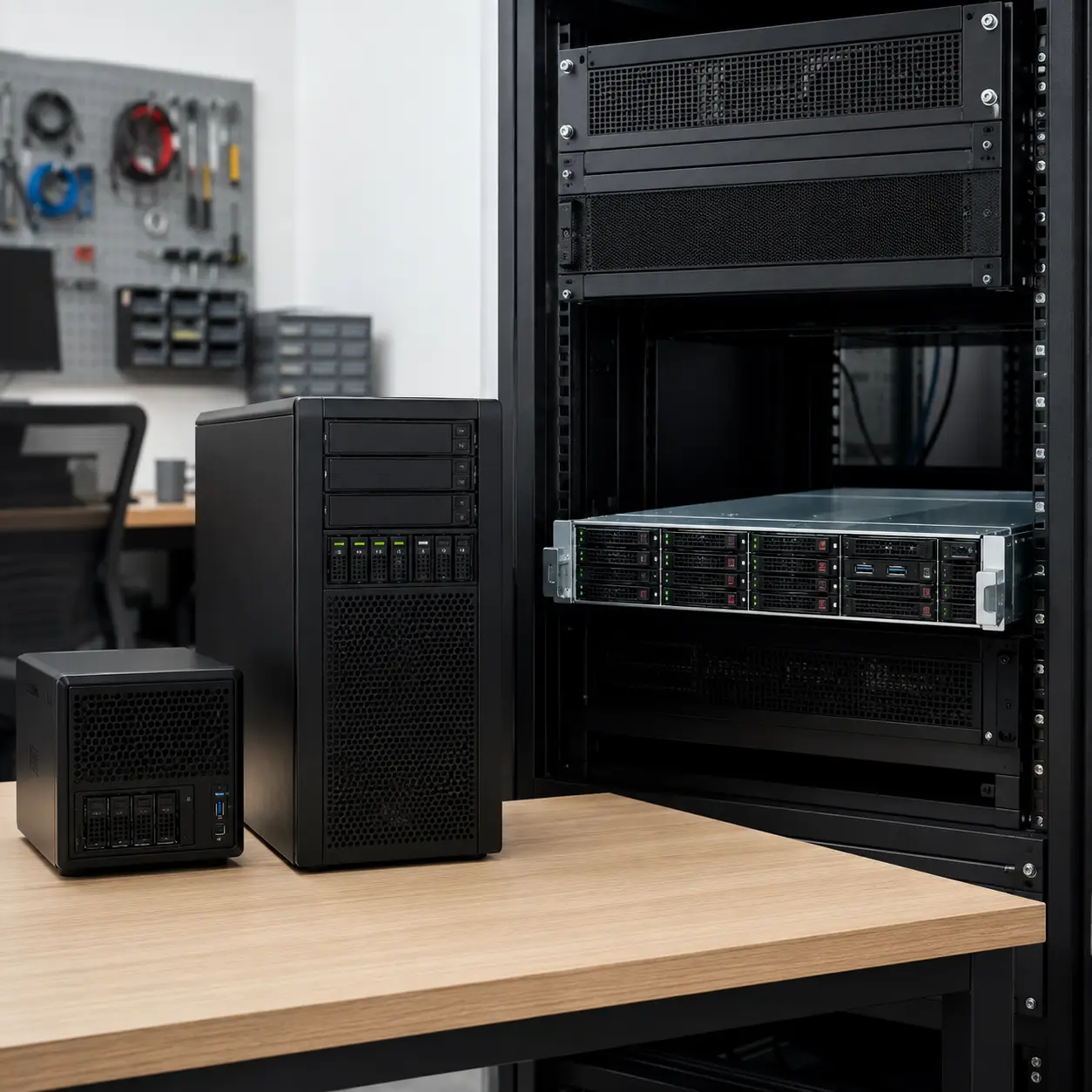
Tower Servers
Tower servers are freestanding systems that resemble large desktop towers.
They can suit small offices, local file sharing, applications and organisations without a server rack. They may also be easier to work on than compact rack systems.
Their larger footprint and fan noise should still be considered.
Rackmount Servers
Rackmount servers are designed for installation in standard racks.
They suit data rooms, growing businesses, virtualisation, web hosting and environments where several systems need to be organised together.
Check rack depth, rails, power, airflow and noise before buying.
Microservers
Microservers are compact systems intended for light server tasks.
They can suit small offices, home labs, backups, media storage and low demand services. They normally use less space and power than larger enterprise servers.
The trade off may be fewer drive bays, memory slots, expansion options and processor choices.
File Servers
File servers provide shared storage for users and devices.
Prioritise storage capacity, data resilience, network speed, permissions, backup and expansion. Processor performance may be less important than storage and networking for many basic file sharing workloads.
Application Servers
Application servers run business software or services used by several people.
Check the software vendor’s processor, memory, storage and operating system requirements. Licensing can also affect the most suitable hardware design.
Database Servers
Database servers can be sensitive to memory, storage speed and latency.
Fast SSD or NVMe storage, suitable memory capacity and resilient design may be particularly important. Requirements vary considerably by database size and workload.
Check vendor recommendations and backup procedures before selecting hardware.
Virtualisation Servers
Virtualisation servers host several virtual machines on one physical system.
They usually benefit from more processor cores, large memory capacity, fast resilient storage and multiple network interfaces.
Remote management, redundant power and expansion capacity can also be valuable.
Backup Servers
Backup servers store copies of data from computers, servers and other systems.
Prioritise capacity, resilience, network performance, backup software compatibility and secure access.
A backup server should not be the only copy of important data. Consider off site or otherwise separate backups as part of the wider plan.
Home Lab Servers
Home lab servers are used for learning, testing, media services, virtual machines and personal projects.
Refurbished business servers can offer useful features, but power use, noise and proprietary components should be considered.
Compact or tower servers may be more practical in a home than a loud rackmount model.
Storage Servers
Storage servers are designed around several drive bays and high capacity storage.
They can support file sharing, media libraries, archives and backups. Storage controllers, networking, drive cooling and data protection are key considerations.
GPU Servers
GPU servers are built to support graphics or compute accelerator cards.
They may be used for artificial intelligence, rendering, scientific work and other specialist workloads.
These systems require careful checks for power, cooling, physical card support and software compatibility.
Refurbished Servers
Refurbished servers can provide enterprise features at a lower purchase price.
Check the age, processor generation, drive health, memory type, power use, remote management licences, included rails and warranty details where supplied.
Older servers can be noisy, power hungry and less compatible with current operating systems or software.
Suitability By Buyer Type Or Need
| Buyer Type Or Need | What To Prioritise | What To Be Careful About |
|---|---|---|
| Small office | Tower design, file sharing, backup and quiet operation | Avoid rack servers if noise and space are unsuitable |
| Growing business | Memory capacity, drive bays, networking and support | Allow room for realistic expansion |
| File storage | Drive capacity, RAID, backups and network speed | RAID does not replace backups |
| Virtual machines | Processor cores, memory, fast storage and network ports | Leave resources for the host system |
| Database workloads | Memory, storage latency, resilience and backup | Check software vendor requirements |
| Web hosting | Network reliability, remote management and redundancy | Consider security and external connectivity |
| Home lab | Cost, power use, noise and virtualisation support | Refurbished rack servers may be impractical at home |
| Backup system | Capacity, resilient storage and secure access | Keep separate or off site copies |
| Digital services | Remote management, uptime and support | Plan for hardware failure and maintenance |
| GPU computing | Expansion space, power and cooling | Check exact card compatibility |
| Edge computing | Compact size, temperature tolerance and networking | Confirm suitability for the installation environment |
| Business critical services | Redundancy, monitoring, support and recovery plans | Avoid relying on a single point of failure |
Common Mistakes And Misunderstandings
Buying Before Defining The Workload
A server cannot be chosen effectively without knowing what it needs to run.
Start with applications, users, storage, network demand and growth. A powerful processor does not compensate for insufficient memory or unsuitable storage.
Assuming Drives Are Included
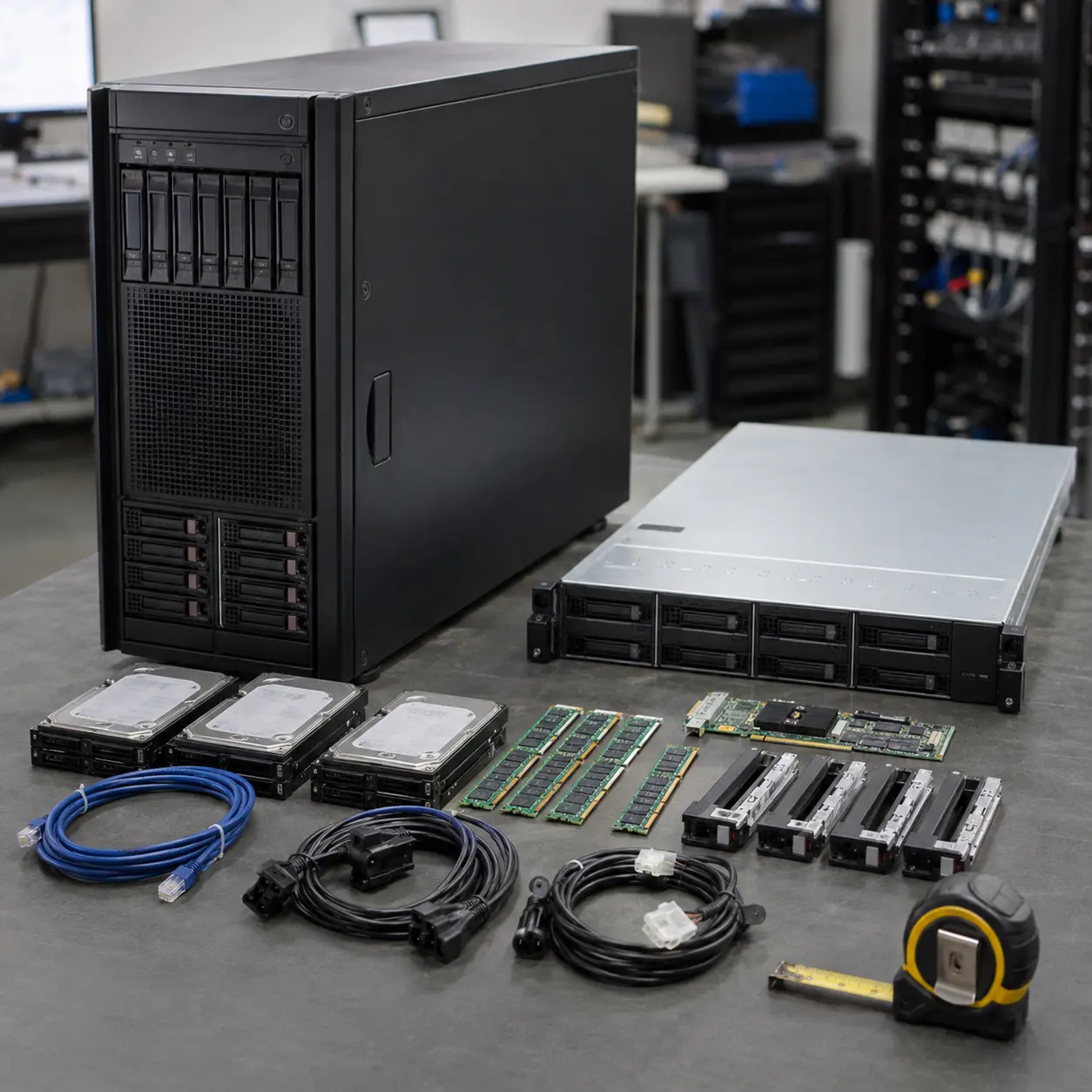
Server product images may show populated drive bays even when no drives are supplied.
Check the installed storage, drive caddies, blanking plates and controller. Some systems may also require compatible caddies before additional drives can be fitted.
Assuming An Operating System Is Included
Many servers are sold without an operating system.
Check whether software and licences are included. Installing a server operating system may also require drivers, configuration and specialist knowledge.
Confusing RAID With Backup
RAID can help a server continue operating after certain drive failures.
It does not protect against deletion, ransomware, fire, theft or multiple system failures. Maintain separate backups and test recovery procedures.
Ignoring Noise
Rack servers can be extremely noticeable in quiet environments.
Do not place a server near workstations or living spaces without checking likely noise. Fan speed may increase when drives, expansion cards or high performance processors are installed.
Ignoring Power Use
Older or high performance servers can use substantial electricity, even when lightly loaded.
Consider continuous operating cost, UPS size and room cooling as well as the purchase price.
Buying A Rack Server Without Checking The Rack
Rack width alone is not enough.
Check server depth, rail compatibility, cabinet depth, door clearance, cable space, rack load and airflow.
Underestimating Memory Requirements
Virtual machines, databases and business applications can use large amounts of memory.
Check current and future requirements. Also confirm the correct memory type and slot population rules.
Choosing Too Few Drive Bays
Storage requirements often grow.
Check usable capacity after RAID, backups and system overhead. A server with no spare bays may require a separate storage system sooner than expected.
Choosing A Slow Network Interface
Large file transfers, backups and virtual machines can overwhelm a basic network connection.
The whole network must support the desired speed, including switches, cables and connected devices.
Overlooking Remote Management
Remote management can save significant time when a server is unresponsive or installed in another room.
Check whether the feature is included, activated and accessible through a secure management network.
Assuming Every Component Is Standard
Servers may use proprietary power supplies, fans, drive caddies, rails and memory configurations.
Check replacement part availability and compatibility before buying, especially with older or refurbished systems.
Overlooking Support
A low purchase price may become less attractive if replacement parts are difficult to obtain or downtime is costly.
Match support and warranty arrangements to the importance of the workload.
Safety And Suitability Caveats
Use the server only as intended and follow the manufacturer instructions. Check the individual product page for power requirements, rack installation, cooling, supported components and operating environment.
Servers can be heavy. Use suitable lifting techniques and more than one person where required. Secure rack systems correctly and install heavier equipment lower in the rack.
Disconnect power before opening the chassis where access is permitted. Server interiors can contain sharp edges, high speed fans and sensitive components.
Do not open power supply units. Use only compatible power cables, drives, memory and expansion hardware.
Ensure airflow is not blocked. Keep liquids away from servers and use appropriate fire, electrical and environmental precautions in server rooms.
Where the server stores important data or runs business critical services, use suitably experienced technical support for installation, security, backup and recovery planning.
Maintenance, Storage And Lifespan Considerations
Keep fans, filters, vents and drive bays free from excessive dust according to the manufacturer guidance.
Monitor drive health, temperatures, fan status, memory errors and power supply alerts where supported. Hardware warnings should be investigated promptly.
Keep operating systems, firmware and security tools updated where appropriate. Updates should be planned and tested for important business systems.
Maintain documented backups and test that data can be restored. A backup that has never been tested may not provide the protection expected.
Server lifespan depends on workload, component age, cooling, maintenance, software support and future capacity needs. A system may remain reliable but still become unsuitable if the operating system or application is no longer supported.
How To Compare Models Efficiently
- Define the server workload and number of users.
- Check application and operating system requirements.
- Estimate current and future memory needs.
- Calculate storage capacity after RAID and backups.
- Choose suitable drive types and bay count.
- Check the storage controller and supported RAID levels.
- Review network speed and port count.
- Decide between tower, rackmount or microserver designs.
- Check rack depth, rails, airflow and noise where applicable.
- Review power supply capacity and redundancy.
- Check remote management features.
- Confirm expansion slots and future upgrade options.
- Check whether drives, caddies, rails and an operating system are included.
- Review warranty and support terms.
- Plan backups, monitoring and recovery before deployment.
- Read the individual product page before buying.
Summary Buyer Decision Checklist
| Buying Check | Why It Matters |
|---|---|
| Intended workload | Defines the required hardware |
| Number of users | Affects processor, memory and network demand |
| Processor | Supports applications and virtual machines |
| ECC memory | Can improve reliability where supported |
| Memory capacity | Supports multitasking, databases and virtualisation |
| Storage type | Affects capacity and performance |
| Drive bay count | Determines current and future storage room |
| RAID support | Provides resilience or performance options |
| Network speed | Controls data transfer and service access |
| Remote management | Allows administration without physical access |
| Form factor | Determines placement and rack requirements |
| Cooling | Supports stable continuous operation |
| Noise | Affects suitability for offices and homes |
| Power supply | Supports installed hardware |
| Redundant power | Can reduce downtime after a power supply failure |
| UPS compatibility | Helps protect against outages |
| Expansion slots | Support network, storage and specialist cards |
| Operating system | Determines software compatibility |
| Included hardware | Confirms the true purchase cost |
| Warranty and support | Helps reduce business disruption |
| Backup plan | Protects against data loss |
| Product page details | Confirms the exact configuration |
Frequently Asked Questions
A server is a computer designed to provide shared files, applications, websites, databases, backups or other services to users and devices across a network.
This depends on the number of users and services required. A small tower server may suit file sharing, backups and basic business applications, while virtualisation or larger databases may need more memory, storage and processor performance.
ECC memory can detect and correct certain types of memory errors. It is commonly used in servers where reliability and data integrity are important. Compatibility depends on the processor and motherboard.
RAID combines multiple drives to provide resilience, performance or a balance of both. Different RAID levels have different capacity and failure tolerance. RAID is not a substitute for backups.
Not always. Some servers are sold with drives installed, while others provide empty bays. Check drive inclusion, caddies and storage controller details before buying.
Many do not. Server operating systems and licences may need to be purchased and installed separately. Check the individual product listing.
A rackmount server is designed to fit inside a standard server rack. Its height is normally measured in rack units. Rack depth, rails, airflow and noise must also be considered.
A tower server is a freestanding server that resembles a large desktop computer. It can suit small offices without a dedicated server rack.
A microserver is a compact server designed for lighter workloads. It can suit home labs, small offices, backups and basic file sharing where the specification is appropriate.
They can be. Compact rack servers often use small high speed fans, particularly during startup or demanding workloads. Check suitability before placing one near working or living areas.
Yes, where the processor, memory, storage and network hardware support the intended virtualisation platform and workloads. Each virtual machine needs suitable resources.
A refurbished server can provide useful enterprise features at a lower cost. Check age, condition, power use, noise, software support, included parts and warranty details.
A refurbished server can provide useful enterprise features at a lower cost. Check age, condition, power use, noise, software support, included parts and warranty details.
Calculate current data, future growth, application requirements, RAID overhead, backups and free operating space. Advertised drive capacity is not the same as usable capacity after configuration.
Check the workload, processor, ECC memory, storage, RAID, drive bays, networking, remote management, power supplies, cooling, noise, form factor, operating system, expansion options and included hardware. Also plan backups and recovery before deployment.