





Quick Summary
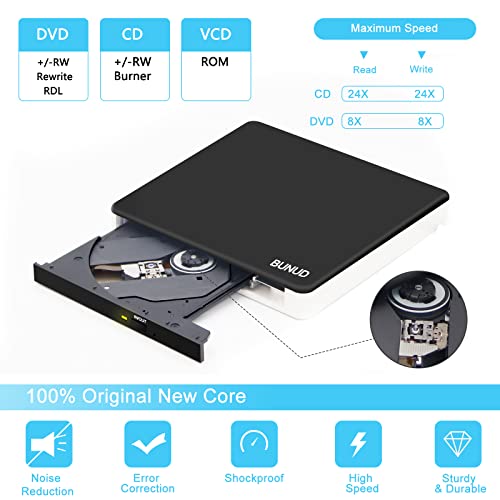
This external CD DVD drive is a slim optical drive with USB 3.0 and Type-C connection options, plus SD/TF card slots and 2 USB ports. It is set up for reading and burning CDs and DVDs, with support listed for a range of disc formats and use on laptops, PCs and Mac computers.
The built-in cable storage and slim shape make it easier to keep together with a desk or travel setup. The extra ports add more connection options alongside disc use, while the SD/TF note means only one card type should be used at a time.
Who It Is Best For
Choose this drive if you want an external disc drive for a computer with USB 3.0 or Type-C, and if you also want SD/TF card access and extra USB ports in the same unit. It suits buyers who need disc reading, disc burning, or both, and who want a portable drive for a laptop, desktop or Mac setup.
Key Details
| Detail | Verified information and buyer relevance |
|---|---|
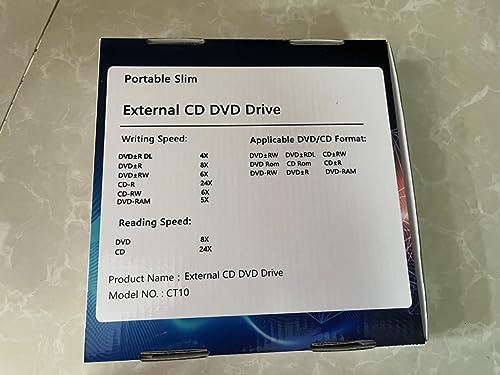
| Product type | External CD DVD drive with RW ROM burner, rewriter, writer and reader functions listed. |
| Connection options | USB 3.0 and Type-C are listed, so it is intended for computers with either interface. |
| Extra slots and ports | Includes an SD/TF card slot and 2 USB ports for additional connection use. |
| Card use note | SD card and TF card cannot be used at the same time, so only one should be selected per use. |
| Supported use | Reading and writing CDs and DVDs is listed, including disc playback and burning tasks. |
| Compatibility | Listed for Windows XP, 2003, Vista, 7, 8.1, 10, 11, Linux and all versions of Mac OS, plus laptop, notebook, PC and desktop use. |
| Unsupported devices | Not listed as compatible with iPad, tablet, TV, cars, smartphone, Chrome OS, Blu-ray disc or projector use. |
| Desktop connection note | For desktops, the drive must be connected to the USB port on the back of the computer host. |
Why Buyers Choose It
- USB 3.0 and Type-C connection options give you two stated ways to link the drive to a computer.
- The SD/TF slot and 2 USB ports add extra connection use alongside disc reading and burning.
- Support for both CD and DVD read and write tasks makes it useful for users who need more than playback alone.
- The slim form and hidden cable storage support a tidier desk or travel setup.
How It Works
- Connect the drive to a computer using the USB 3.0 or Type-C interface.
- Wait for the drive to be recognised.
- Use it for the stated disc tasks, such as reading, burning, playback, installation or backup work.
- If using SD or TF media, choose one card type at a time.
- For desktop computers, connect it to the USB port on the back of the host machine.
Real World Use
This drive is set up for everyday computer use where disc access is still needed, alongside card and USB connections in one device. It can sit on a desk or go in a travel bag, and the hidden cable storage reduces loose parts when it is being moved.
What To Know Before You Buy
Check that your computer has a USB 3.0 or Type-C connection available. If you plan to use SD and TF media, remember that only one card type can be used at a time. Review the stated compatibility list carefully if you need Mac, Windows or Linux support, and avoid expecting use with devices such as tablets, phones, TVs or Blu-ray discs.
Common Buyer Questions
Can it read and burn discs?
Yes. It is listed as a reader and burner for CDs and DVDs.
Does it work with Mac computers?
Yes. Compatibility is listed for all versions of Mac OS, including MacBook Pro, Air and iMac in the title.
Can SD and TF cards be used together?
No. Only one of those card types should be chosen at a time.
Can I use it with a tablet or phone?
No. It is not listed as compatible with iPad, tablet or smartphone use.
Final Buying View
This external CD DVD drive suits buyers who want a slim disc drive with USB 3.0 and Type-C connection options, plus SD/TF and USB ports in the same unit. Check your device connection type, the stated compatibility list, and whether you need the extra card and USB functions before ordering.


