

Quick Summary
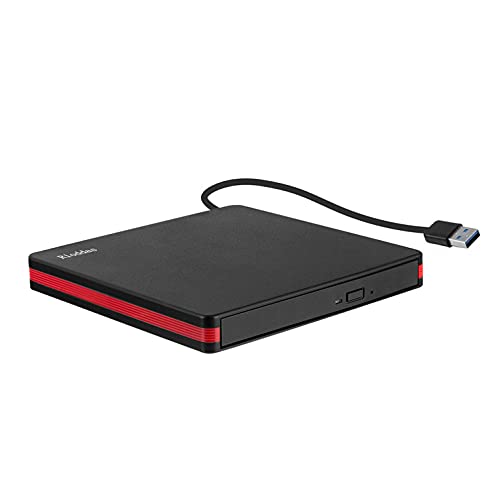
The Grehge rnal Portable USB 3.0 CD DVD Drive is an external optical drive for reading and burning discs on laptops, desktops and Mac computers. It supports USB 3.0 and is also backward compatible with USB 2.0 and USB 1.0, so it connects to a wide range of computers.
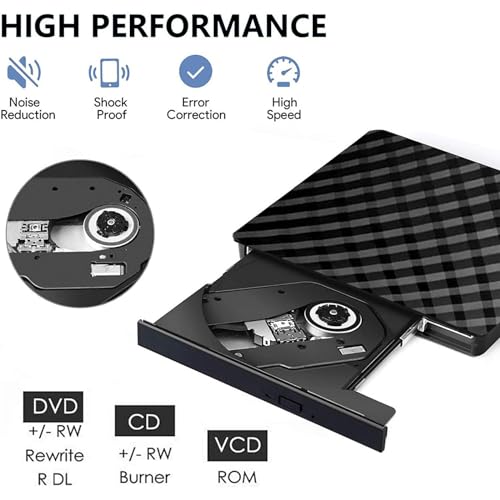
This slim drive is described as plug and play, with no driver installation required. It is stated to support reading CD, VCD, SVCD, CD R RW and DVD R RW, and to burn CD RW and DVD RW.
Who It Is Best For
This drive suits buyers who need an external disc drive for watching movies, burning files, installing software or creating backup CDs. It is also aimed at users who want a portable option for office, home or travel use.
Check that your computer uses a compatible USB connection and that you want an external optical drive rather than an internal one.
Key Details
| Detail | Verified information and buyer relevance |
|---|---|
| Product type | Portable external CD DVD drive for reading and burning discs. |
| Connection | USB 3.0, with backward compatibility to USB 2.0 and USB 1.0. |
| Disc support | Supports reading CD, VCD, SVCD, CD R RW and DVD R RW. |
| Burning support | Supports burning CD RW and DVD RW. |
| Compatibility | Compatible with Windows XP, 2003, Vista, 7, 8.1, 10, Linux and all versions of Mac OS systems. |
| Portability | Described as slim and lightweight, with a hidden data cable for easier storage. |
| Controls | Includes an eject button. |
Why Buyers Choose It
- USB 3.0 support is stated, with backward compatibility to older USB versions for broader connection options.
- Plug and play use means no driver installation is required before starting.
- Support for both reading and burning discs covers common playback and backup tasks.
- The slim, portable design is stated to fit in briefcases and laptop bags.
How It Works
- Connect the drive to your computer using the USB connection.
- Wait for it to be automatically recognised.
- Use it to watch movies, burn files, install software or create backup CDs.
- Press the eject button when you need to remove a disc.
Real World Use
The hidden data cable on the back is intended to make storage tidier, and the compact form is described as suitable for carrying in a laptop bag or briefcase. That makes it a practical external drive to keep with a computer setup when disc access is still needed.
What To Know Before You Buy
Confirm that you need an external optical drive and that your computer has a suitable USB connection. Check the disc formats you want to read or burn against the stated support list, and review your operating system version before ordering.
Pros: It supports both reading and burning for a range of common CD and DVD disc formats.
Cons: The product is aimed at specific disc and system compatibility, so your setup should be checked carefully before purchase.
Common Buyer Questions
Does it need driver installation?
No, it is described as plug and play and does not require driver installation.
What systems is it compatible with?
It is stated to work with Windows XP, 2003, Vista, 7, 8.1, 10, Linux and all versions of Mac OS systems.
Can it burn discs as well as read them?
Yes, it is described as supporting burning CD RW and DVD RW.
Does it have an eject button?
Yes, it includes an eject button.
Final Buying View
If you need a portable external CD DVD drive for reading, burning and general disc access, this model combines USB 3.0 connectivity with broad stated system support. Check your computer connection, operating system and the disc formats you need before choosing it.