Quick Summary
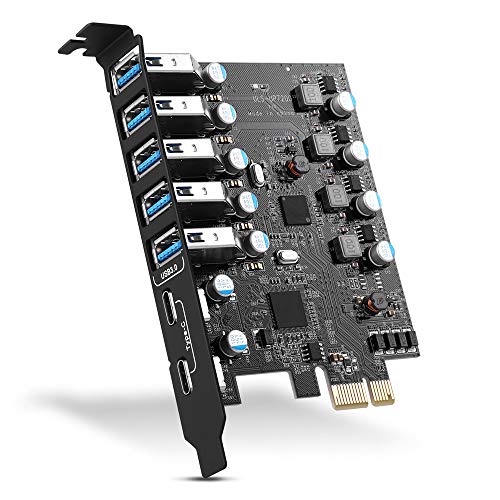
The Xdingjiala PCI-E X1 to SATA 3.0 Controller Card is a 6-port SATA III expansion card for adding SATA connections to a compatible desktop PC or workstation. It is described as supporting SATA 3.0 speeds of up to 6Gbps per port and PCI-Express x1, x4, x8 and x16 slots.
The card is also described as supporting SSD and HDD use, with AHCI boot and storage support. A heatsink is mentioned, along with a low profile bracket and included cables.
Who It Is Best For
This card suits buyers who need to add multiple SATA connections through a PCI-Express slot and want a 6-port setup for storage expansion. It is also relevant if you are checking compatibility with a desktop PC, workstation, Mac Pro or NAS use.
Confirm your available PCI-Express slot, SATA storage needs and operating system before ordering.
Key Details
| Detail | Verified information and buyer relevance |
|---|---|
| Brand | Xdingjiala, which identifies the product listing. |
| Product type | PCI-E to SATA 3.0 controller card for adding SATA connections. |
| Ports | 6 SATA ports for connecting multiple drives. |
| Stated speed | Up to 6Gbps per SATA 3.0 port, relevant when comparing storage connection requirements. |
| Slot support | Supports PCI-Express x1, x4, x8 and x16 slots. |
| Drive support | Supports SSD and HDD use. |
| Operating system support | Windows XP, Windows 7, Windows 8, Windows 10, Linux and Mac are mentioned. |
| Included items | 6 SATA cables, a 15pin SATA power splitter cable, a low profile bracket and a use manual are listed. |
| Cooling detail | A heatsink is mentioned, which is a relevant hardware detail for buyers comparing the card’s build. |
Why Buyers Choose It
- 6 SATA ports provide space for multiple drives on one expansion card.
- PCI-Express x1, x4, x8 and x16 support gives broader slot compatibility.
- AHCI boot and storage support makes it relevant for buyers planning drive use as well as storage expansion.
- The included cables, power splitter cable and low profile bracket reduce the number of extra items needed at the point of installation.
How It Works
The card fits into a compatible PCI-Express slot and provides SATA connections for drives. It is described as plug and play, and the listing also says it is set on AHCI boot mode.
If you plan to use SSD or HDD boot support, check that your PC is in AHCI boot mode before use, as the listing warns that a mismatch may cause a blue screen.
What To Know Before You Buy
Check that your system has a compatible PCI-Express slot and that your storage setup matches the 6-port layout before ordering. The card is described for Windows XP, Windows 7, Windows 8, Windows 10, Linux and Mac use, so confirm your operating system against that list.
Review the included accessories as part of your decision. The package includes SATA cables, a power splitter cable, a low profile bracket and a manual.
Common Buyer Questions
Which slots does this card support?
It is described as supporting PCI-Express x1, x4, x8 and x16 slots.
What drives can be used with it?
SSD and HDD use are both mentioned.
What comes in the box?
The listed items are the controller card, 6 SATA cables, a 15pin SATA power splitter cable, a low profile bracket and a use manual.
Does it support boot use?
AHCI boot support is mentioned, and the listing warns to make sure the PC SSD or HDD is in AHCI boot mode.
Final Buying View
If you need a 6-port SATA expansion card for a compatible PCI-Express slot, this Xdingjiala card gives a clear set of connection and accessory details to check against your build. Review slot type, operating system and AHCI boot mode before choosing it.