




Quick Summary
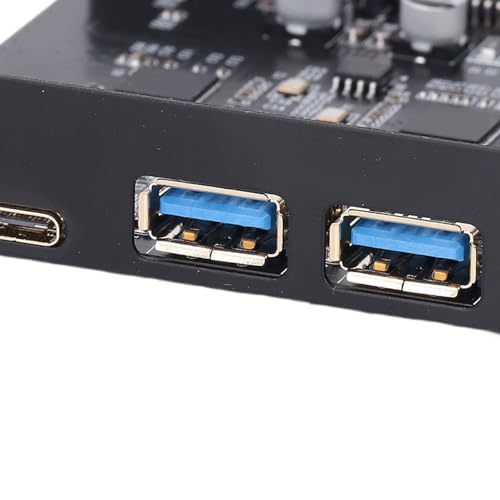
This PCIe to USB 3.2 Gen 2 expansion card adds 5 external USB ports to a desktop through a PCI Express slot. It provides 3 Type A ports and 2 Type C ports, with a stated total bandwidth of up to 20 Gbps.
The card is intended for use with Windows, Linux and OS X, and the description also notes driver requirements for some Windows and Server versions. It is presented as an internal card installation rather than an external USB hub.
Who It Is Best For
This card suits desktop users who want to add or expand USB connectivity from inside the computer case. It is especially relevant if you need multiple external USB ports in one installed PCIe solution and want the port mix of 3 Type A and 2 Type C connections.
It is also worth checking your operating system version and whether drivers are needed before ordering, particularly if you are using an older Windows release or Server system.
Key Details
| Detail | Verified information and buyer relevance |
|---|---|
| Product type | PCIe to USB 3.2 Gen 2 expansion card for adding USB ports through a PCI Express slot. |
| Ports | 5 external USB ports in total, with 3 Type A ports and 2 Type C ports. |
| Bandwidth | Up to 20 Gbps total bandwidth, with the ports sharing bandwidth as described. |
| Per-port speed | Up to 10Gbps when a port is used individually. |
| Compatibility | Windows 7, 8, 10 and 11, OS X 10.8.2 and higher, and Linux are listed. |
| Driver note | Drivers are required for Windows XP 7 and Server, while Windows 10, 11, OS X and Linux are stated not to require drivers. |
How It Works
- Turn off the PC and unplug it from the outlet.
- Remove the PC case.
- Insert the card into the PCIe slot.
- Tighten the screws.
- Close the case cover.
- Turn on the PC and install the driver if required.
If the rear slot area is narrow, the card can be fitted by cutting the crossbar between the two slots with small sheet metal hand pliers, as described.
Real World Use
The 5 ports give one installed place for connecting devices such as a keyboard, mouse, external hard disk drive, CD or DVD drive, webcam, USB printer, scanner, game controller, USB VR or digital camera. Because it is an internal PCIe expansion card, it is aimed at use inside a desktop PC rather than as a separate external hub.
What To Know Before You Buy
Check that your desktop has an available PCI Express slot and confirm that your operating system matches one of the listed versions. The card provides 3 Type A ports and 2 Type C ports, so it is worth checking the connector mix against the devices you plan to plug in. If you use an older Windows or Server system, allow for driver installation.
Common Buyer Questions
How many ports does it provide?
It provides 5 external USB ports in total.
Which port types are included?
There are 3 USB Type A ports and 2 USB Type C ports.
Which operating systems are listed?
Windows 7, 8, 10 and 11, OS X 10.8.2 and higher, and Linux are listed.
Do all systems need drivers?
No. Drivers are stated as required for Windows XP 7 and Server, but not for Windows 10, 11, OS X or Linux.
Final Buying View
Choose this card if you want to add 5 USB ports to a desktop through PCIe and the listed operating system support matches your setup. Confirm the PCIe slot, port mix and driver requirements before ordering.


